
Add Custom Ballistic Preset with GeoBallistics
Working with Your GeoBallistics DOPE
GeoBallistics is widely used in the precision rifle community. If you already use GeoBallistics for your rifle setup, the easiest way to begin ballistic dry-fire training is to bring that same trajectory data into the LaserHIT KYL 500 yd + Ballistic drill.
Once the preset is imported, the drill follows the same ballistic logic used to generate your DOPE chart:
• same elevation drop
• same wind drift logic
• same ballistic model
• the same rifle and ammunition profile you use in real shooting
LaserHIT supports two import paths:
• image-based DOPE chart
• CSV spreadsheet export
Option 1: Import as Image
Step 1. Start the GeoBallistics preset workflow
Open the LaserHIT app on your phone and navigate to:
Drills -> Challenge -> KYL 500 yd + Ballistic (PRO Access required)
Open the Firing Range Setup screen and tap the Ballistic Preset panel.
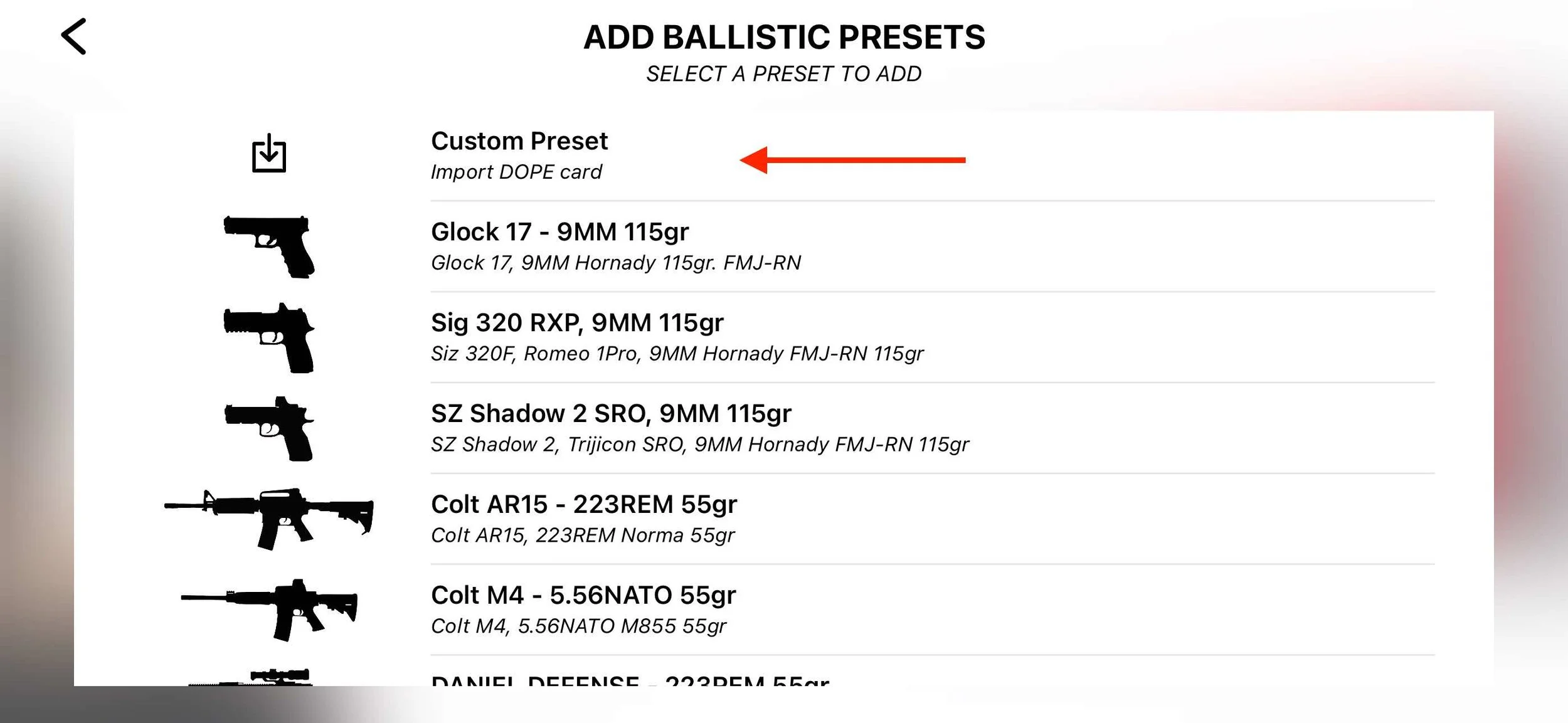
Tap the + icon to open the Ballistic Presets list.
Tap Custom Preset.
Step 2. Choose GeoBallistics Calculator
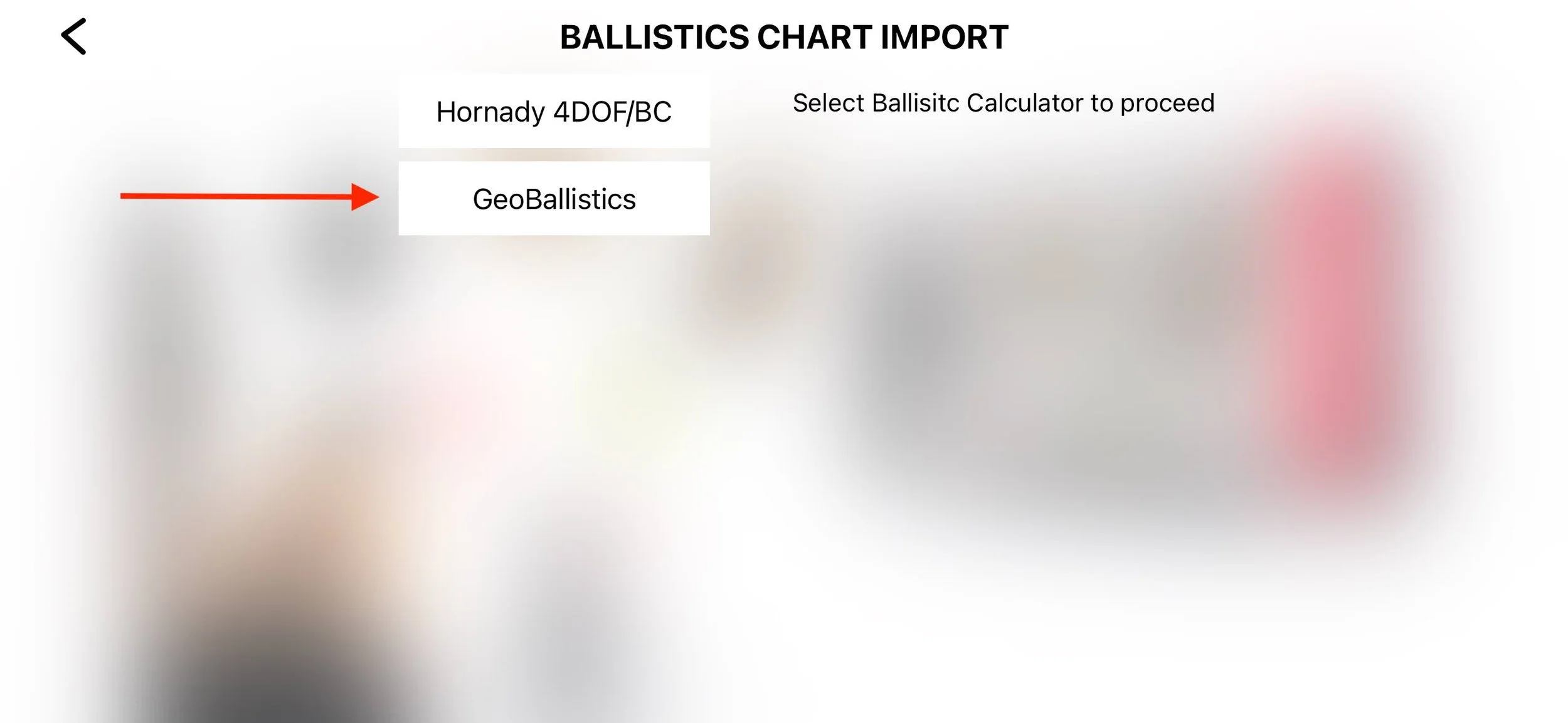
On Ballistics Chart Import tap: GeoBallistics
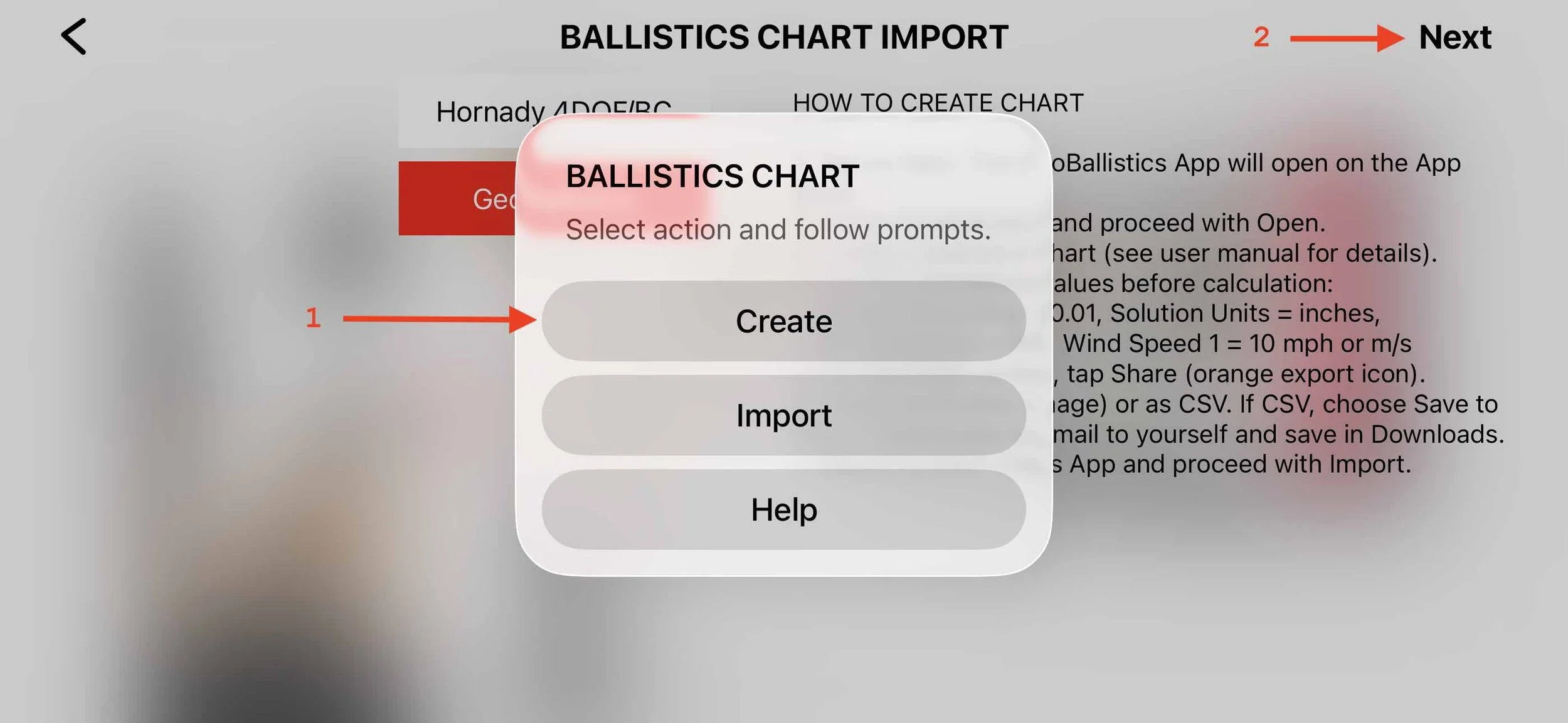
Tap: Create -> Next
Step 3. Open GeoBallistics App
The LaserHIT app will move to the background.
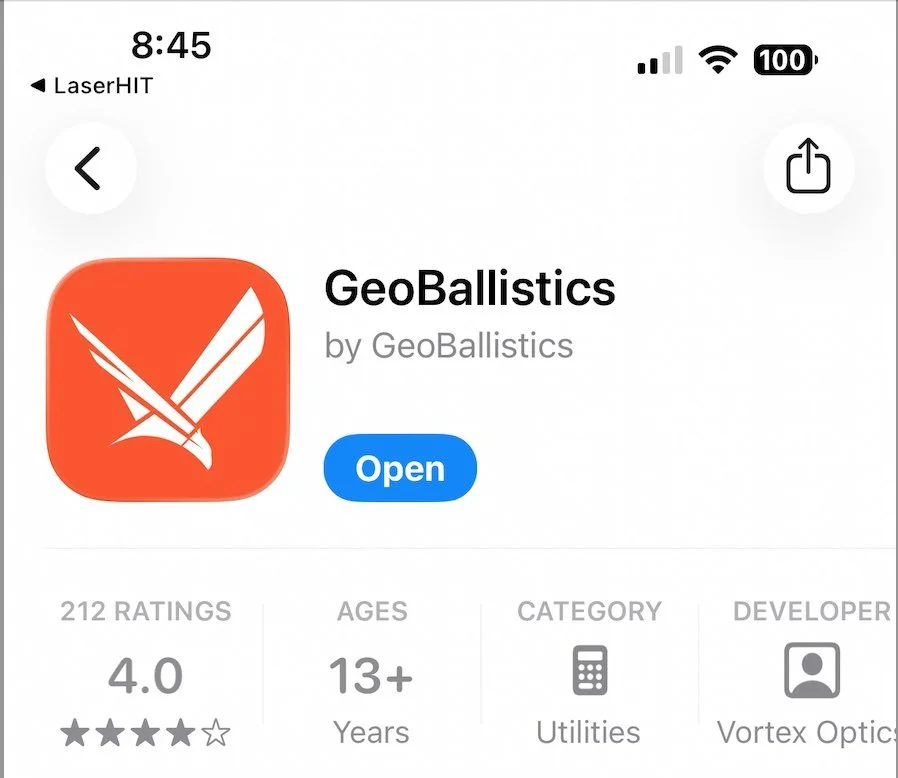
The App Store will open so you can install or launch the GeoBallistics app.
Step 4. Create and Export the Trajectory Chart from GeoBallistics
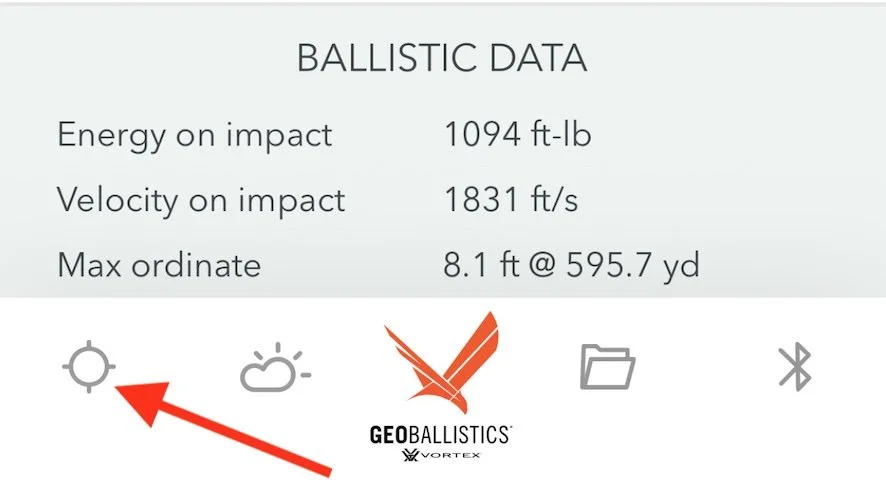
Go to the bottom of the HUD screen and tap the Scope icon to open Armory.
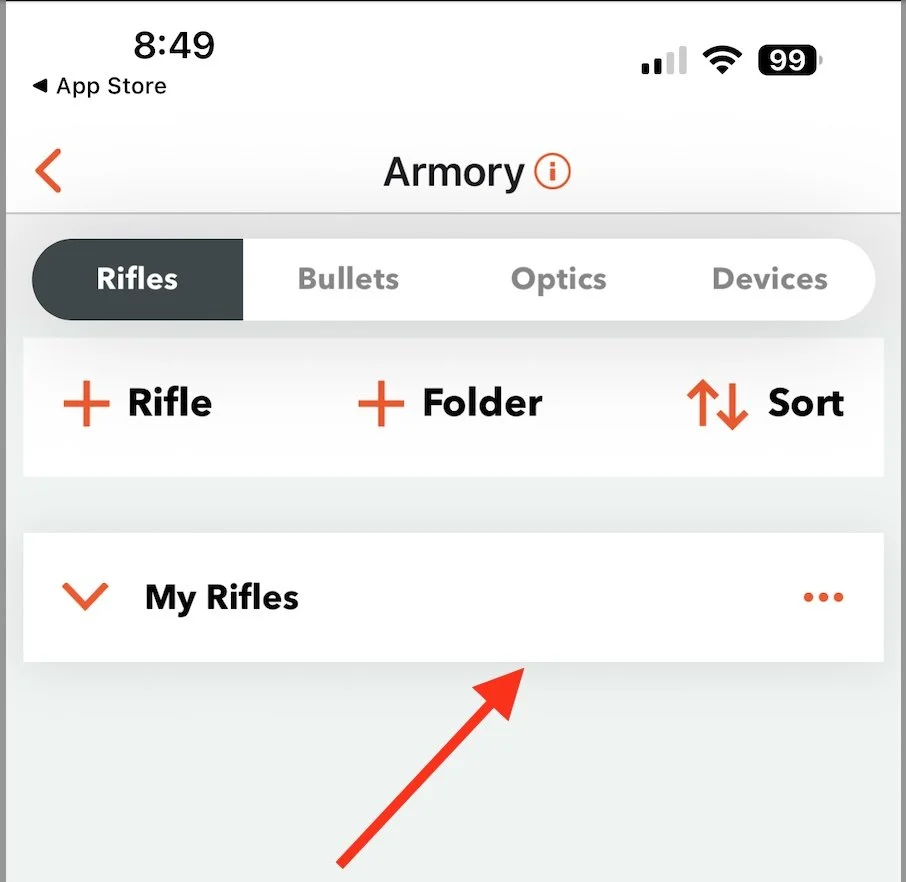
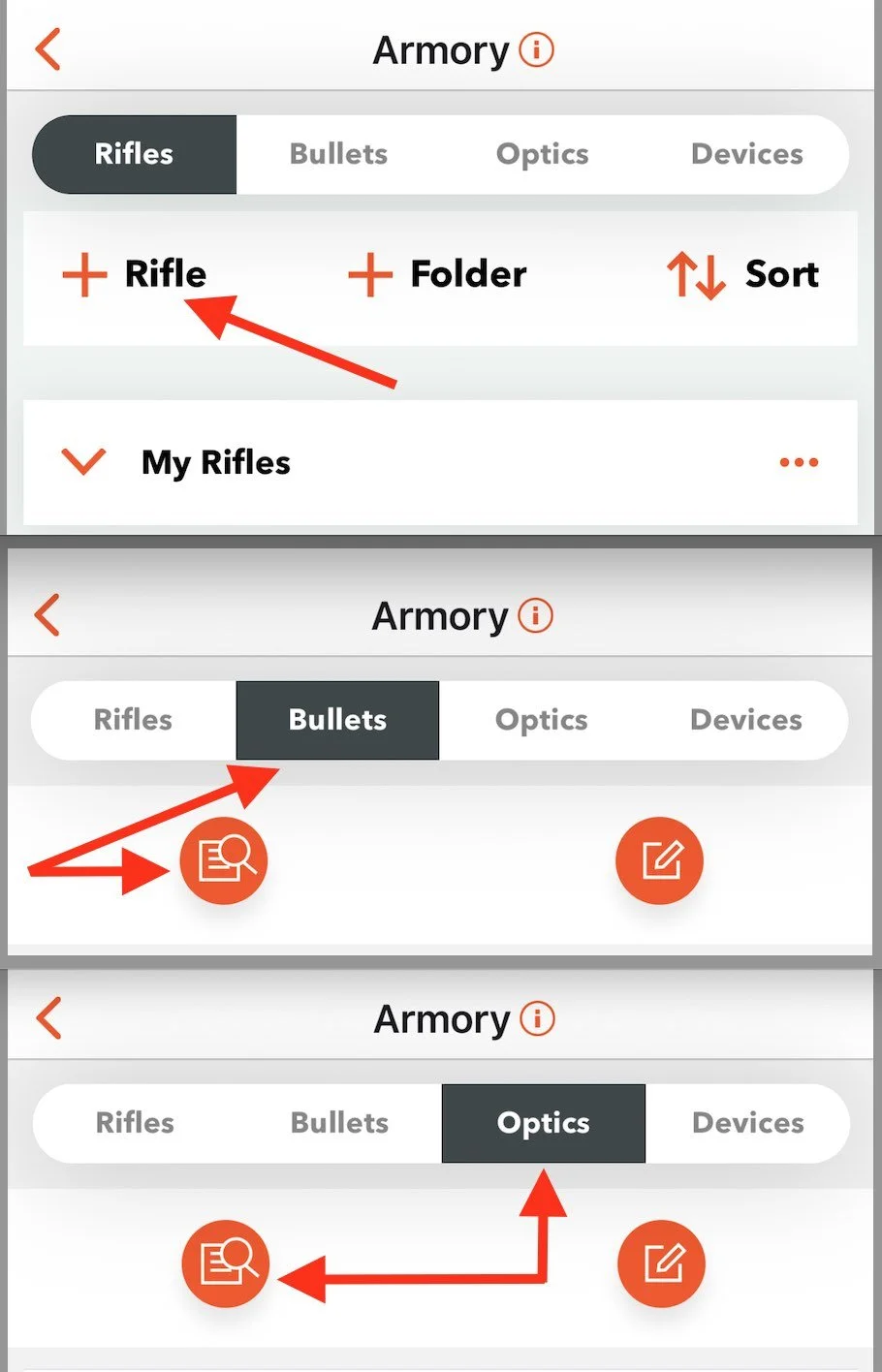
Use your existing rifle profile or create a new rifle profile using the Rifle, Bullets, and Optics sub-tabs.
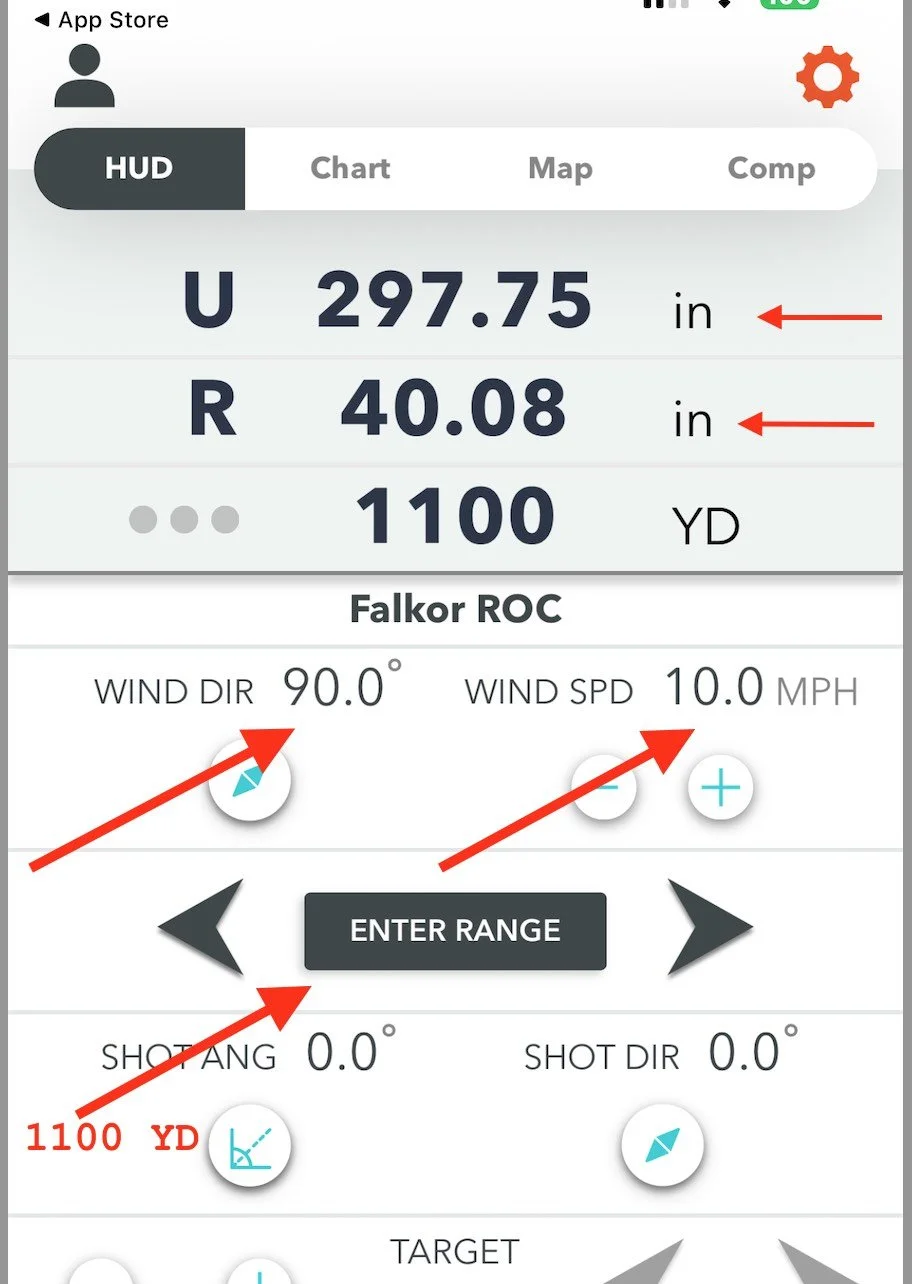
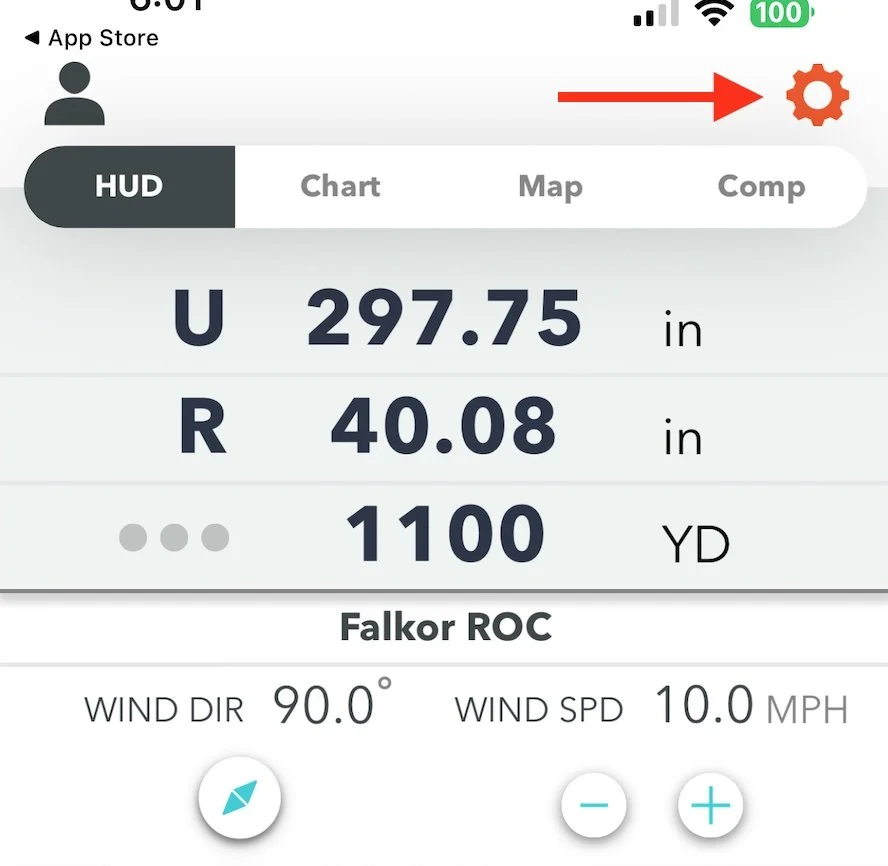
In GeoBallistics configure the following values before generating the chart:
Wind Direction = 90°
Wind Speed = 10 mph
Range = 1100 yd
These values match the wind model used in the KYL 500 yd + Ballistic drill.
Go to Settings to confirm or edit the required units:
• Solution Rounding = 0.01
• Solution Units = inches
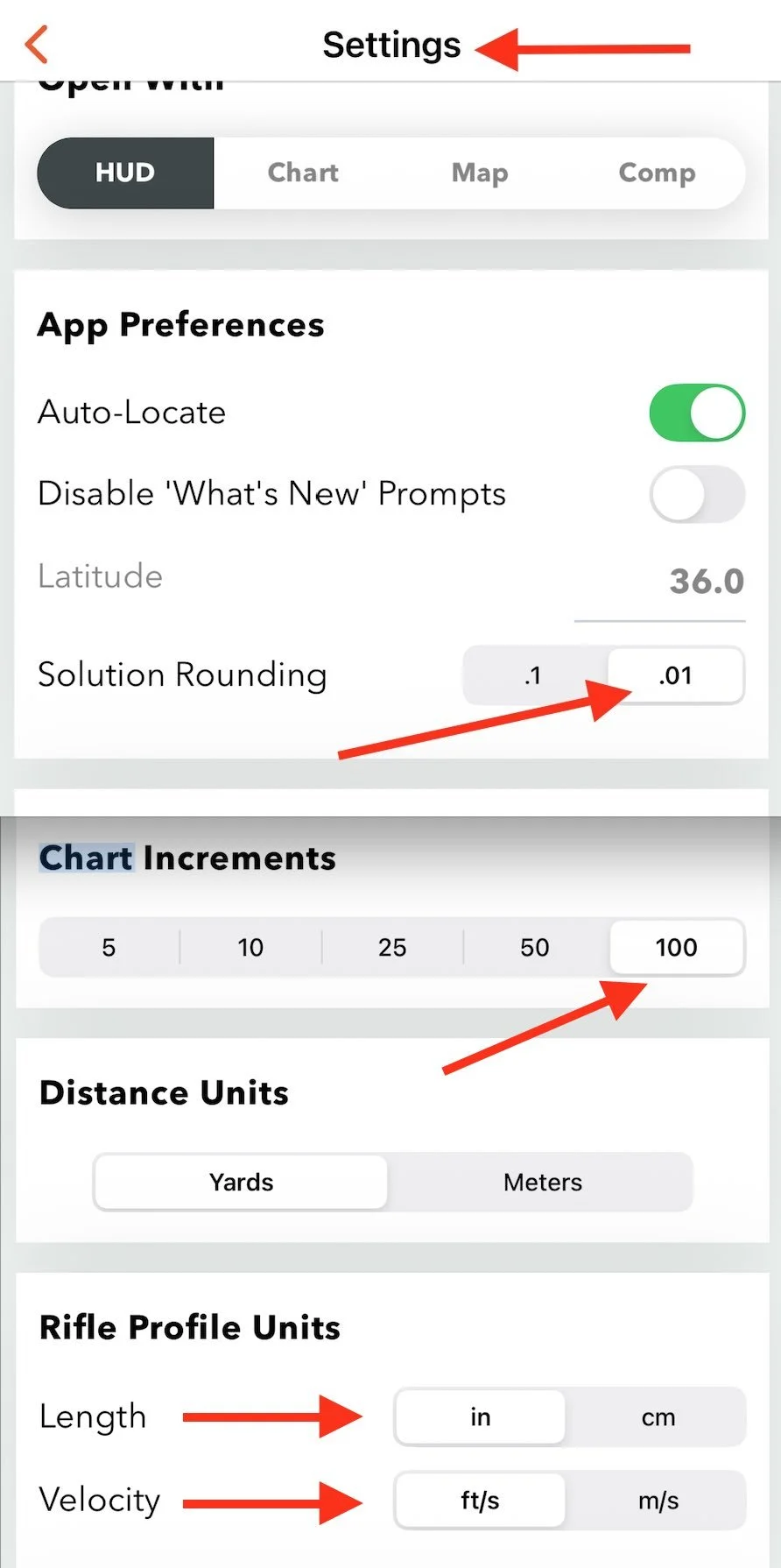
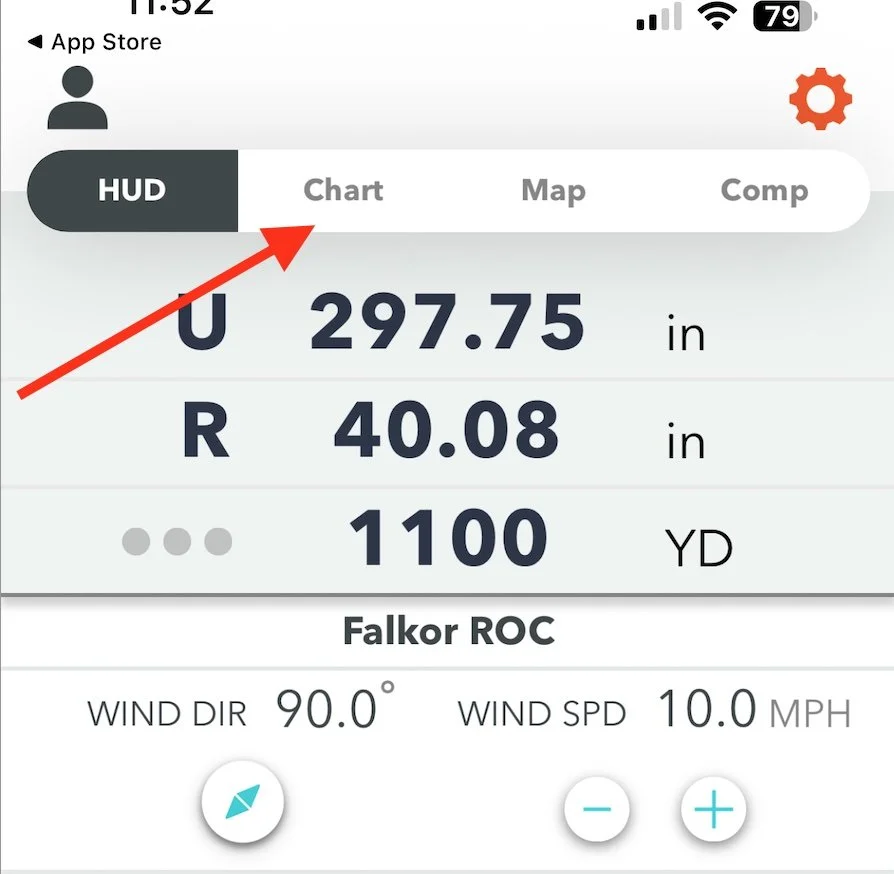
After all mandatory and personalized rifle profile data is confirmed, go to Chart.
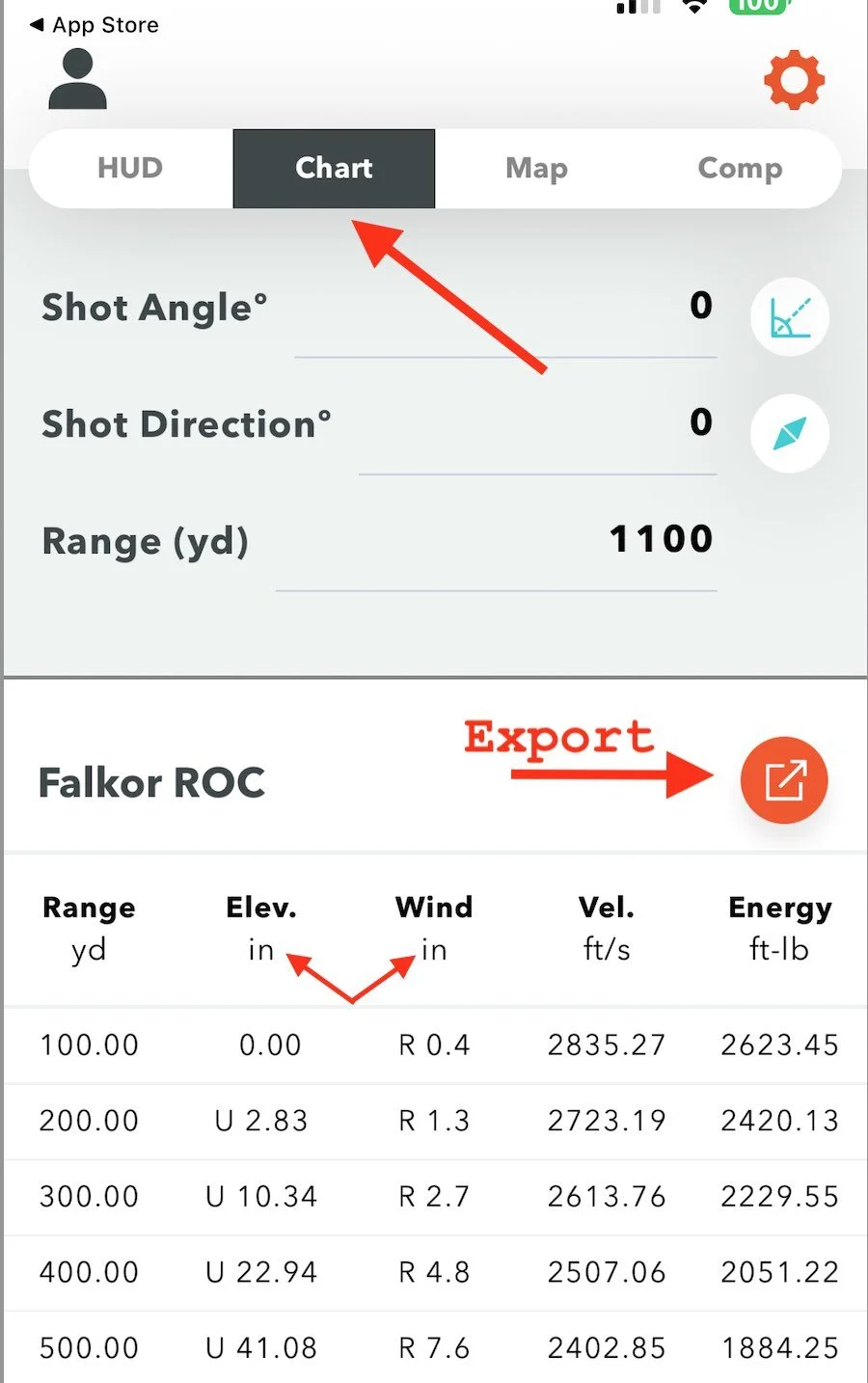
Confirm that the DOPE chart values are displayed in inches and tap Export.
Select Export to Photos.
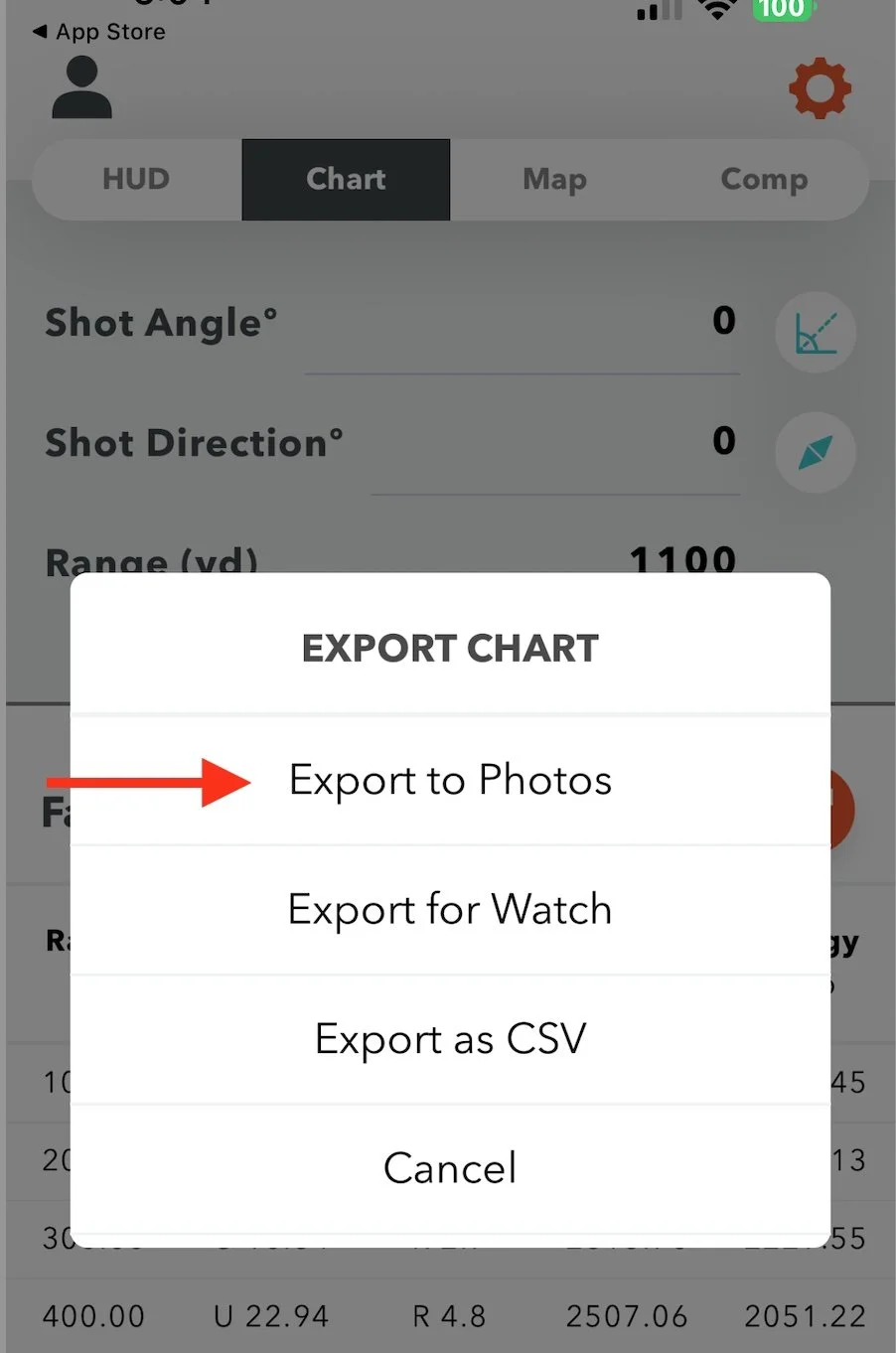
Confirm the Apple permission message to allow access to Photos and confirm Export Chart to Camera Roll.
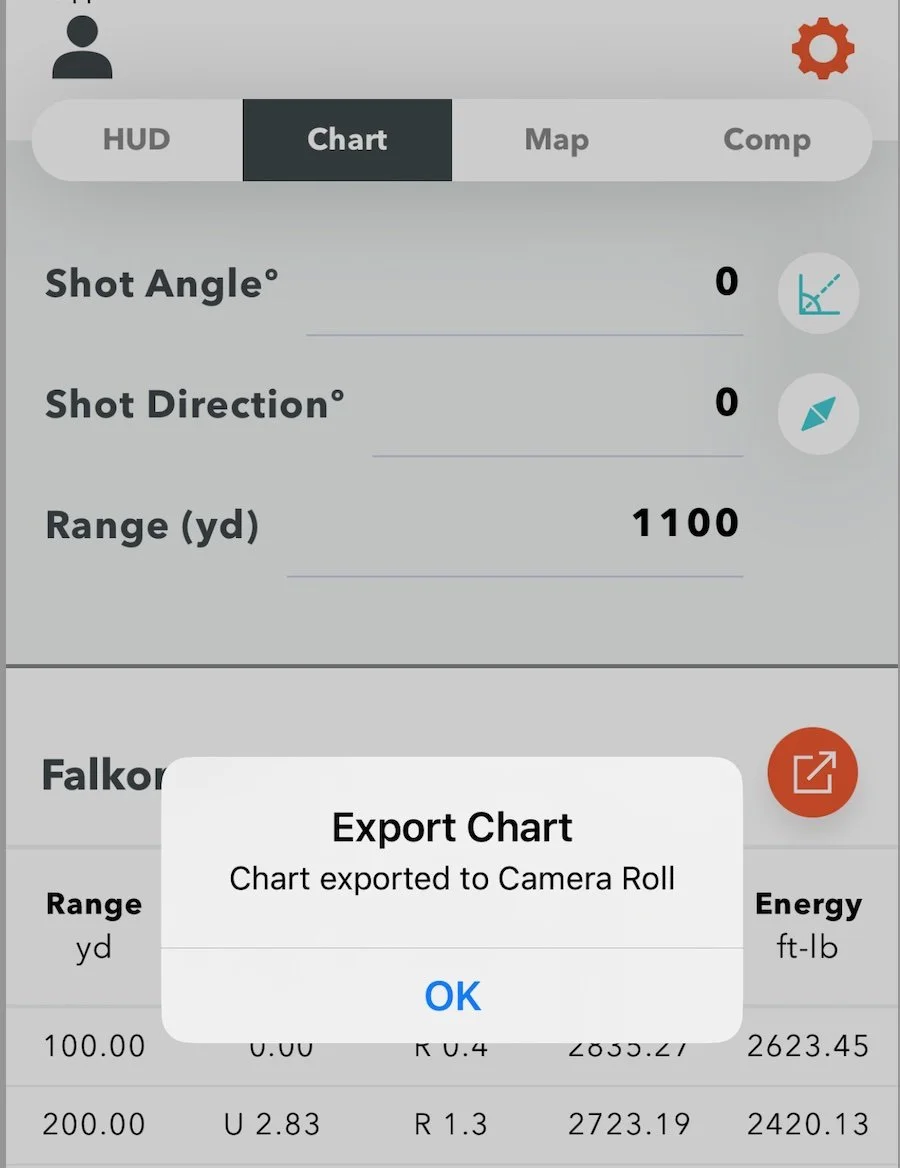
Return to LaserHIT and begin the import process.
Step 5. Import Your Trajectory Chart into LaserHIT
In LaserHIT App Ballistics Chart Import navigate to:
GeoBallistics -> Import -> Next
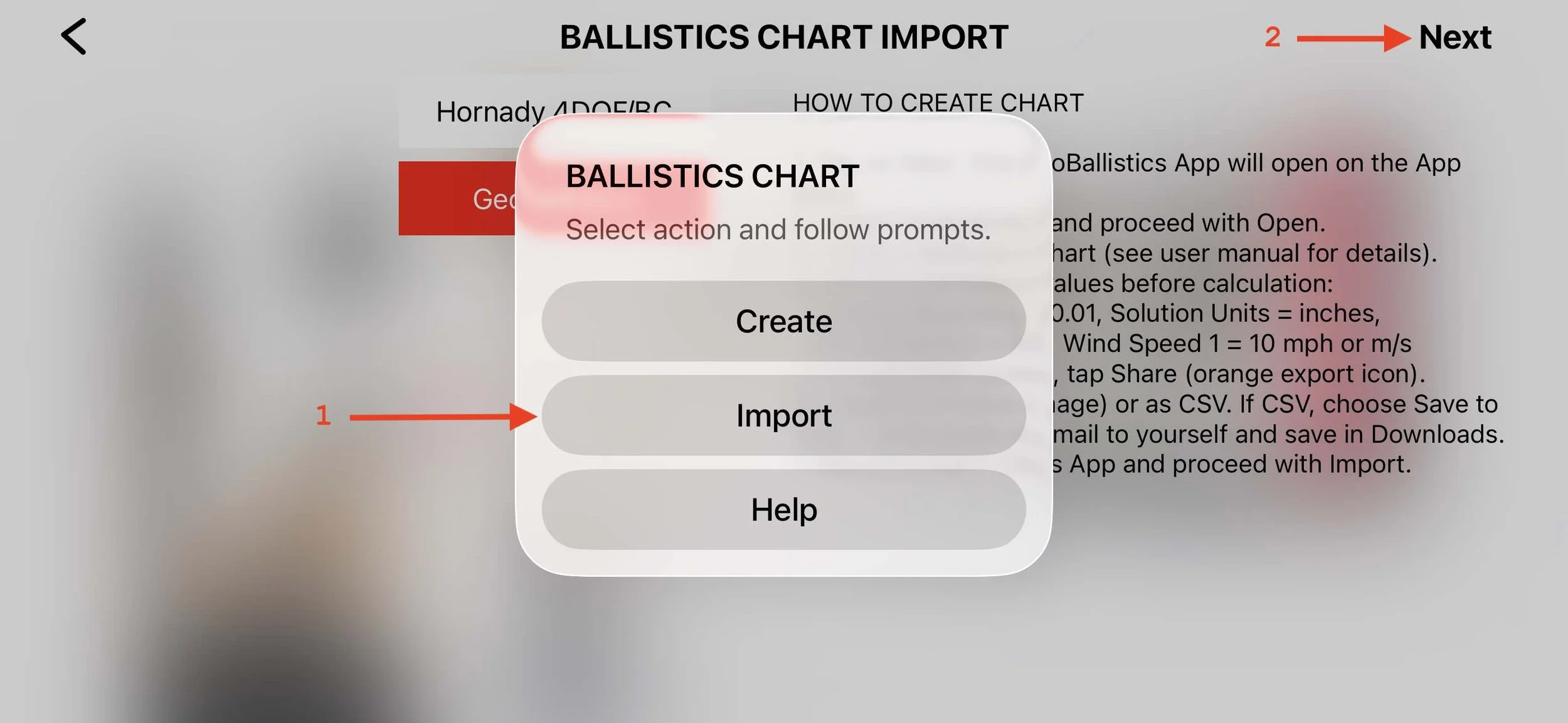
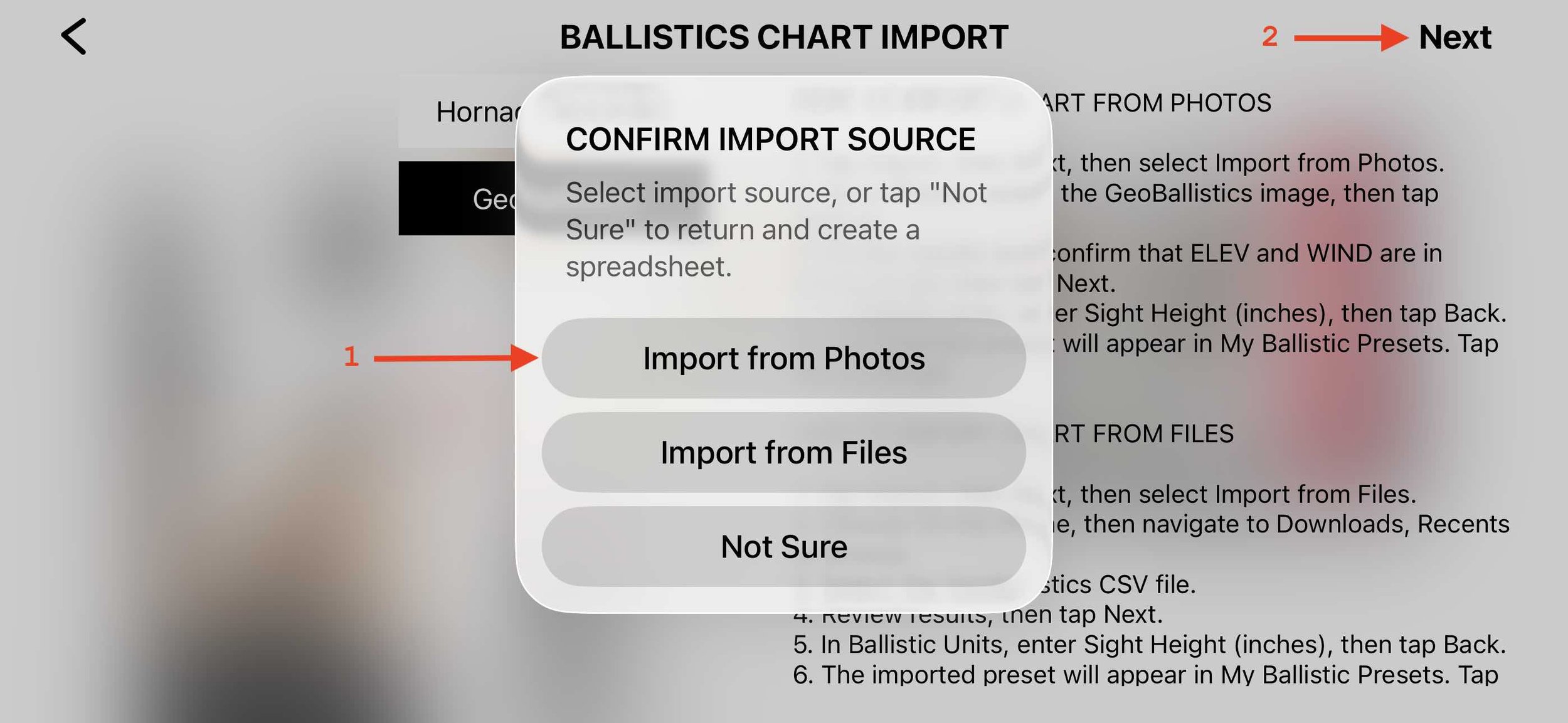
Step 6. Select the Import Source
Choose Import from Photos -> Next
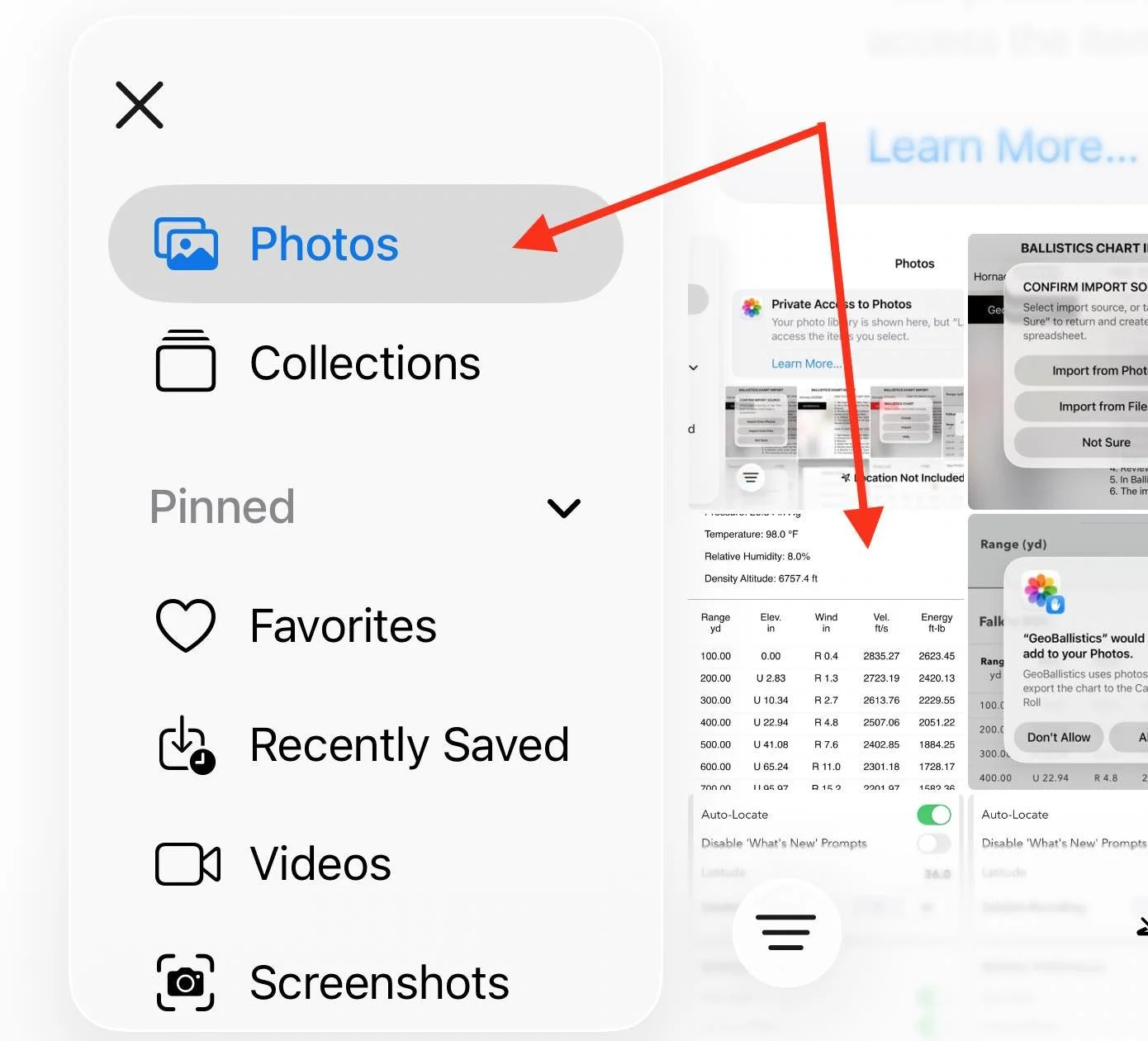
Step 7. Select the Trajectory Chart Image
Your iPhone photo library will open.
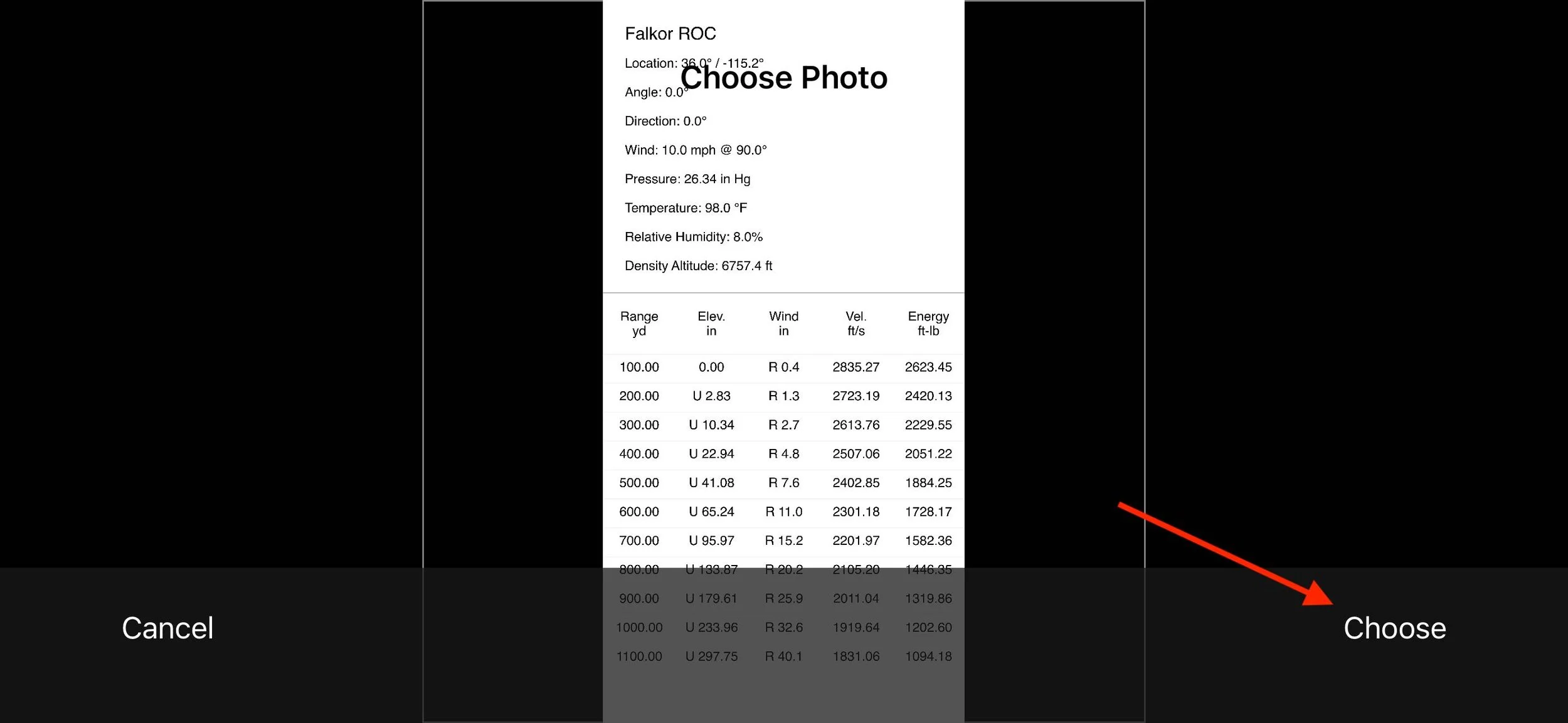
Select the screenshot containing the GeoBallistics trajectory table.
Tap Choose -> Next.
Step 8. Confirm Ballistic Parameters
LaserHIT reads the trajectory table from the image and integrates it into the LaserHIT app.
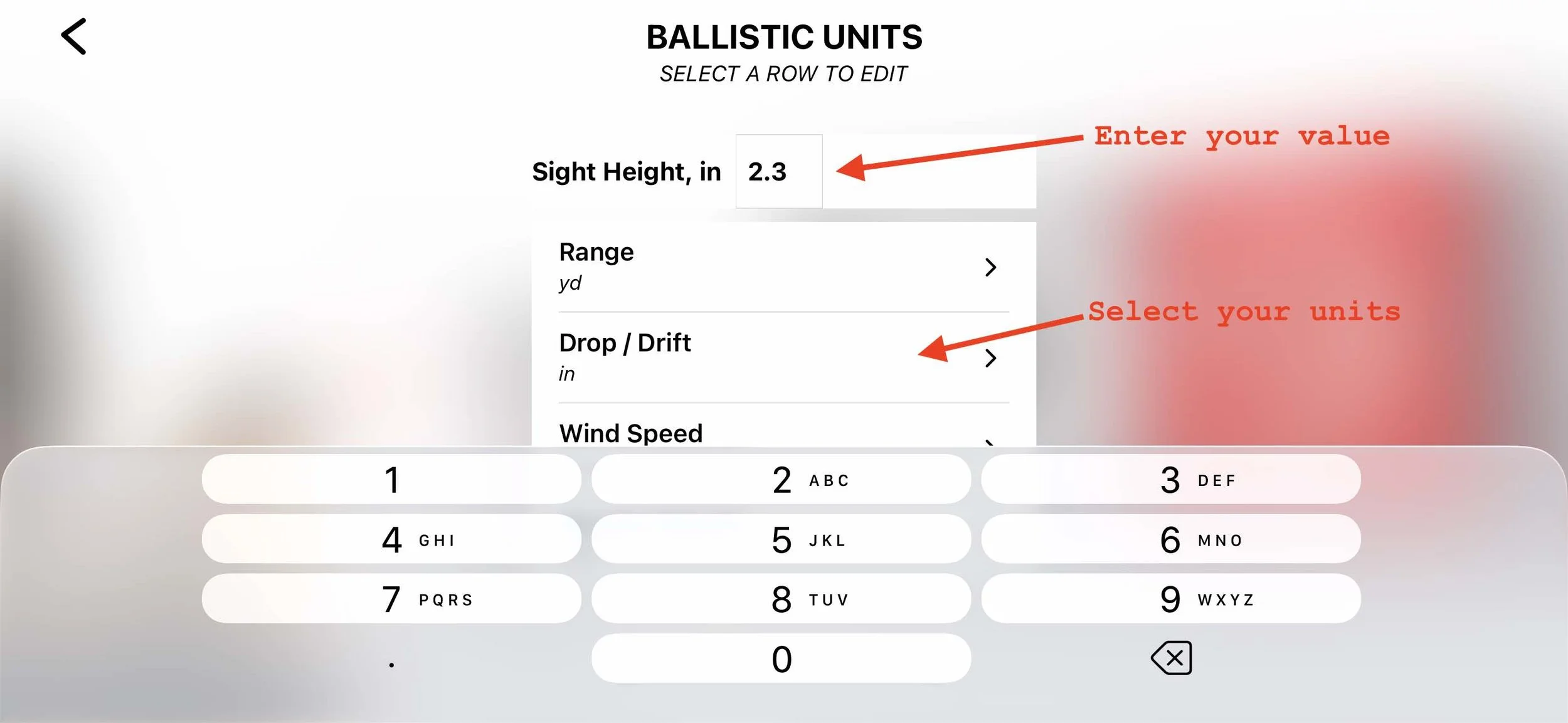
Edit the ballistic unit data if required:
• mandatory Sight Height
• drop/drift units (to match your scope)
Step 9. Preset Appears in My Ballistic Presets
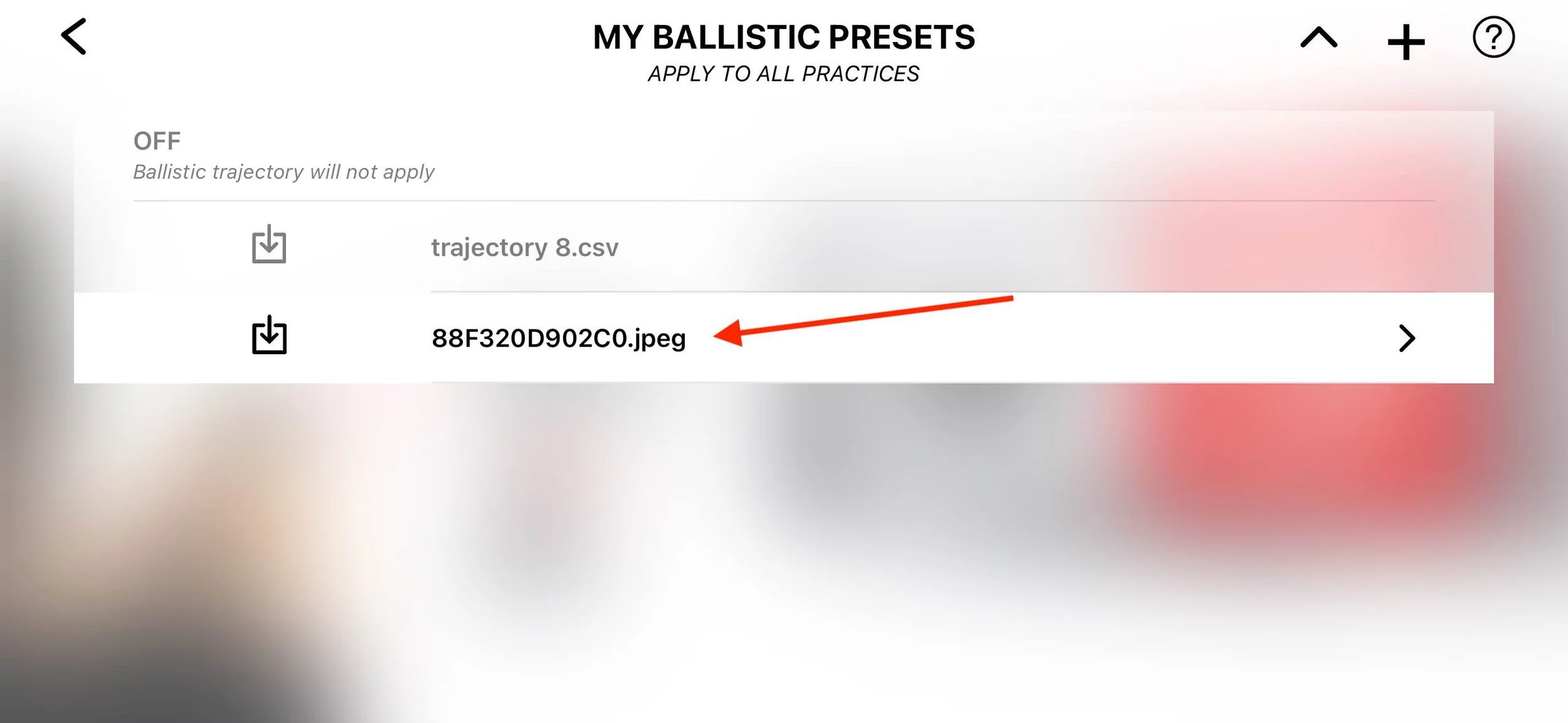
After confirmation, the new preset appears in the My Ballistic Presets list.
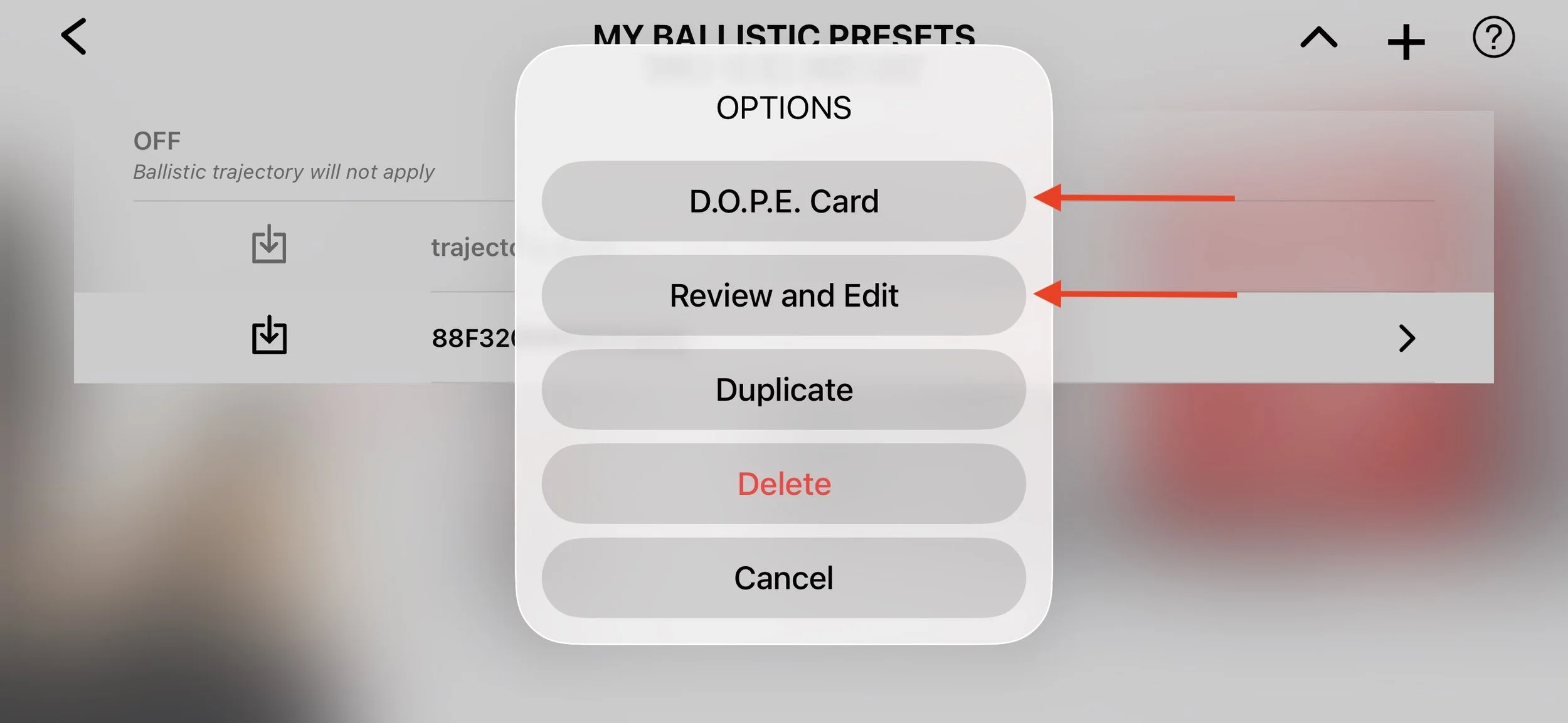
Tap the preset to open additional options and review your DOPE card.
Step 10. Review the Preset
Selecting the preset opens the options menu.
From here you can:
• view the DOPE Card
• review and edit ballistic parameters
• duplicate the preset for another rifle configuration
Read more about Custom Ballistic Presets: Editing Your Firearm Profile in LaserHIT
Option 2: Import as CSV
If GeoBallistics exports the trajectory as a CSV file, LaserHIT can import it directly.
Step 1. In GeoBallistics
Export -> Export as CSV -> Save to Files
Step 2. In LaserHIT
Ballistics Chart Import -> GeoBallistics -> Import -> Next -> Import from Files
Select the exported CSV file in Recents.
Review the file content -> Next.
On the Ballistic Units screen edit the ballistic unit data:
• mandatory Sight Height
• drop/drift units (to match your scope)
Tap the back arrow to return to My Ballistic Presets.
Confirm and finalize the preset.
If the CSV file arrives via email, save it to Downloads first and then import it through Files.
Before You Go
Regardless of the import method you choose, the key elements remain the same: correct sight height and clean trajectory data.
Once imported, your DOPE card becomes the ballistic foundation of the KYL 500 yd + Ballistic drill.
Your dry-fire session is no longer symbolic practice. It becomes a rehearsal using the same ballistic logic you apply on the range.
Physics does not change between indoor and outdoor shooting.
Only the distance changes.
Your numbers and your rifle stay the same.
Acknowledgment
Special thanks to the GeoBallistics team and Vortex Optics for providing one of the most widely used mobile ballistic calculators in the long-range shooting community.
GeoBallistics
https://geoballistics.com
Vortex Optics
https://vortexoptics.com