
Add Custom Ballistic Preset with Hornady
Prepare Your DOPE Before Starting Ballistic Training
Before starting the KYL 500 yd + Ballistic Challenge, your ballistic table should already be saved on your mobile device.
Most long-range shooters already maintain DOPE cards for their rifles. Once the file exists, LaserHIT can import the DOPE data and apply it directly to your training session in less than one minute.
The purpose of the app is not to replace your ballistic calculator, but to integrate your existing DOPE profile directly into your dry-fire training.
This article may look longer than the actual process. In reality, the setup is quick. In this guide we simply walk through the steps so you can see exactly how the trajectory file is created and imported.
For this example we use the Hornady 4DOF ballistic calculator. The same workflow applies if you normally use the Hornady Standard BC calculator.
After the import, the drill uses the same trajectory values you rely on at the range:
• same elevation drop
• same wind drift logic
• same ballistic model
• the same rifle and ammunition profile you use in real shooting
Create the Ballistic DOPE File
Step 1. Open Ballistic Preset Setup
Open the LaserHIT app on your phone and navigate to:
LaserHIT App -> Drills -> Challenge -> KYL 500 yd + Ballistic (PRO Access required)
Open the Firing Range Setup screen and tap the Ballistic Preset panel.
Tap the + icon to open the Ballistic Presets list. Tap Custom Preset.
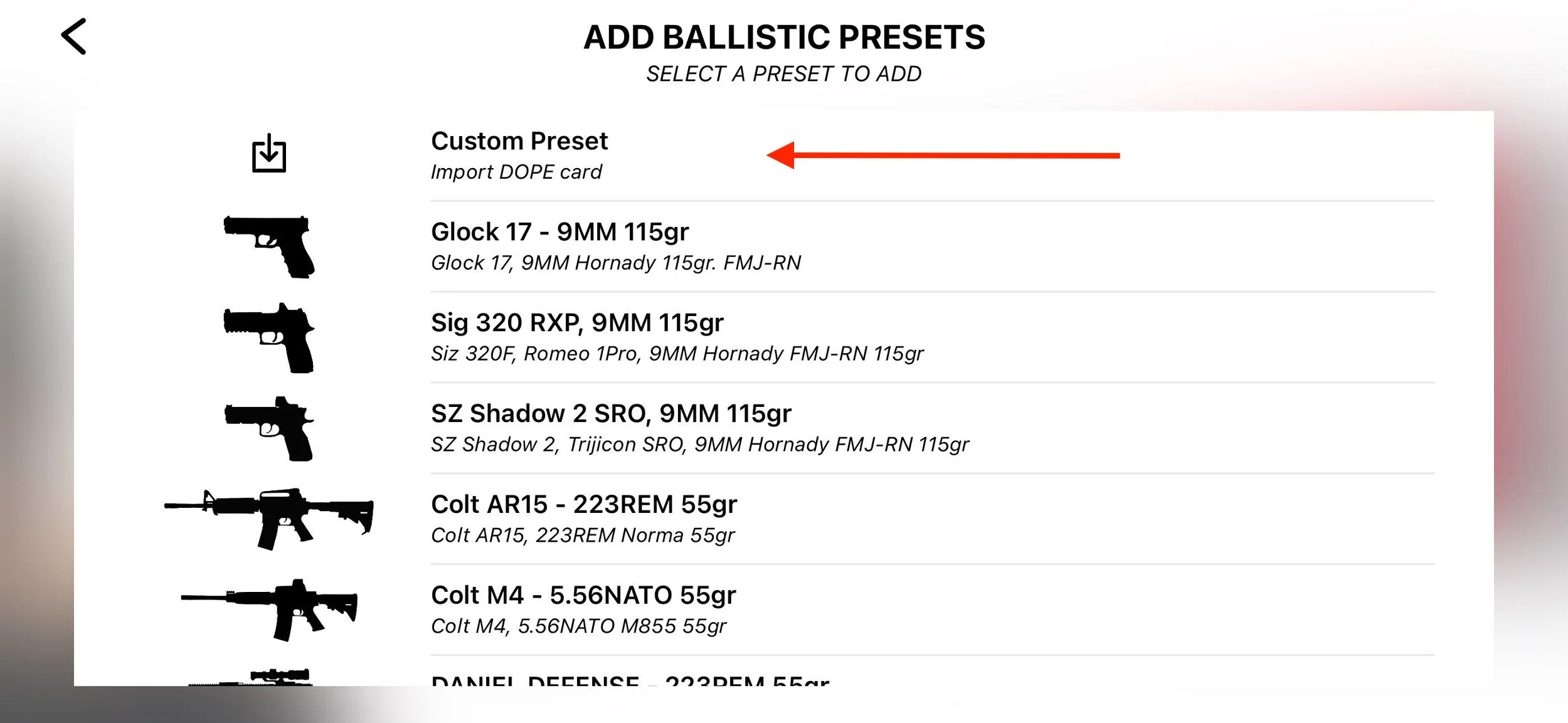
Step 2. Choose Hornady Calculator
On Ballistics Chart Import tap: Hornady 4DOF / BC
Tap: Create -> Next
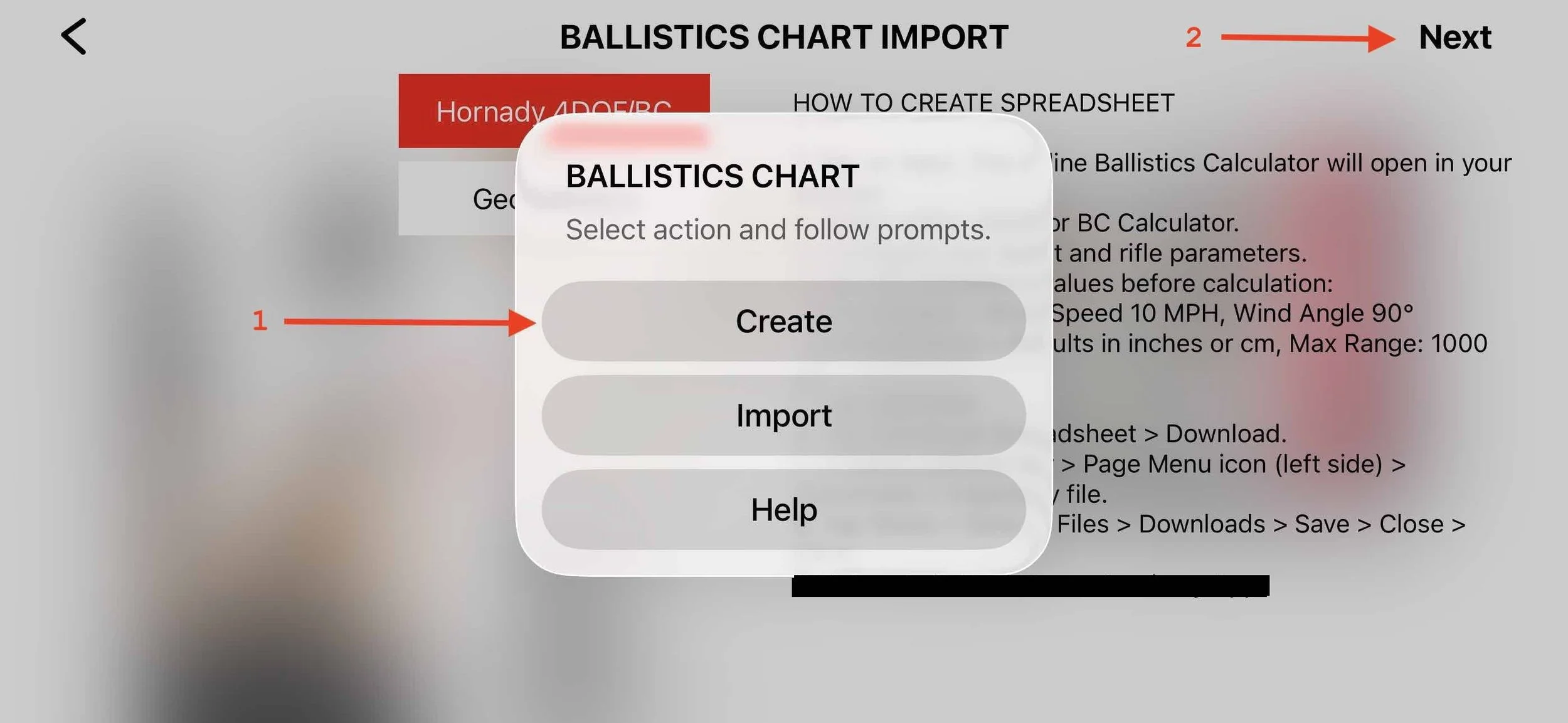
Step 3. Open the Hornady Ballistic Calculator
The LaserHIT app will move to the background.
The Hornady ballistic calculator opens in Safari.

Step 4. Enter Required Ballistic Data
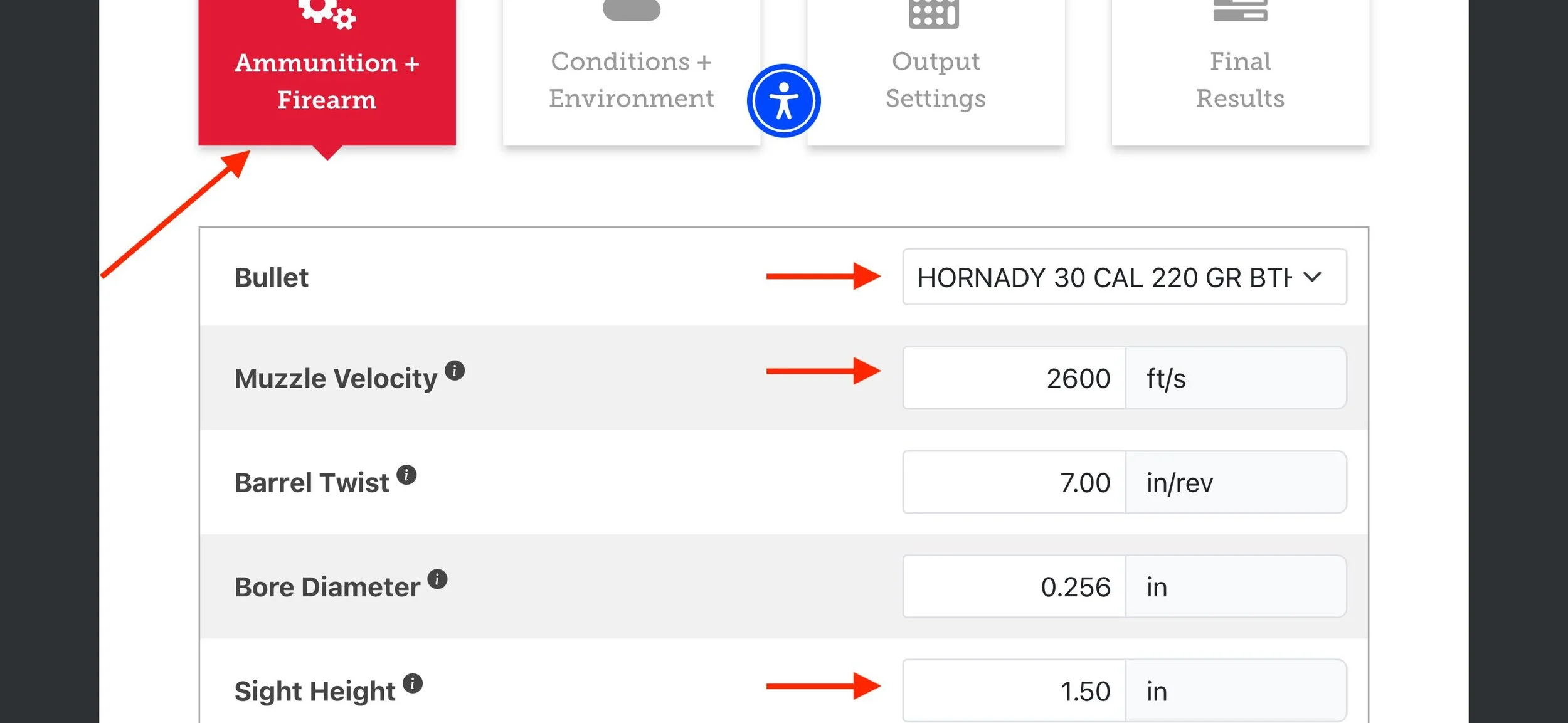
The following parameters are critical because they define the ballistic behavior used in the drill.
Ammunition + Firearm tab
• bullet profile
• muzzle velocity
• sight height
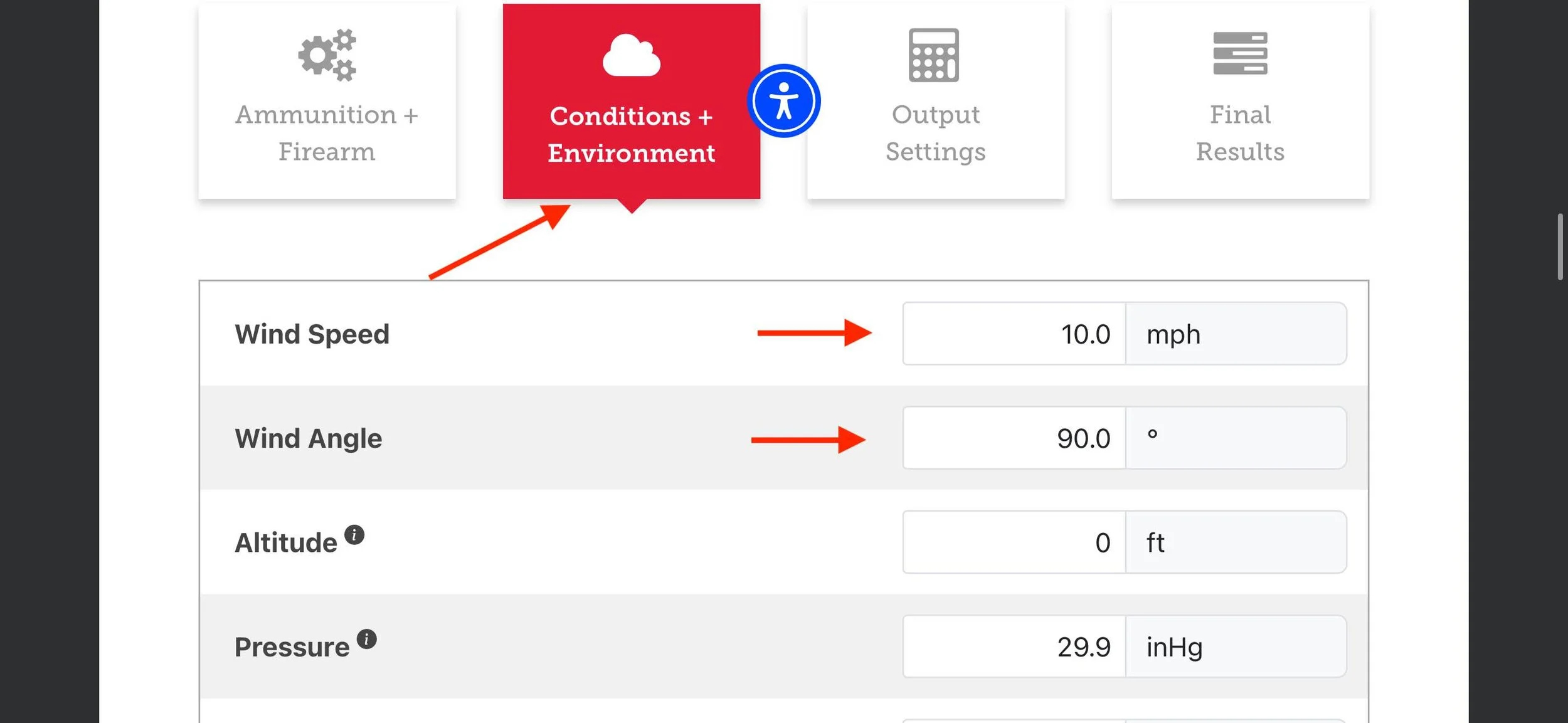
Environmental Conditions
Wind speed = 10 mph
Wind angle = 90°
These values match the wind model used in the KYL 500 yd + Ballistic drill.
Output Settings
results in: inches or cm
interval: 100 yards
max range: 500 yards

Step 5. Generate the Ballistic Table
Open the Final Results tab.
Confirm the output format is set to: Full Table
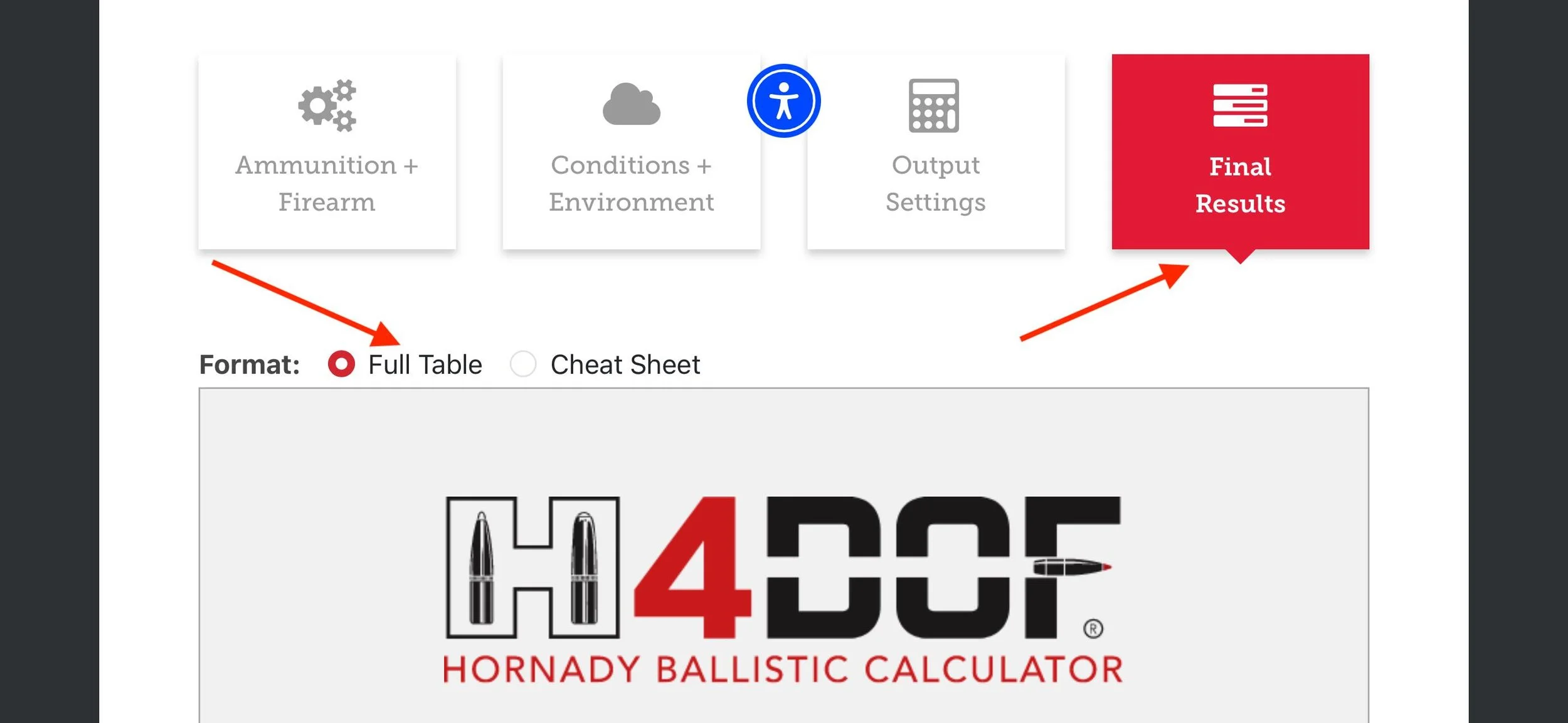
Step 6. Download the Spreadsheet
Tap Download Spreadsheet to export the trajectory file.
Confirm the download pop-up.
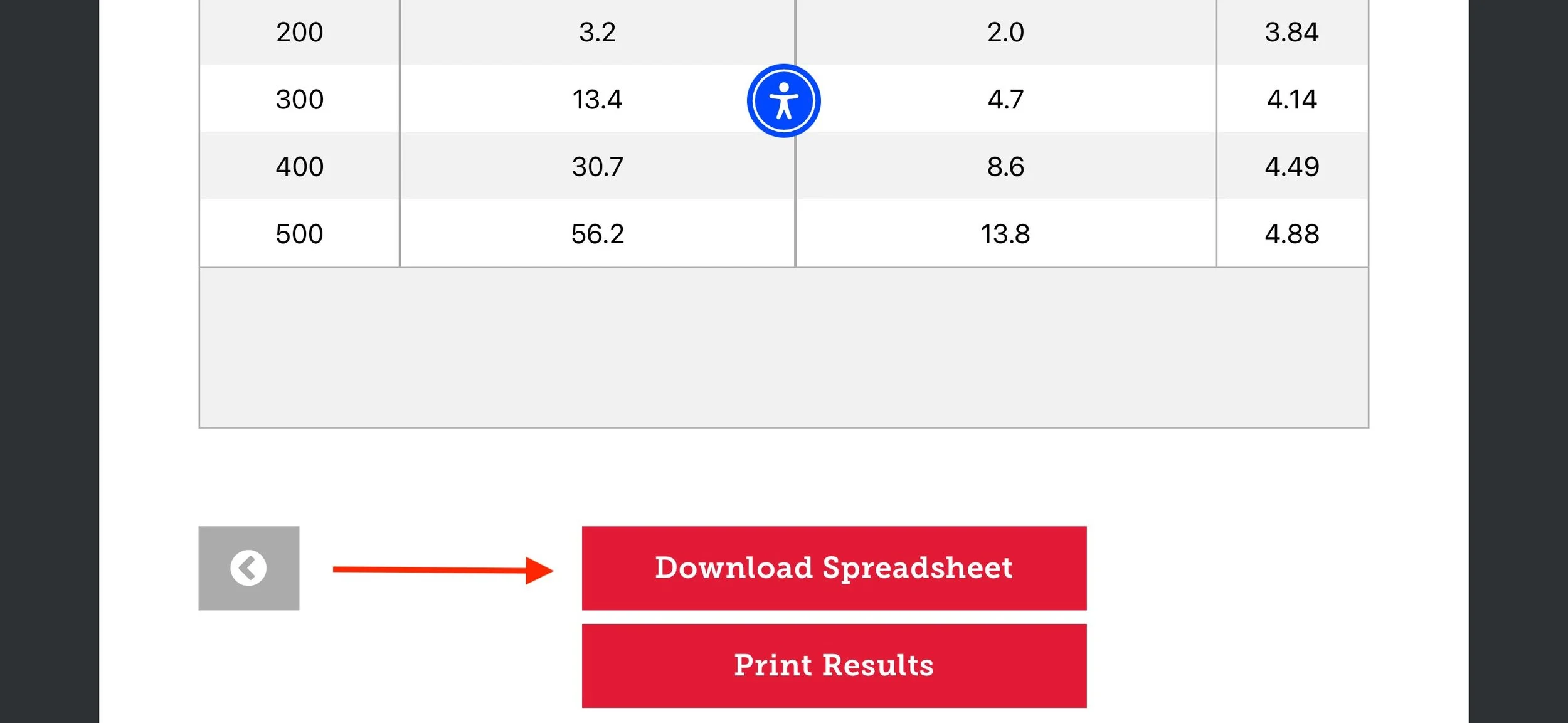

Step 7. Access the Downloaded File
After the file downloads, do not close Safari immediately.
Tap the Page Menu icon on the left side of the Safari address bar.
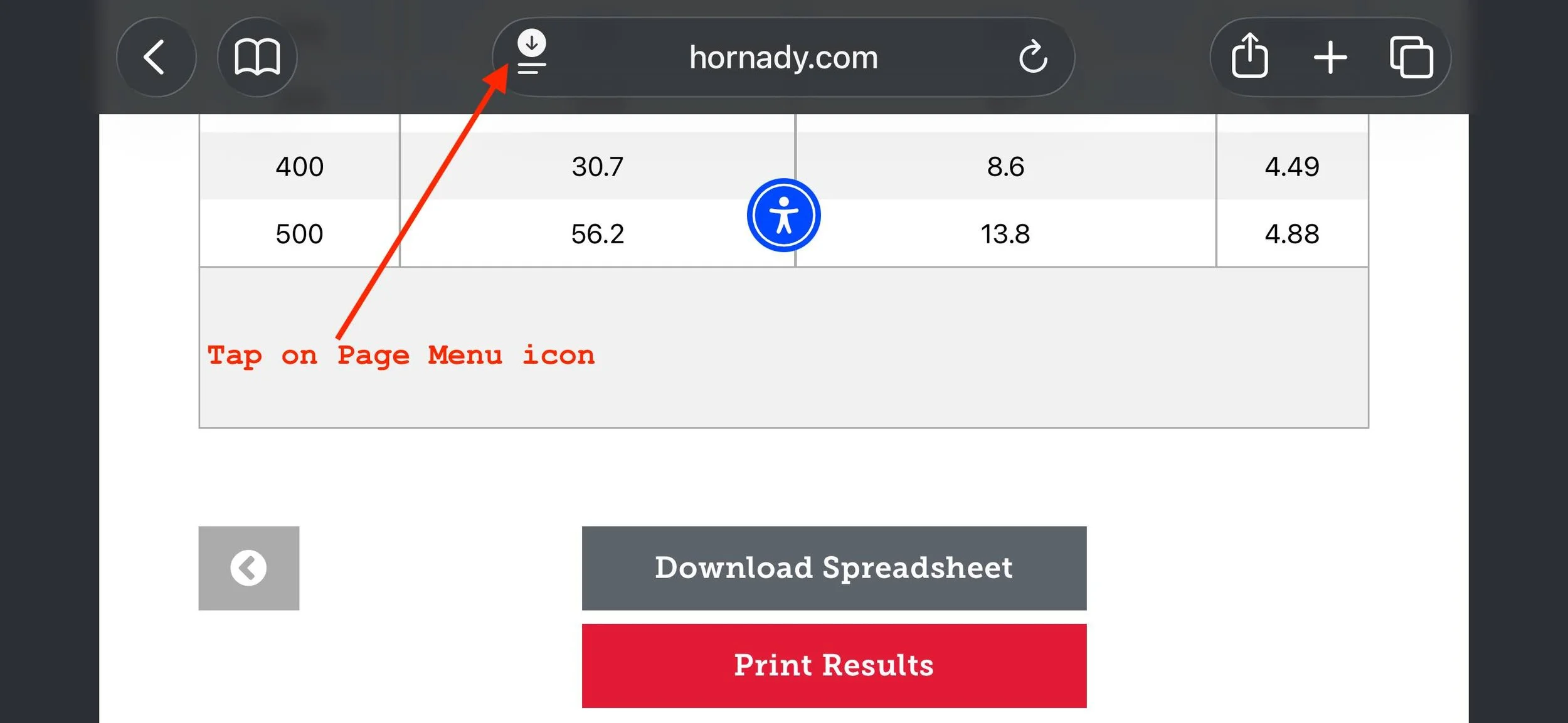
Step 8. Open Downloads
From the menu, select Downloads to view the downloaded file.
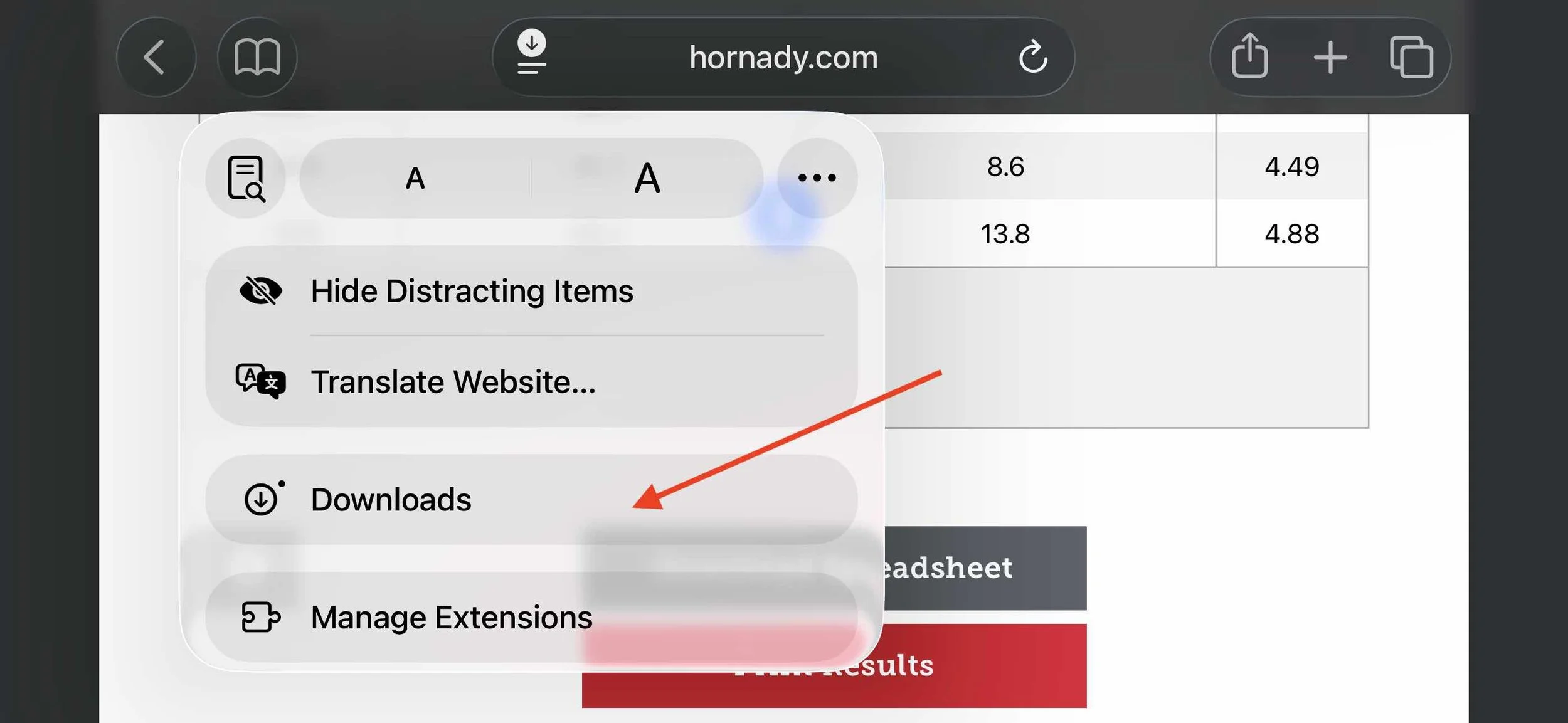
Step 9. Share the File
Tap the downloaded trajectory file.
Confirm the file expands, then tap Share.
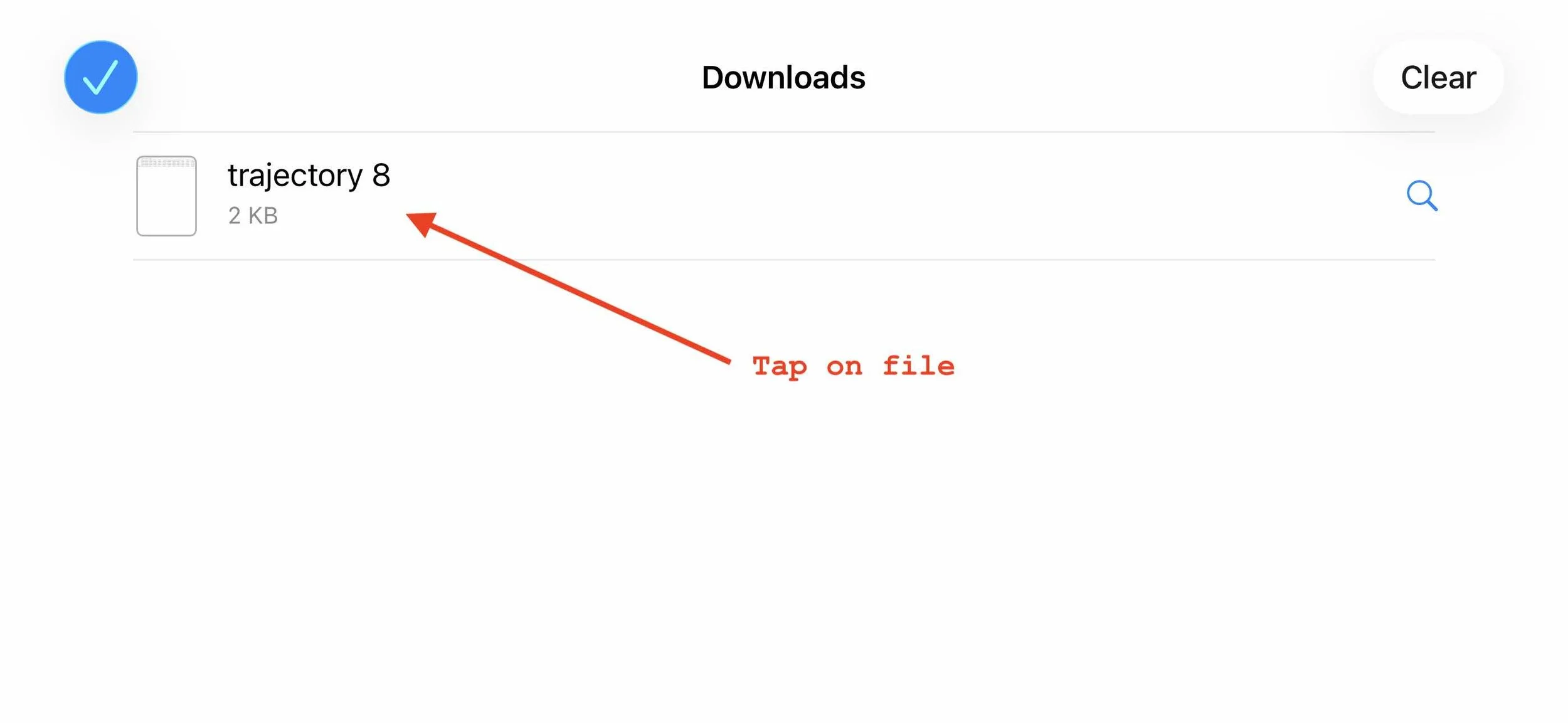
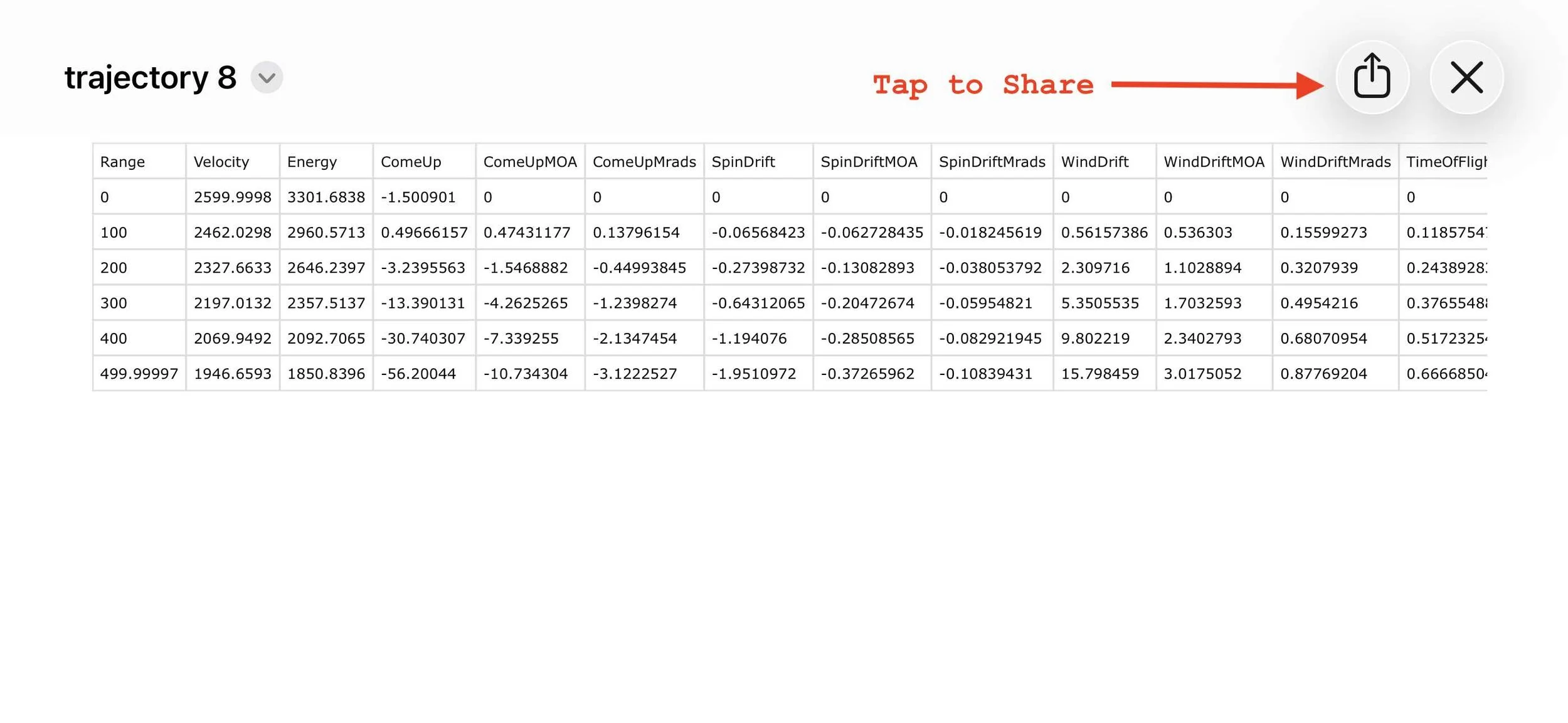
Step 10. Save the File
Select the desired location and tap: Save to Files
Confirm the correct file is selected, then tap Save.
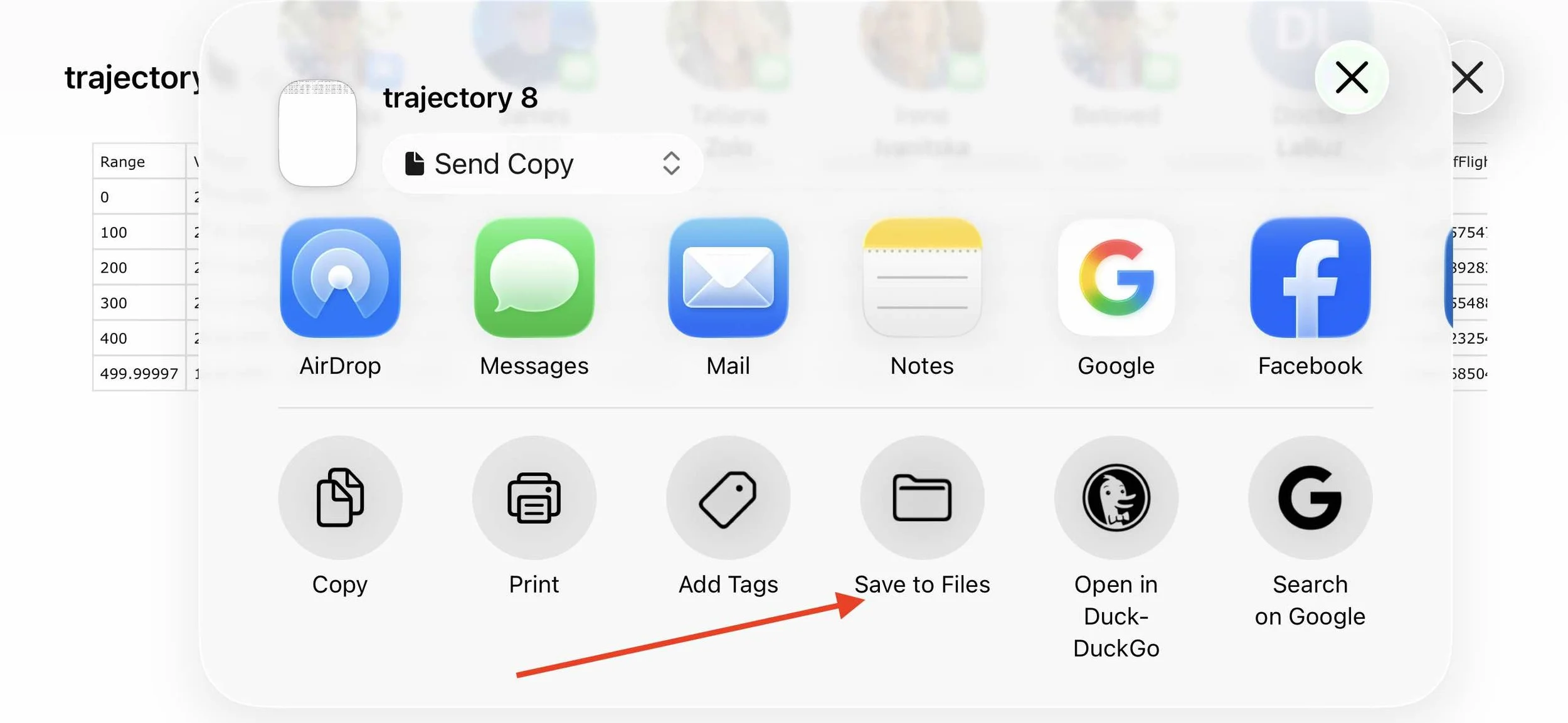
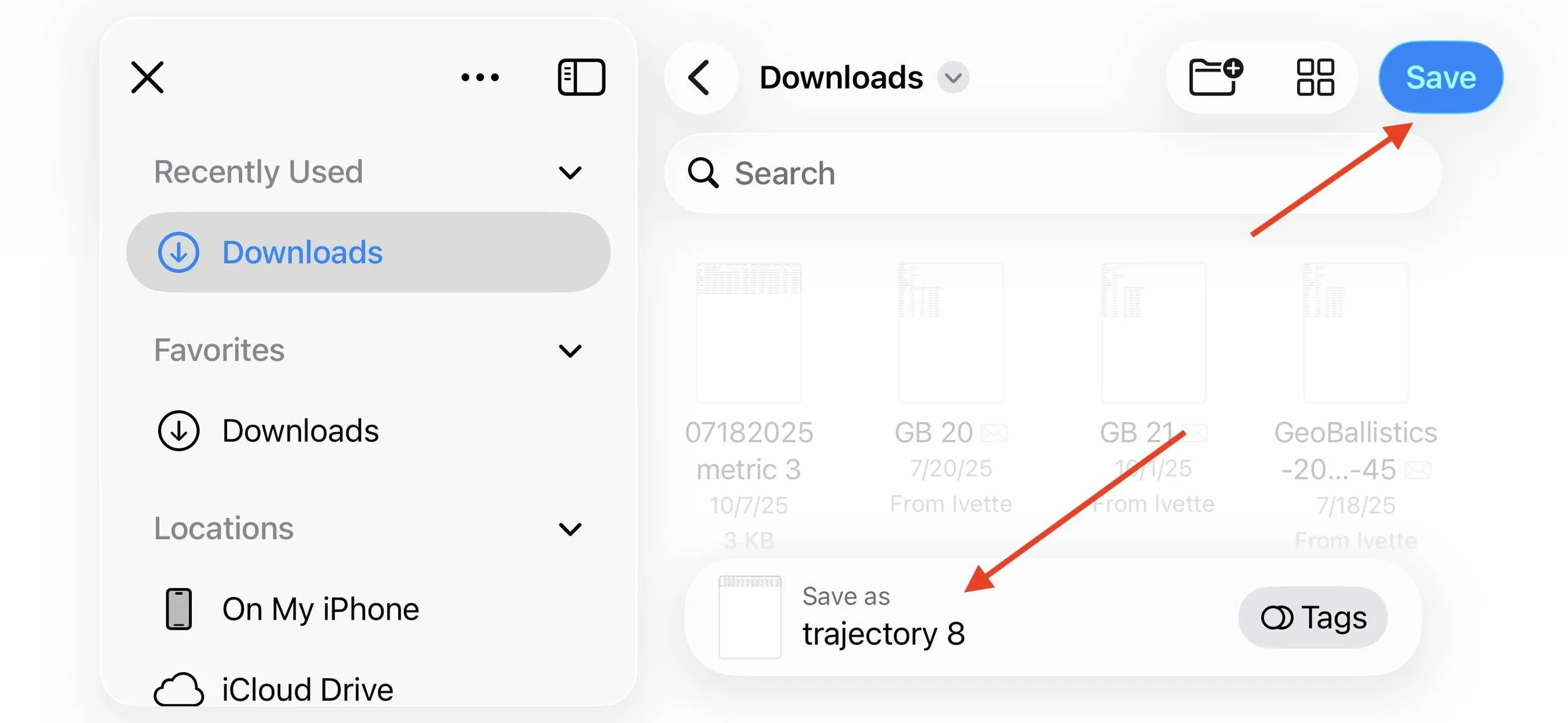
Import the Hornady Trajectory File into LaserHIT
After the trajectory spreadsheet has been generated and saved to your phone, return to the LaserHIT app to import the file and create the ballistic preset.
Step 1. Open Ballistics Chart Import
Hornady 4DOF / BC -> Import -> Next
Tap Next to begin the file import process.

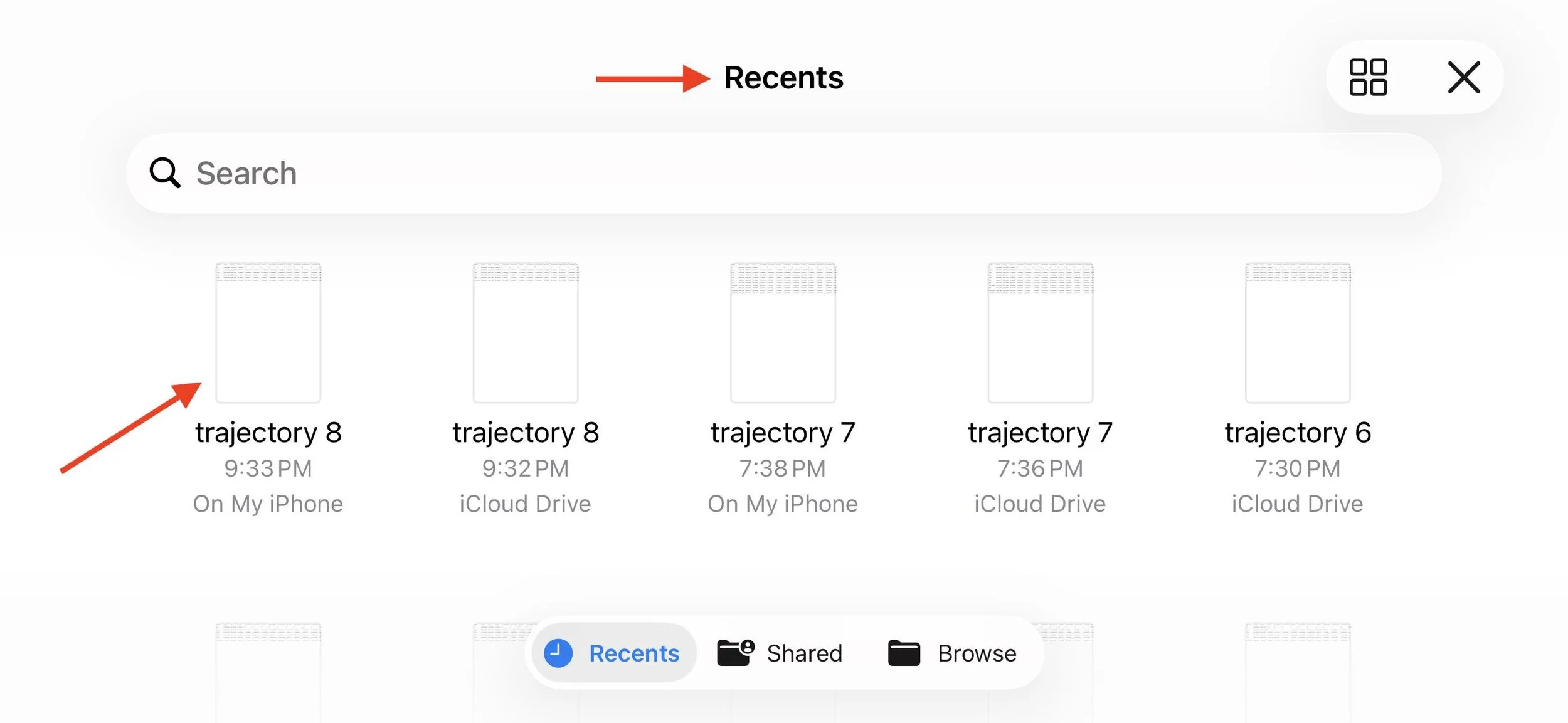
Step 2. Choose the Exported Trajectory File
The iOS file picker will open.
Select the file exported from Hornady: trajectory.csv
If the file does not appear immediately, check:
Recents or Browse -> Downloads
Step 3. Process the Ballistic Data
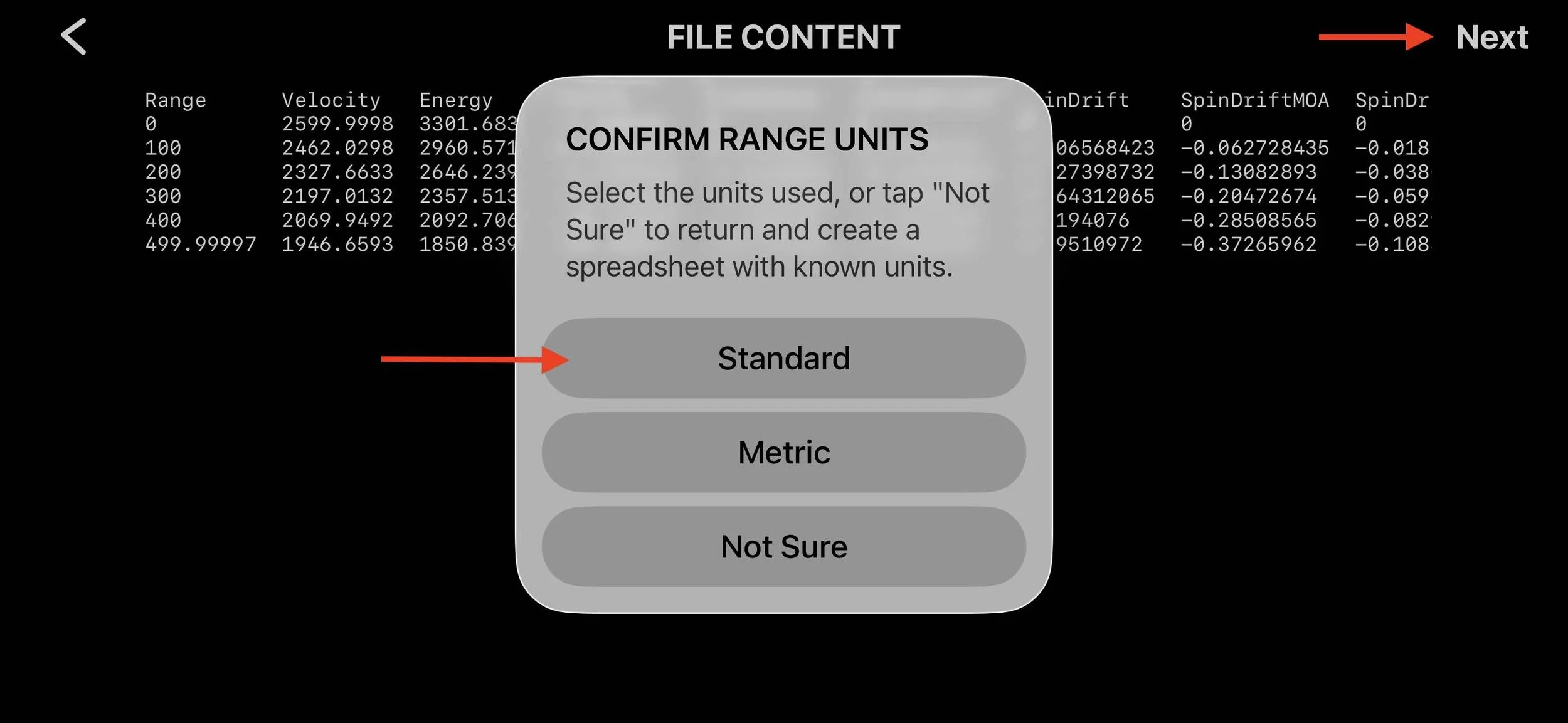
After selecting the file, the app reads the trajectory table and prepares the ballistic preset.
Once processing finishes, tap Next to continue.
The system will ask which unit system the spreadsheet uses. Select: Standard.
Step 4. Preset Appears in My Ballistic Presets
Once the import completes, the new preset will appear in your preset list.
Example name: trajectory.csv
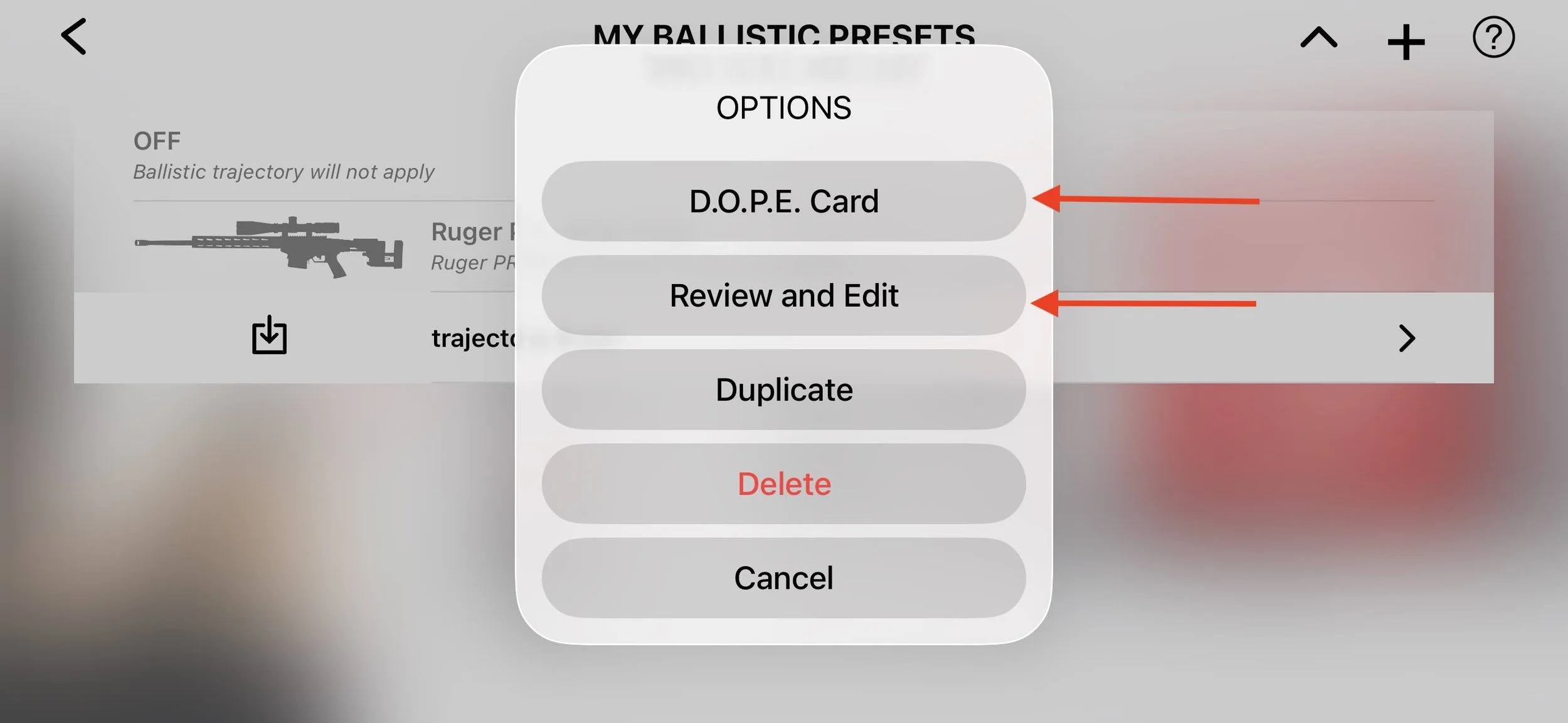
Tap the preset to open additional options.

Step 5. Review or Edit the Preset
Selecting the preset opens the options menu.
From here you can:
• view the DOPE Card
• review and edit ballistic parameters
• duplicate the preset for another rifle configuration
For more details, read our post: Custom Ballistic Presets: Editing Your Firearm Profile in LaserHIT.
What Happens Next
Once the preset is imported, it becomes available on the My Ballistic Presets screen.
Select your preset and return to the Firing Range Setup screen. The app will now use the trajectory values generated by the Hornady ballistic calculator.
This means your dry-fire training is based on the same ballistic model used at the range.
Elevation values follow the imported DOPE.
Wind drift values are applied during each stage using a random crosswind of up to 10 mph.
The drill now behaves according to your real ballistic data.
Acknowledgment
LaserHIT would like to acknowledge and thank Hornady Manufacturing for providing the Hornady 4DOF / BC ballistic calculator available at hornady.com. Their ballistic tools are widely used by shooters to calculate accurate trajectory data, and they make it possible for users to generate precise DOPE profiles that can be integrated into LaserHIT ballistic dry-fire training.
Read more:
Create and Import custom Ballistic Preset with GeoBallistics