
How DRILLS (iOS) Works?
New to LaserHIT?
Before going further, you may want to watch the short “How It Works” video linked below. It provides a clear overview of the LaserHIT system and how DRILLS fit into the training flow.
Experienced users can jump straight in.
DRILLS introduce a different way of training with LaserHIT on iOS.
In its simplest form, training starts the same way every time: place a physical target on the wall, position your phone so its rear camera faces the target, open the LaserHIT app on your mobile device, and insert a LaserHIT laser cartridge into your firearm. No live ammunition is used. All shots are aimed at and registered on the physical target, not on the phone or a TV screen.
What changes with DRILLS is not complexity, but meaning and a measurable goal. Each drill removes overwhelming customization and unnecessary setup choices, replacing them with a short Express Setup and a clearly defined objective. Instead of configuring systems, you move directly into training with purpose.
Before the first shot is fired, the system evaluates the environment, confirms distance, aligns positions, and prepares measurement automatically. That preparation is what allows DRILLS to deliver structure without friction and consistency without guesswork.
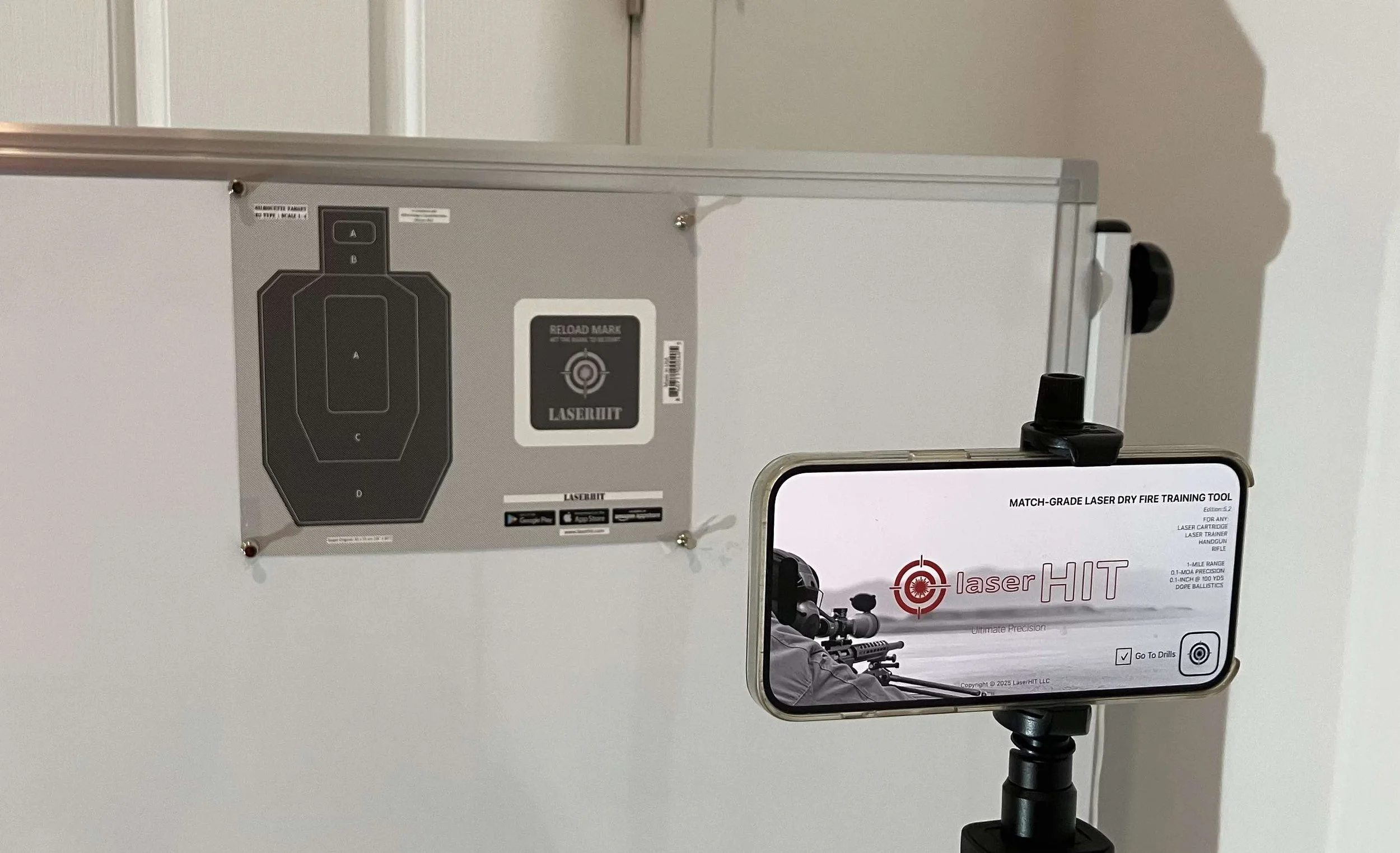
LaserHIT DRILLS setup
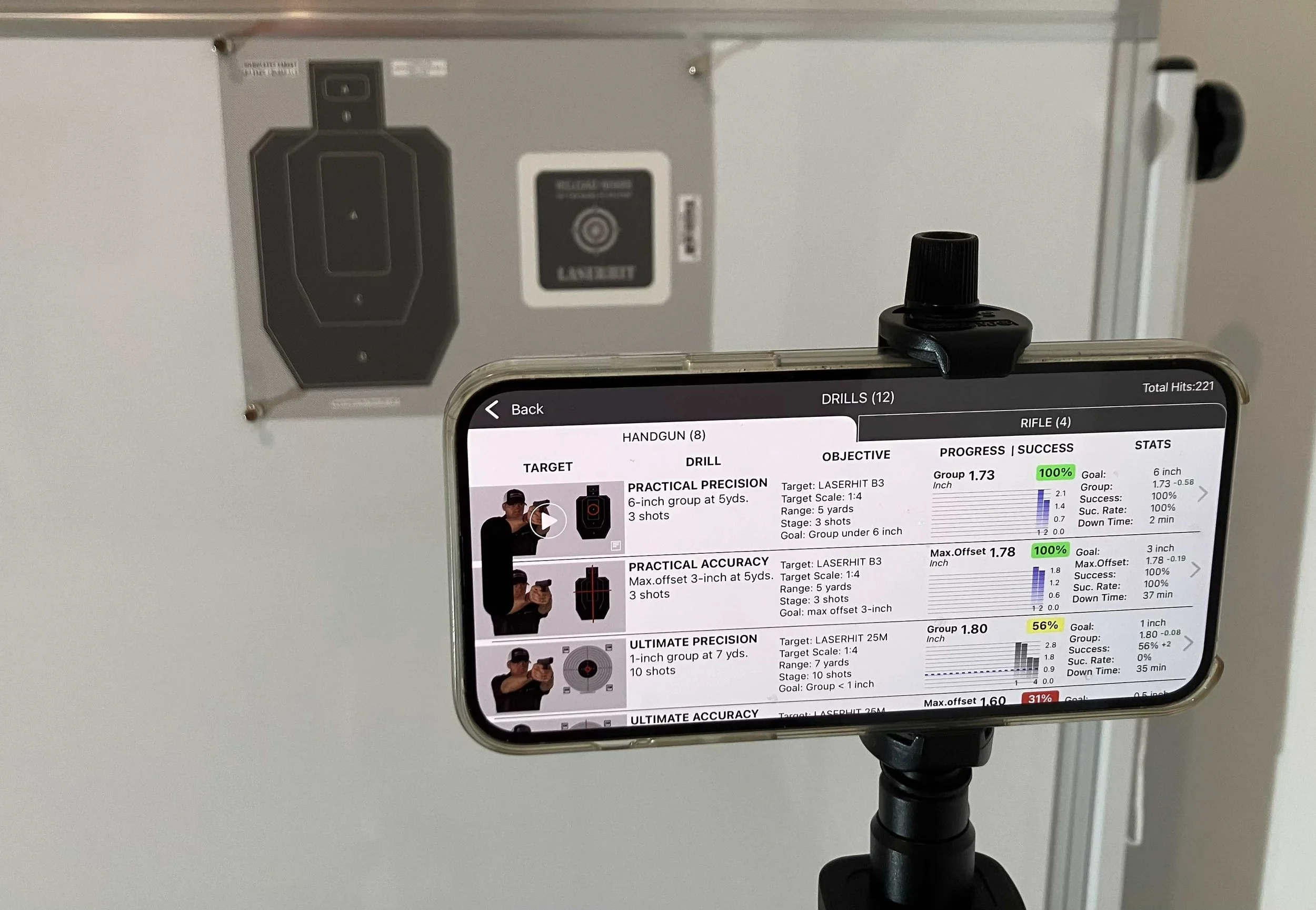
Handguns DRILLS screen
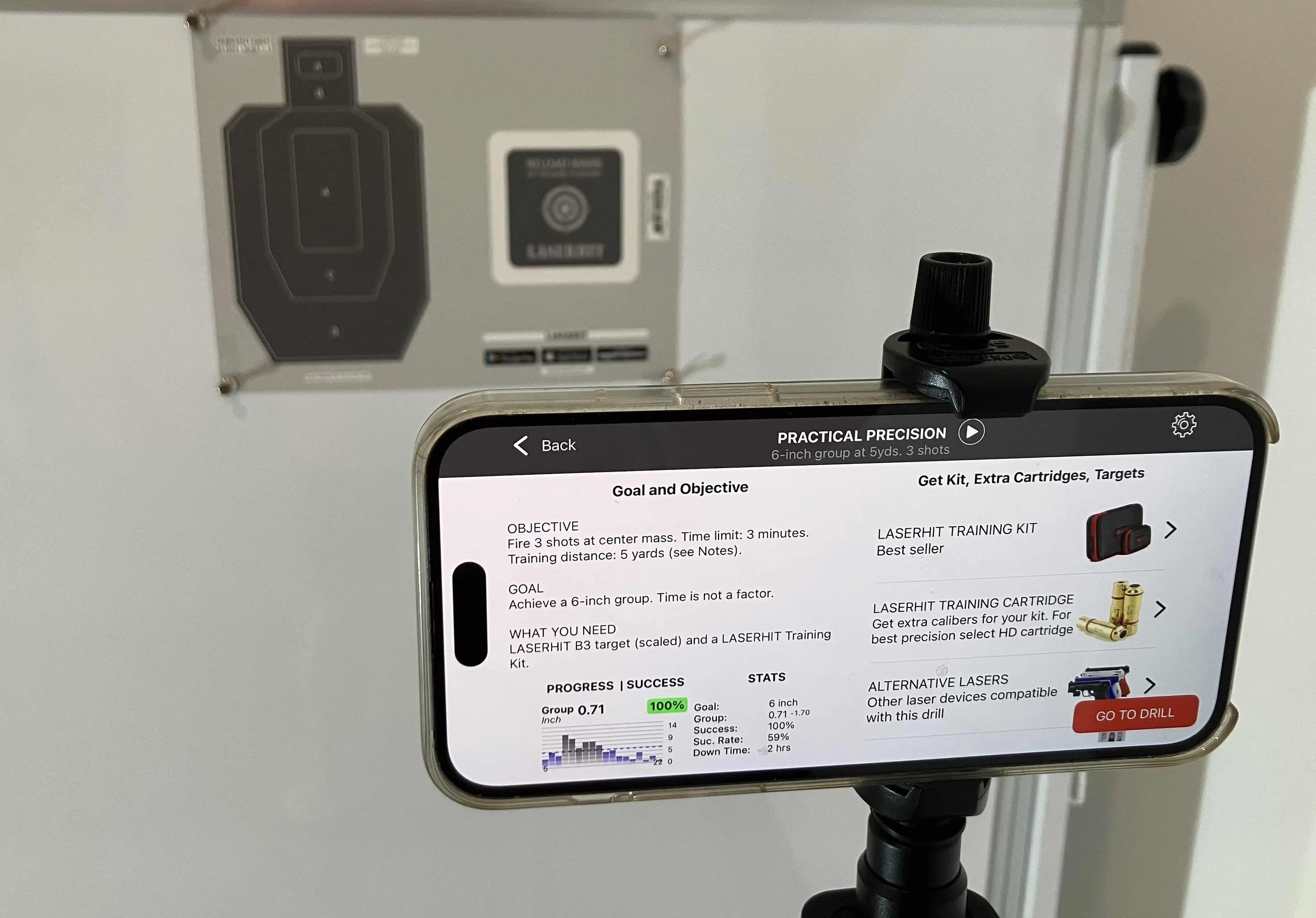
Practical Precision Drill Details
Section 1: DRILLS begin before the first shot
When you open DRILLS, you are selecting a training logic.
Each drill already defines the target type, scale, shot count, time limits, and performance goal. What the system needs from you is confirmation of the physical environment you are training in. That is why DRILLS feel structured without requiring dozens of manual settings.
From the DRILLS list, you select a Handgun or Rifle drill. On the Drill Details screen, you can immediately review the drill objective and understand what is being measured. The screen also centralizes everything related to that drill: target requirements, compatibility with your existing laser device, and direct access to printable targets through the Print Me option.
If additional training components are needed, quick links are available in the same place. Nothing is hidden behind menus, and nothing requires guesswork. The Drill Details screen is designed to be an all-in-one entry point into structured training, even for users who have spent years working with FreeTarget or QuickHit modes.
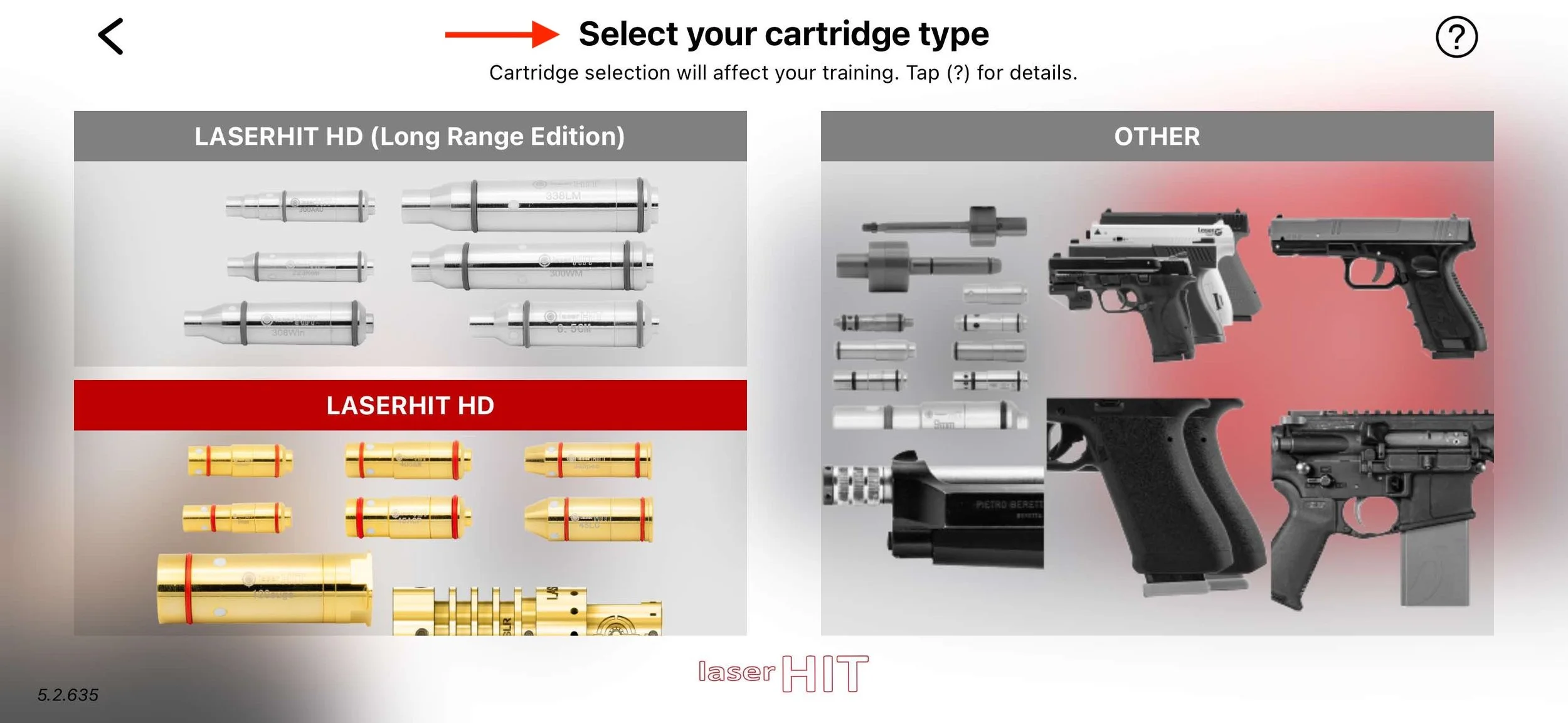
Select your laser type for training
Section 2: The system learns your laser before it measures
Selecting "Go to Drill" leads into laser device selection.
This step is not a formality. Different laser cartridges and training devices emit light in different ways. By identifying the laser you are using, LaserHIT adjusts its detection behavior to ensure consistent hit recognition and accurate measurement.
Think of this step as telling LaserHIT how to listen before it starts measuring. Once this reference is set, the system can evaluate every shot with the level of precision the drill requires.
If you want to switch your laser type later, tap the settings wheel in the upper right corner when selecting any drill.
As your skills improve, you may also reach the practical limits of a generic laser device. At that point, laser consistency and signal quality can become the factor that prevents you from reaching the highest drill goals. When this happens, switching to a LaserHIT HD or LR laser cartridge can help you continue progressing with more precise and reliable measurement.
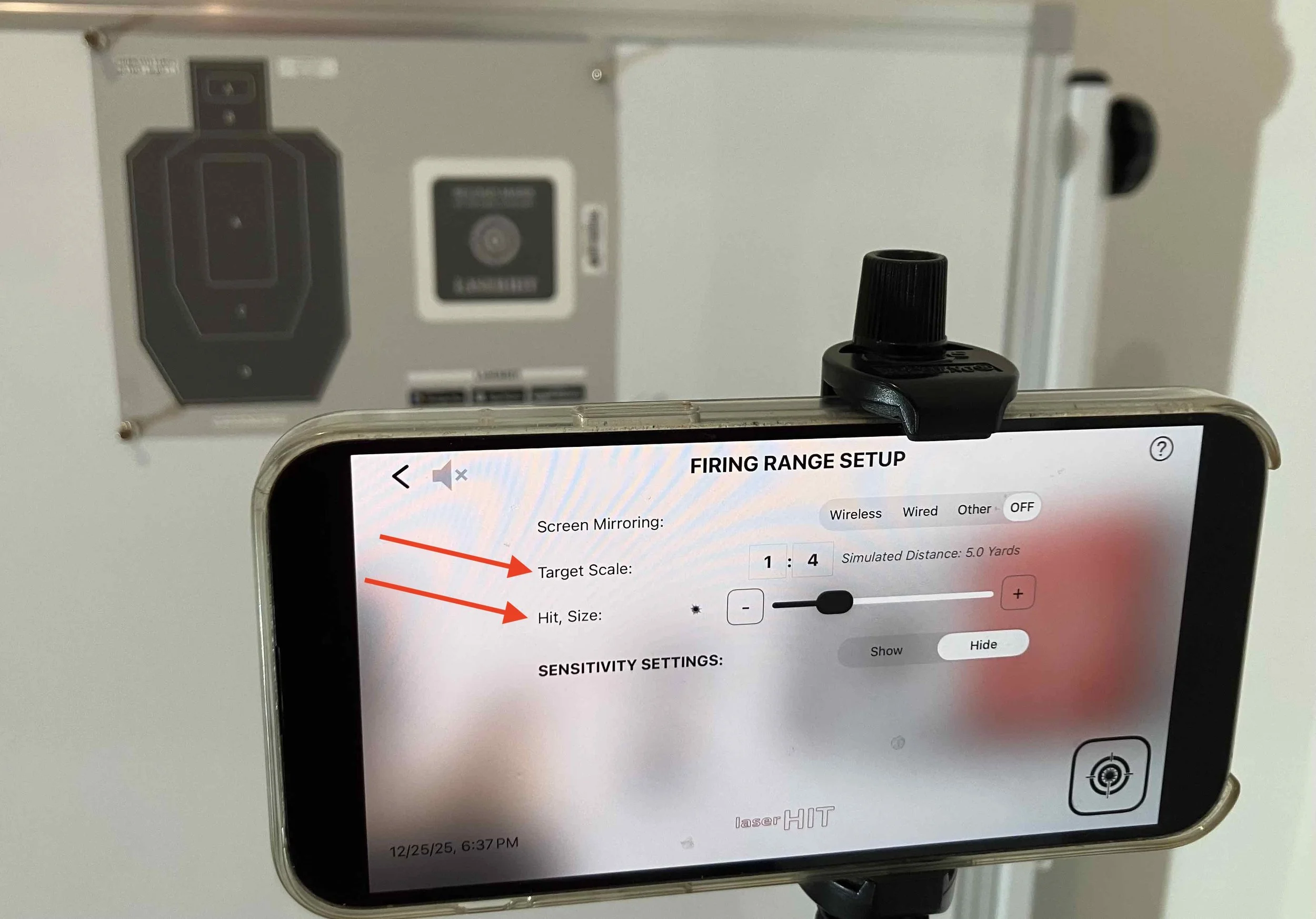
LaserHIT Firing Range Setup with available custom options
Section 3: Firing Range Setup is about context, not configuration
The Firing Range Setup screen gives you limited, purposeful control over your training environment. DRILLS allow you to adjust only what matters: the target scale, hit size sensitivity for added challenge, and optional screen mirroring if you prefer to train with a larger display.
The target scale tells the system how large the printed target is relative to its real-world counterpart. From that reference, LaserHIT can calculate training distance correctly and maintain consistent measurement logic across different spaces.
Nothing here is about fine-tuning for comfort. These settings exist to preserve realism while adapting to the space you have available.
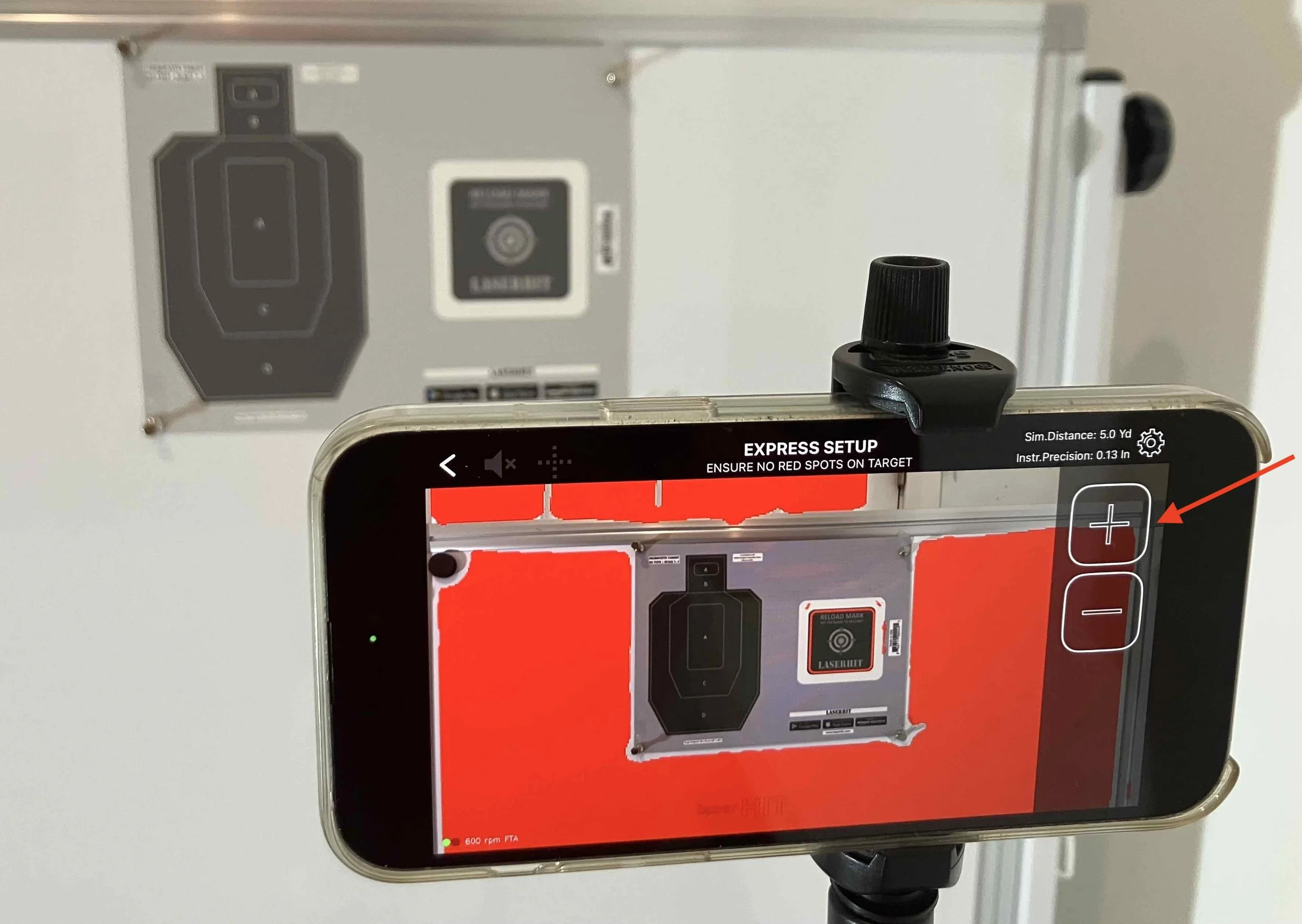
Fit your target into the LaserHIT screen
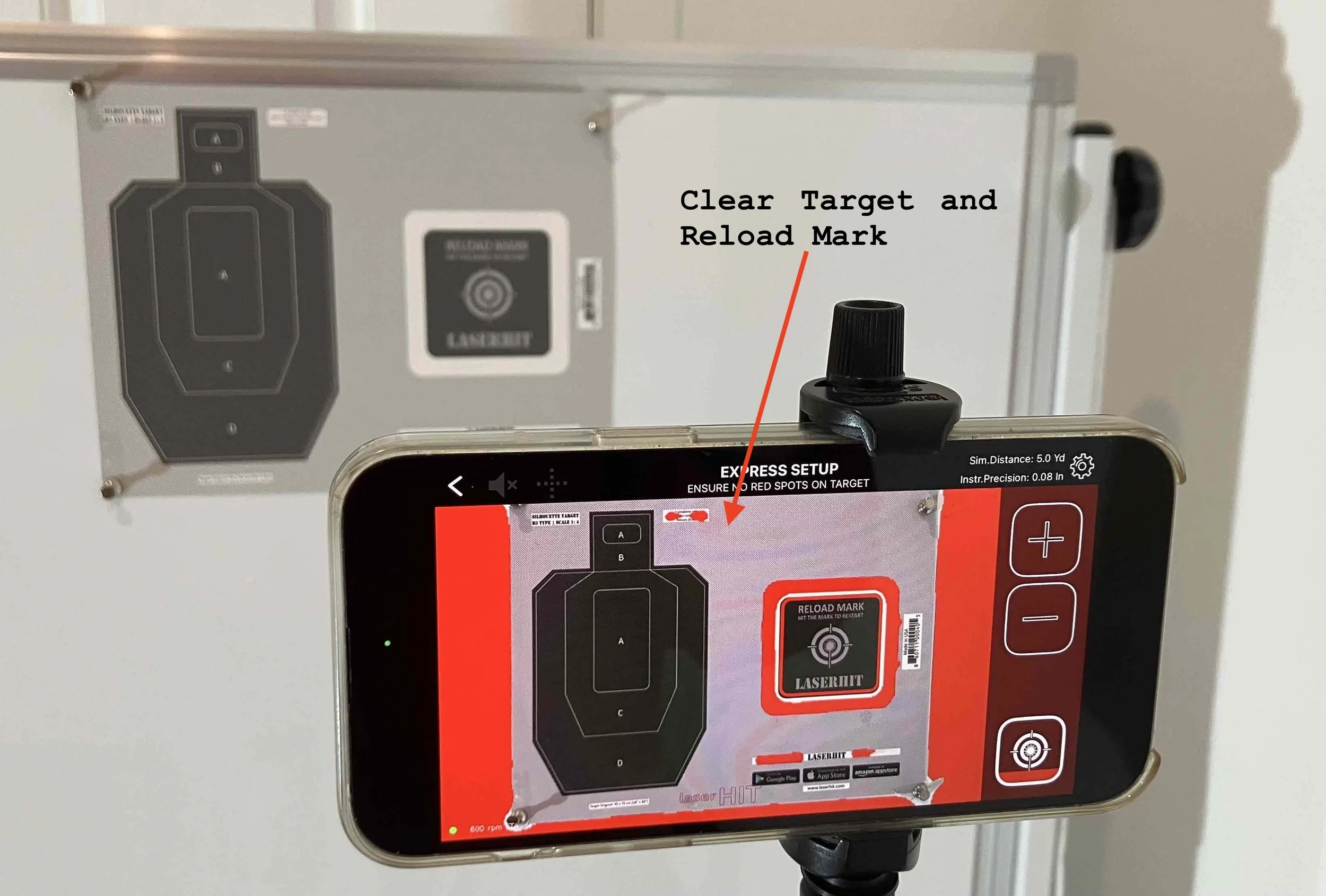
The target area and Reload Mark should be cleared from red spots
Section 4: Express Setup is where accuracy is earned
Express Setup is the moment when the system aligns itself with reality.
During this phase, LaserHIT evaluates the target, lighting conditions, camera position, and background. The red overlay you see is not decorative. It highlights areas the system will ignore during the training stage.
The rule is simple. The target, the active scoring area, and the Reload mark must be free of red markings. If red appears over these elements, the system will ignore them, just as you should. The red overlay is hidden during active training.
Camera placement also plays a critical role. Bringing the phone closer to the target improves detection accuracy and allows the system to evaluate hits more consistently. Use the plus and minus controls to enlarge the target between the top panel and the bottom edge of the screen, ideally without overlapping the phone screen edges. Give the app a few seconds to adjust automatically, or assist manually by pinching the screen to fine tune the framing.
Some drills require additional confirmation during Express Setup. For scoring based and zone based drills, the system automatically uses the left side slider to confirm the target’s scoring rings or target shape. This ensures hit placement is evaluated against the correct zones or ring values during training. You can make manual adjustments with the slider if needed.
Accuracy focused drills may require an additional verification step. In these cases, the system asks you to manually pan the crosshairs across the target to precisely establish the reference point. This allows LaserHIT to register very small offsets, down to half an inch, and ensures that aim point accuracy is measured correctly.
Once framing and confirmation are complete, Express Setup finishes quickly and training begins with minimal adjustment.
Express Setup exists to remove uncertainty before the first shot. When it is done correctly, the system takes over and training proceeds under consistent, repeatable conditions.
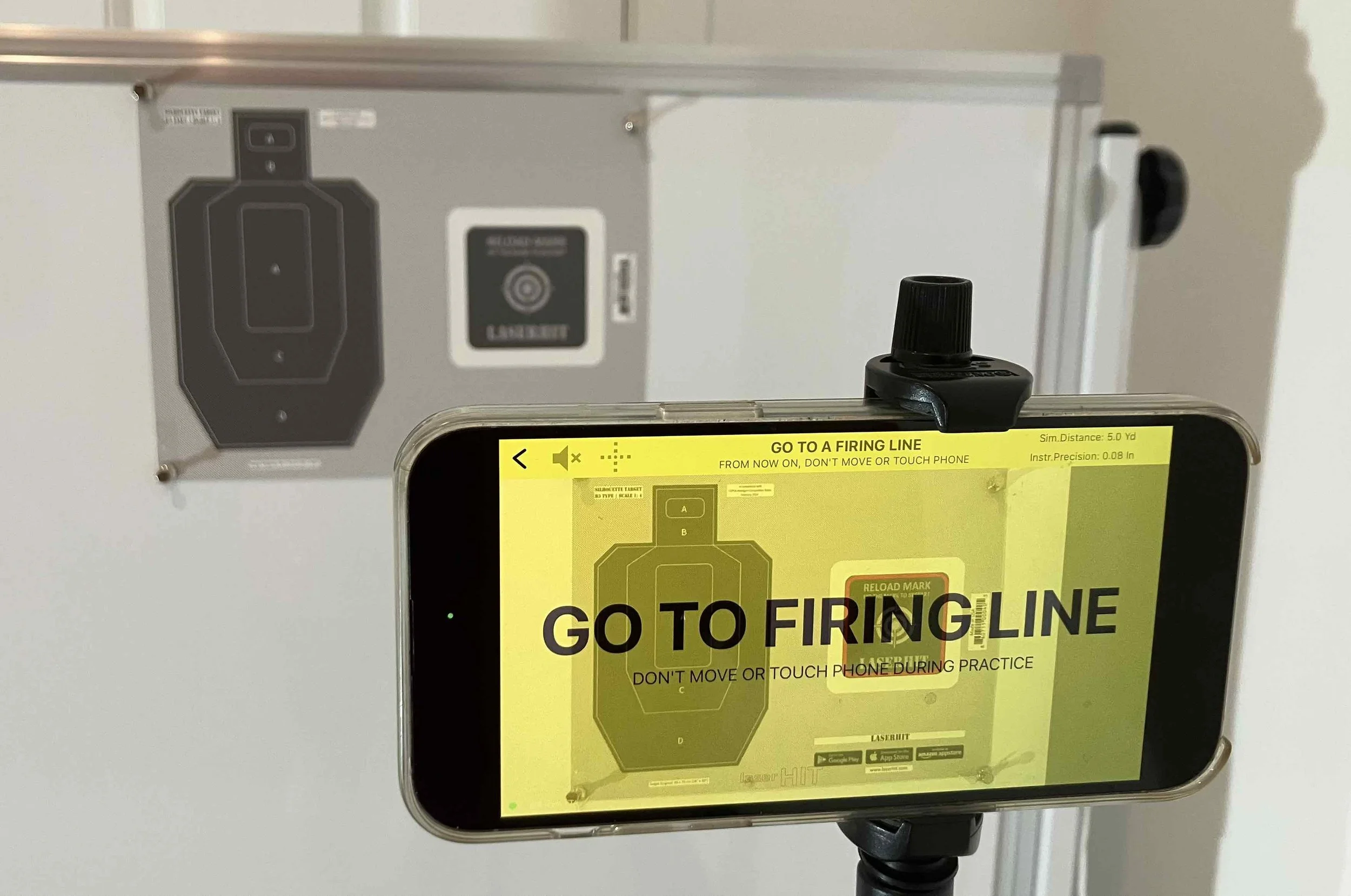
Time to start your training
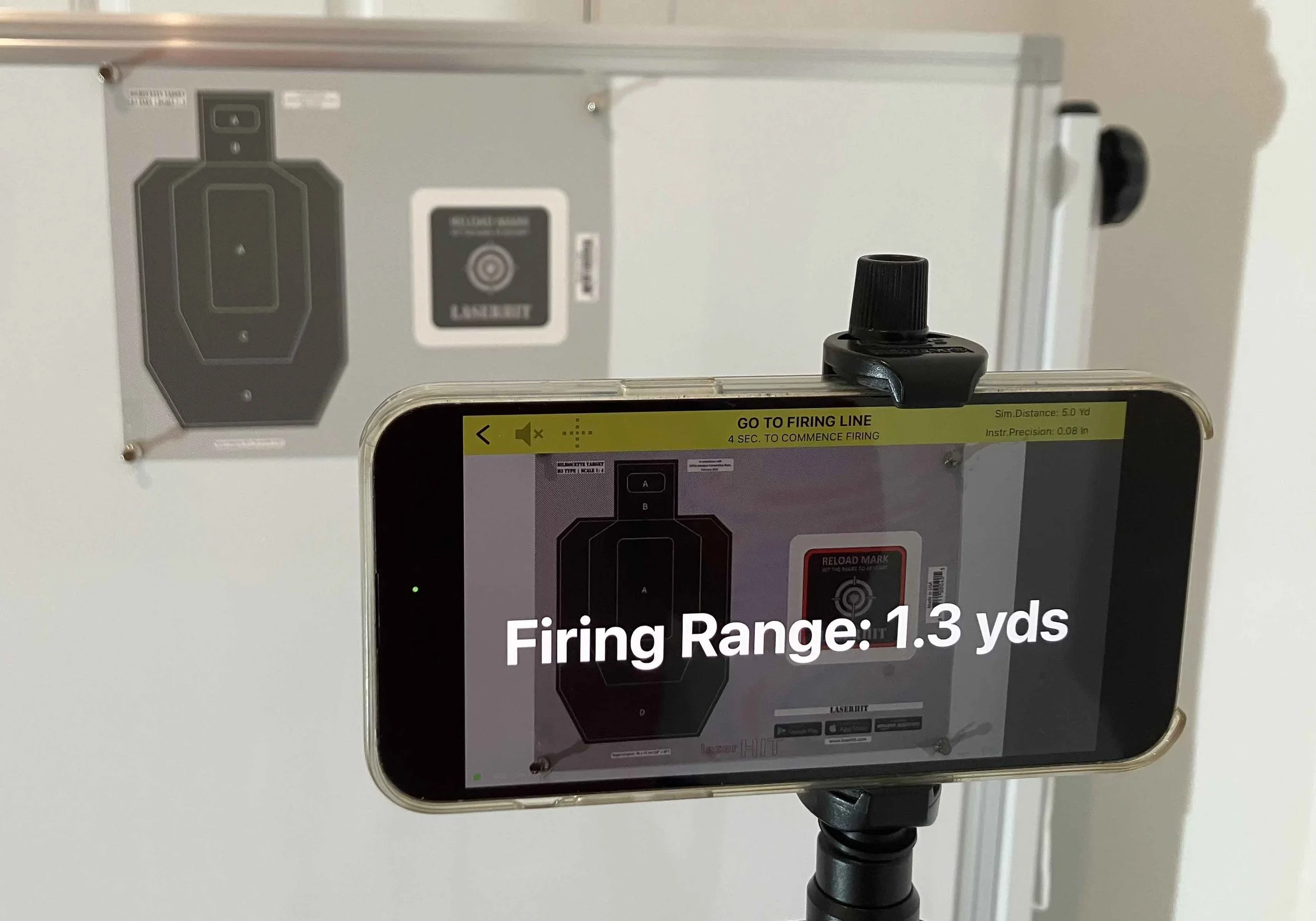
The App calculates your actual Firing line individually for each Drill
Section 5: Go to Firing Line sets the conditions
Before a drill begins, LaserHIT transitions you from setup into execution.
The Go to Firing Line screen serves three purposes. First, it gives you time to move into your actual training position without rushing. Second, it clearly displays the calculated actual indoor firing distance, derived from the selected target scale and the drill’s range. This confirms that the physical setup matches the intent of the training.
Finally, this screen defines the boundary between preparation and performance. Once you step away from the phone, the system controls the start of the stage. The timer begins at a random moment, removing anticipation and ensuring that reaction and execution are measured consistently.
Nothing carries over from setup. No adjustments remain active. When the stage starts, every measurement belongs to that moment alone.
That transition is intentional. It is part of the accountability that defines DRILLS.
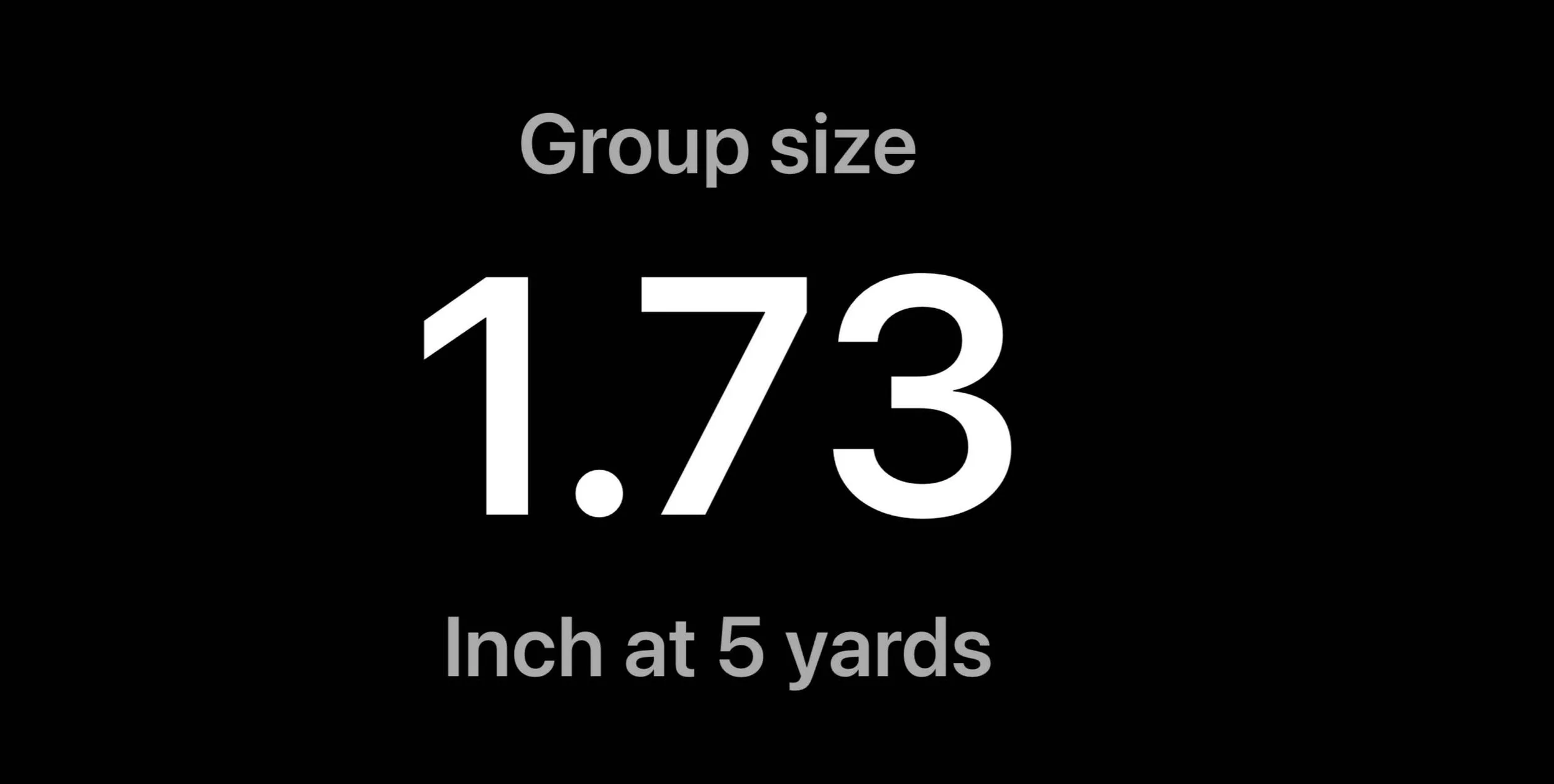
End-of-Stage: Drill’s Goal results
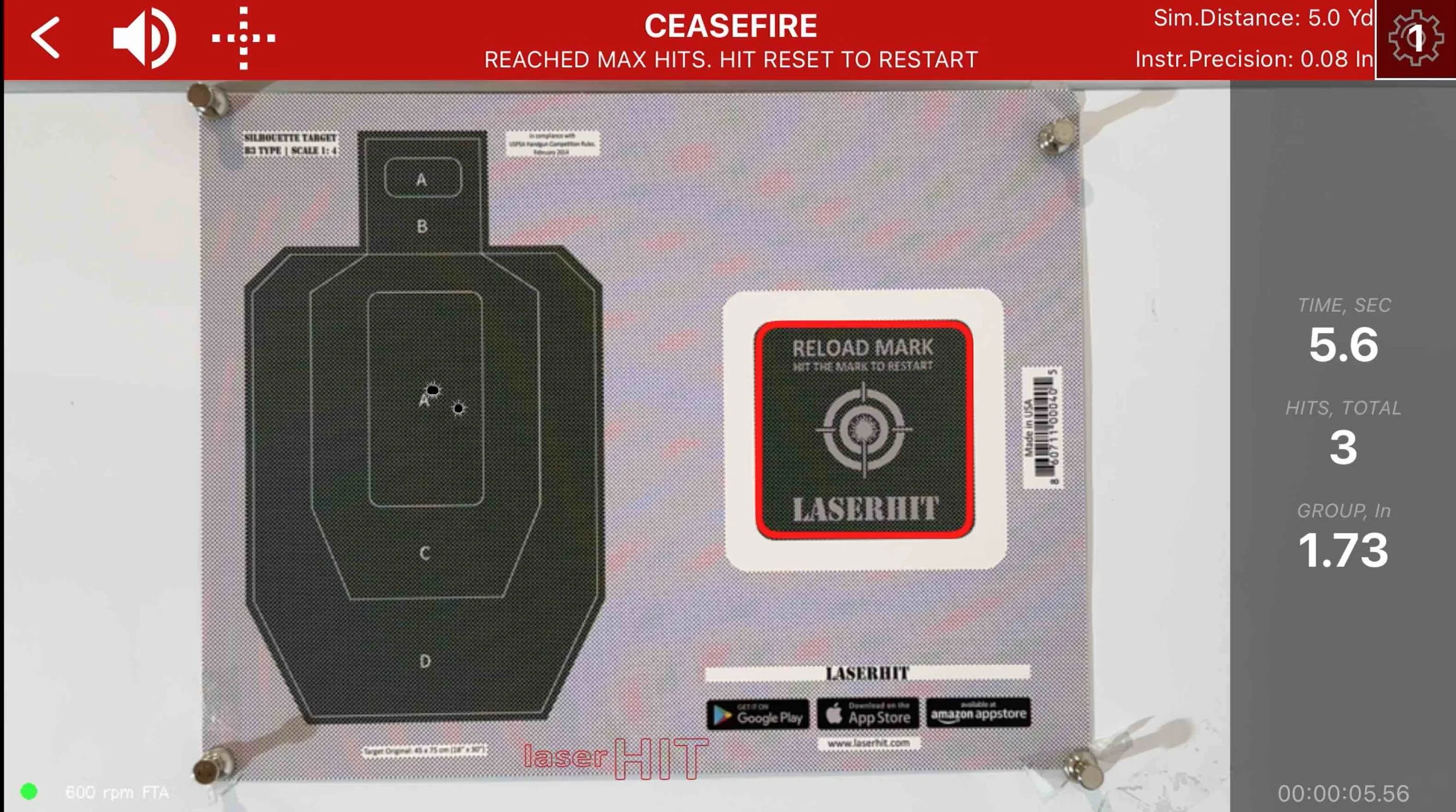
Hit anywhere within target area to replay your Stage
Section 6: From automatic start to measured results
Once you move to the firing line, the system takes control.
Training starts automatically. The transition from setup to execution is handled entirely by the drill logic, ensuring that every stage begins under the same conditions. The randomized start removes anticipation and makes reaction and execution measurable.
Each stage runs until the drill objective is reached. If you step away from training or do not complete the stage within the allowed time, a Time Expired message appears. That stage is not added to your progress history. Partial results are not saved.
If a stage goes wrong before it ends, for example due to poor shot placement or a clear execution error, you can hit the Reload Mark to restart the stage immediately. This allows you to correct mistakes without contaminating your performance data.
When a stage ends with Ceasefire, results are calculated instantly. What you see is not a summary but a measurement. Depending on the drill, this may include group size or offset measured in inches, final or best time measured in fractions of a second, Hit Factor, or point based and zone based scoring. Each result is evaluated directly against the drill goal.
If you want to review a replay of your results, aim and hit the target one more time after Ceasefire. Then tap Back to return to the DRILLS screen and view your progress report.
Before You Go
DRILLS are not about adding rules. They are about removing ambiguity.
By handling setup, distance, detection, and timing automatically, LaserHIT lets shooters focus on execution while the system focuses on measurement. That is why DRILLS feel different. Not because they tell you what to do, but because they tell you exactly what happened.
Over time, completed stages build a drill-specific performance profile. Not a general average. Not blended data. Just clear answers to one question: is this skill improving.
You can return to the DRILLS screen at any time to review progress, trends, and consistency.
If you think a setup step could be clearer, faster, or more honest, challenge us in the comments.