
Android or iOS App: Two Arms of the Same Training System
A common question from Android users is simple:
Do I get the same training capability as iOS?
The short answer is yes.
The difference is not in capability. The difference is in how you get there.
Two Platforms, Two Approaches
LaserHIT is built on the same core system across both platforms.
What changes is the workflow.
On iOS, you use pre-set drills.
On Android, you build them yourself.
Why iOS Gets Drills First
iOS allows faster feature deployment due to a controlled hardware environment:
Limited number of devices
Consistent hardware performance
Stable camera systems
This allows precise development and validation.
Android operates in a very different ecosystem:
Over 20,000 device variations
Performance differences even within the same brand
As a result, Android development is:
Selective
Carefully tested
Released incrementally
This is not a limitation. It is a response to diversity.
Android Is Built for Control
Android users typically prioritize:
Control
Customization
Flexibility
That is exactly how LaserHIT is structured on Android.
You are not restricted to presets.
You are not limited to predefined drills.
You configure your training environment based on your goals.
What iOS Drills Actually Are
iOS drills are not exclusive features.
They are predefined configurations of existing LaserHIT practices.
Each drill defines:
Number of shots
Timing
Target zones
Scoring logic
Feedback
All of these elements are available on Android.
What You Can Do on Android
On Android, you can recreate any iOS drill by configuring your practice.
You control:
Target type and scale
Number of shots
Timing and delays
Scoring zones
Visual and audio feedback
You are not missing drills.
You are building them.
EXAMPLES:
Precision Drill
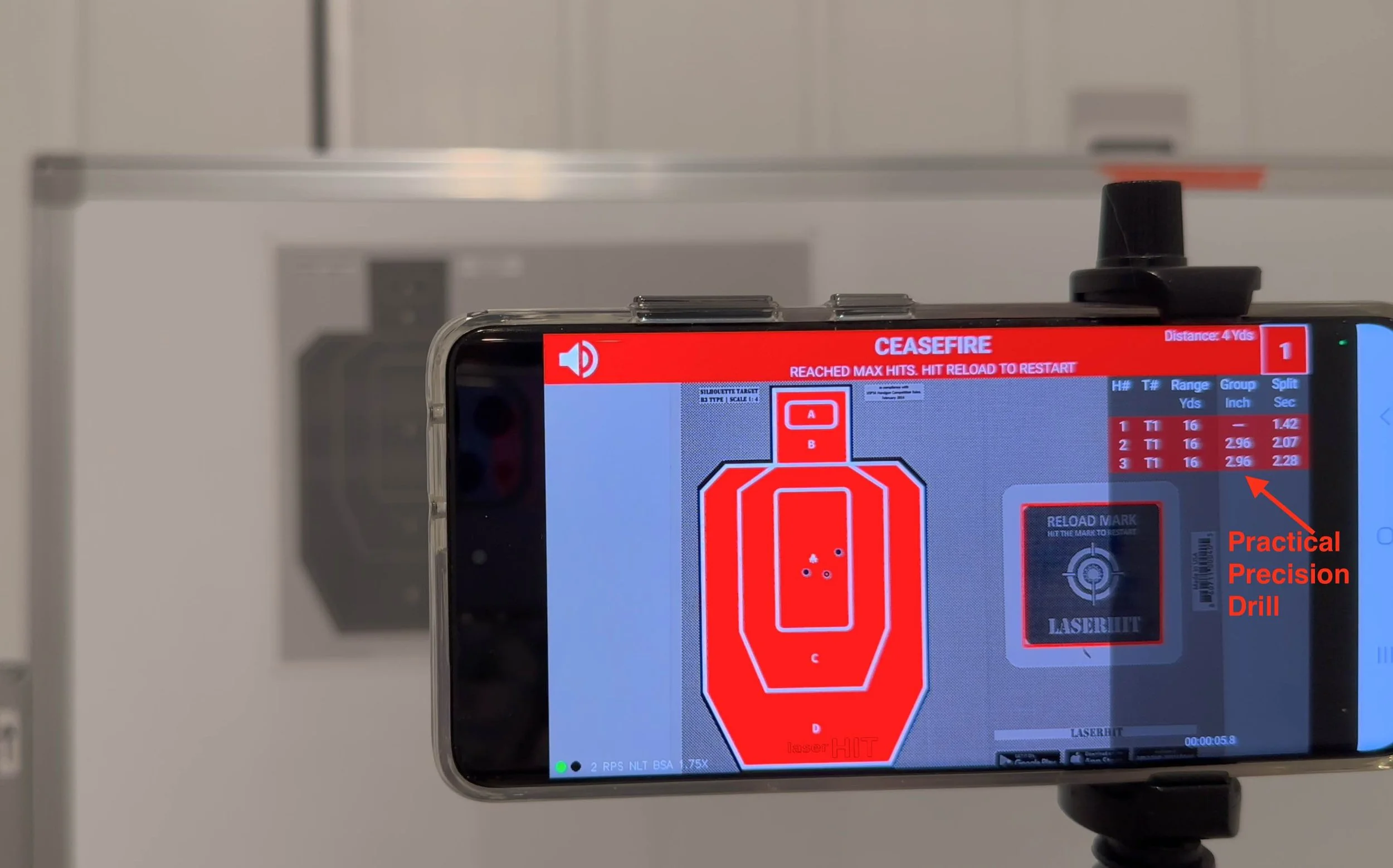
On iOS:
Pre-set grouping drill.
On Android:
Choose Practice: Free Target (Advanced) or Black Steel (Advanced)
Select LaserHIT or your own target
Set firing distance in feet, yards, or meters
Define target scale from 1:1 to 1:100 (for FreeTarget Advanced) or auto-option for BlackSteel Advanced)
Open "More Settings"
Select measurement units: inch, cm, MOA, MIL
Enable Group results on screen
Set fixed number of shots
Adjust timing pressure
Focus on grouping
iOS or Android, different Setup steps - same outcome.
Home Defense Drill
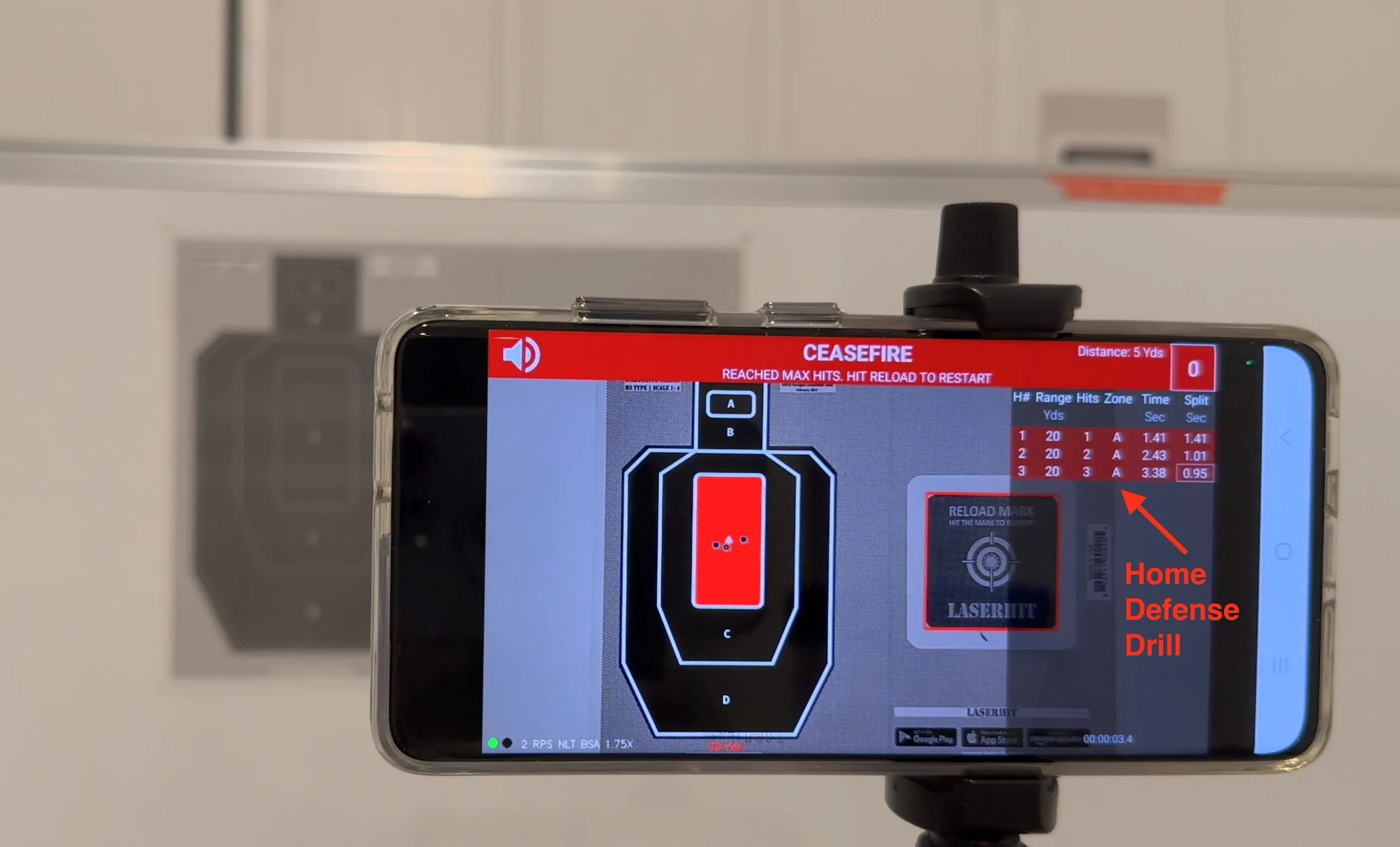
On iOS:
Predefined defensive sequence.
On Android:
Choose Practice: Black Steel Advanced
Select silhouette B3-style target
Set firing distance (from 1 yard to 16.7 yards)
Open "More Settings"
Select measurement units
Configure on-screen results:
Target index: hide
Hits on target: show
Target range: show
Hit zone: show
Windage and elevation: hide
Group: hide
Elapsed time: show
Split time: show
Best results: enabled
Configure shot announcements (Show or Hide)
Adjust hit size scale (optional)
Set maximum hits to 3
Apply timing constraints if needed
iOS or Android. Same logic. Same purpose.
Speed and Transitions
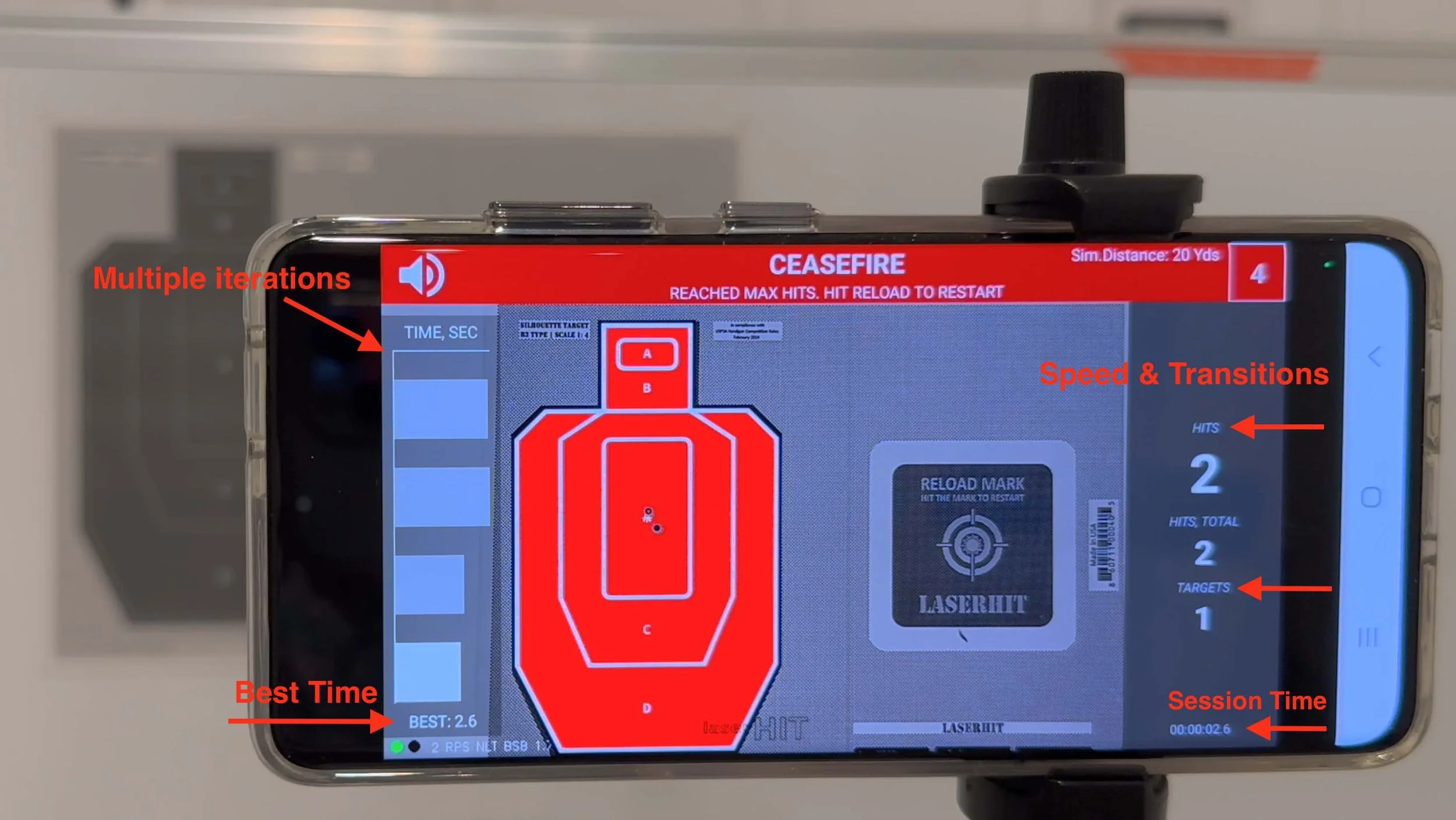
On iOS:
Timed multi-target drill.
On Android Version 1:
Choose Practice: Black Steel Basic
Select multiple silhouette targets in the same scale
Set firing distance
Define target scale from 1:1 to 1:16
Set shot count
Apply timing
Train target acquisition
On Android Version 2:
Choose Practice: Black Steel Advanced
Select targets with same or varied scale from 1:1 to 1:100
Set firing distance
Select measurement units
Configure on-screen results:
Target index: show
Hits on target: hide
Target range: show
Hit zone: show
Windage and elevation: hide
Group: hide
Elapsed time: show
Split time: show
Best results: enabled
Configure shot announcements
Set fixed number of shots
Apply timing
Measure transitions and scoring
iOS or Android. Same training effect.
Rifle Training
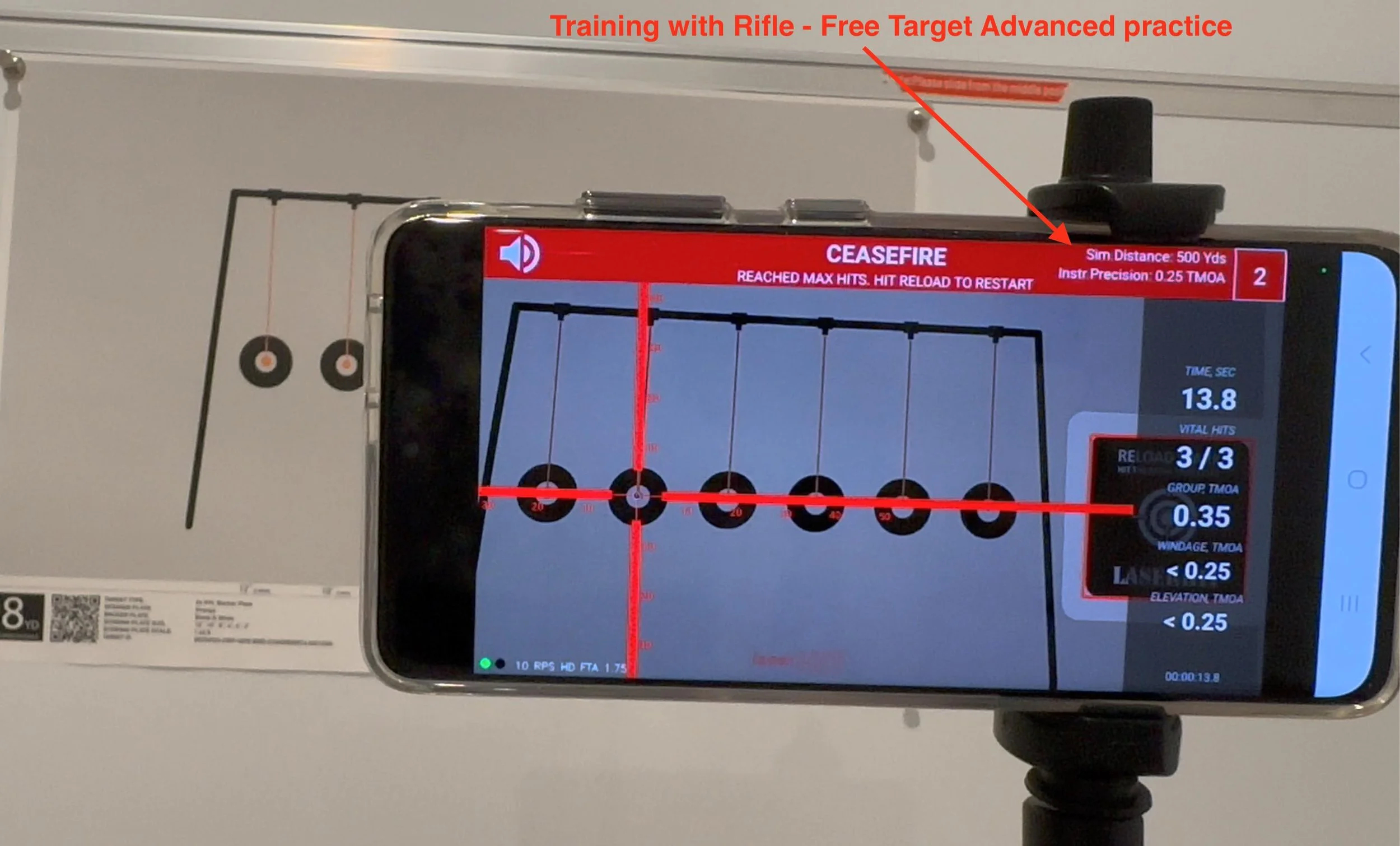
On iOS:
Rifle Practical Precision or Rifle Practical Accuracy drills.
On Android:
Choose Practice: Free Target Advanced
Select LaserHIT target or your own dark target
Set firing distance
Define target scale
Select measurement units
Configure on-screen results:
Windage and elevation: show
Group: show
Set Vital Zone radius ( for example 1 MOA)
Configure shot announcements
Set fixed number of shots
Apply timing
During setup, align reticle and Vital Zone to the intended aiming point
Measure consistency and precision
iOS or Android. Same precision principles. Same training purpose.
What About Progress Tracking
iOS provides automatic reporting.
On Android, you can:
Capture screenshots
Track results manually
Compare sessions over time
Different method. Same objective: performance analysis.
The Key Point
Android is not a limited version.
It is a flexible version.
iOS provides structure.
Android provides control.
If your approach to training is based on customization, Android gives you the full toolset to build effective and purpose-driven sessions.
Before You Go
If your guiding question is:
Can I do this on Android?
The answer is yes.
If you need help setting up your training, contact us and we will guide you step by step.
For users who want both speed and flexibility, consider using an additional iOS device such as an iPad or iPhone 11 or newer. Refurbished devices are widely available, require no service contract, and can operate on home Wi-Fi. This gives you access to pre-configured drills alongside full Android customization.