
Why the Reset Mark Is Not Recognized
This is one of the most common questions we get, and in most cases the issue is not complicated. The system is doing exactly what it is designed to do, but something in the setup is preventing the Reset Mark from being clearly seen.
Think of the Reset Mark as a control input. If the app cannot see it correctly, it cannot respond correctly.
Let’s go through the most common reasons.
The Reset Mark Is Not Fully Visible
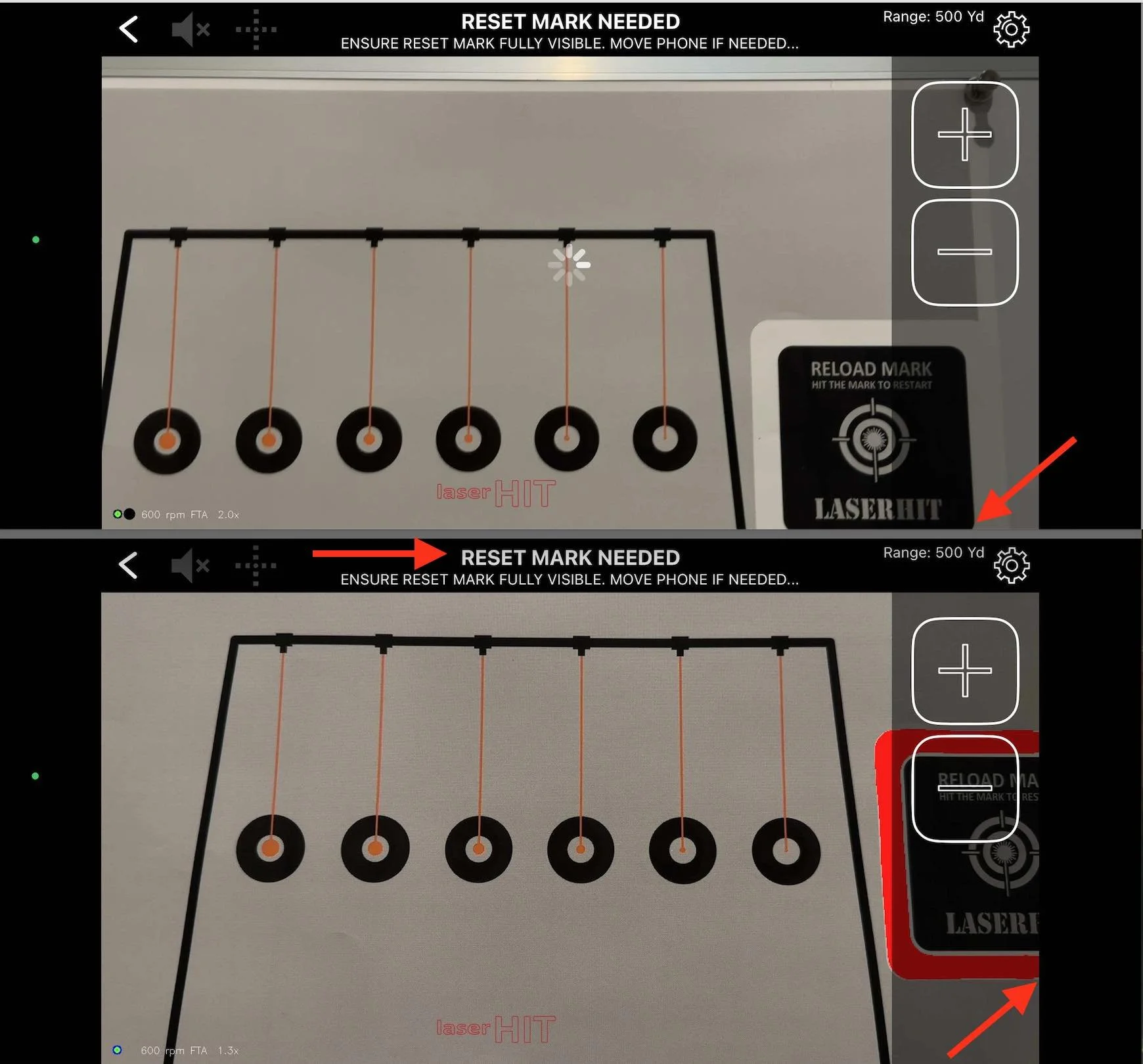
The Reset Mark must be completely visible to the phone camera.
On the printed target, it is a black square inside a white frame.
On your phone screen, when everything is correct, it should appear as a black square with a red frame.
If any part of that square is cut off, covered, or outside the camera view, the system cannot recognize it.
This is the first thing to check.
The Reset Mark Appears Too Small
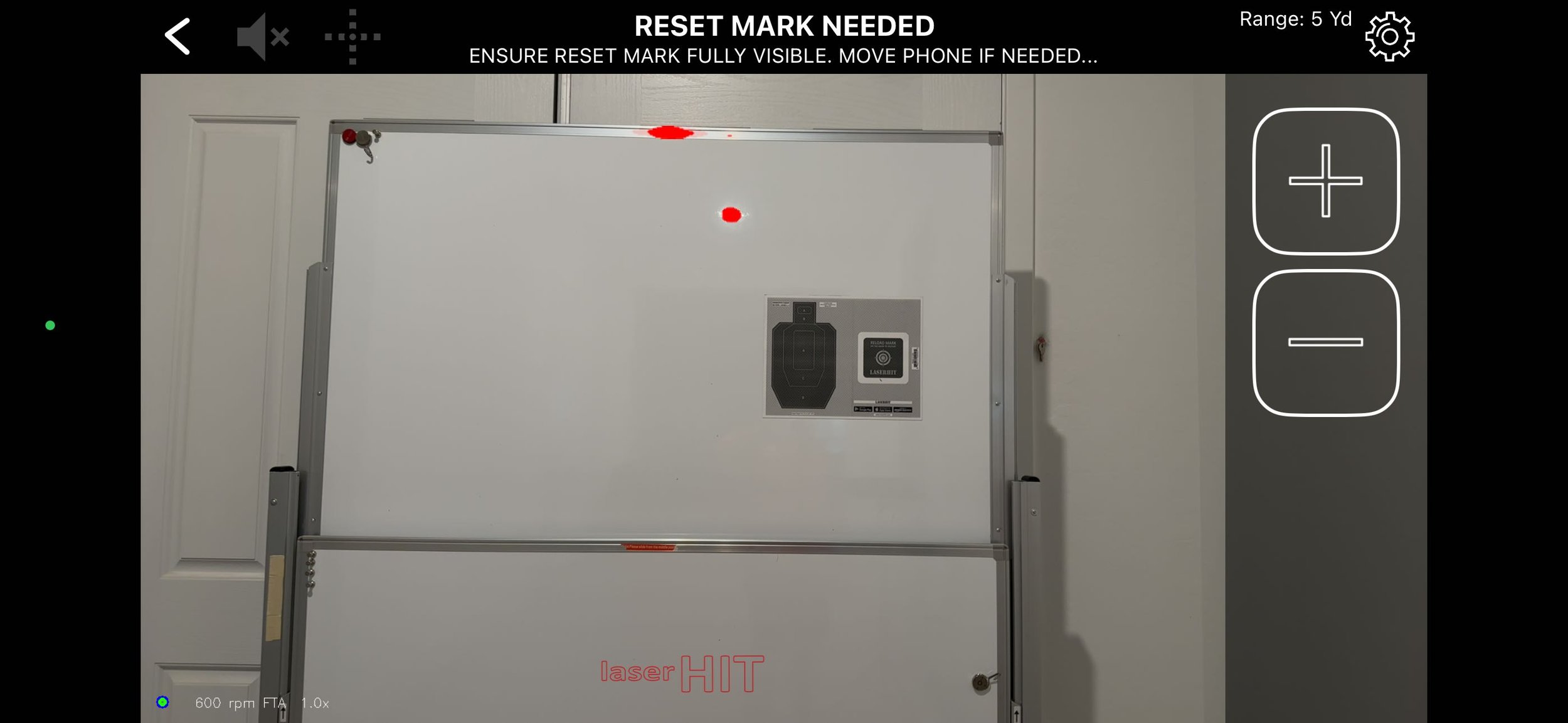
Size matters here.
If the Reset Mark looks small on your phone screen, recognition becomes unreliable. The system needs enough visual information to confirm what it sees.
During setup, use the plus button to zoom in. The goal is simple. Make the target and the Reset Mark large enough so they are clearly defined on the screen.
If it feels small, it usually is.
The Target and Reset Mark Do Not Fill the Screen
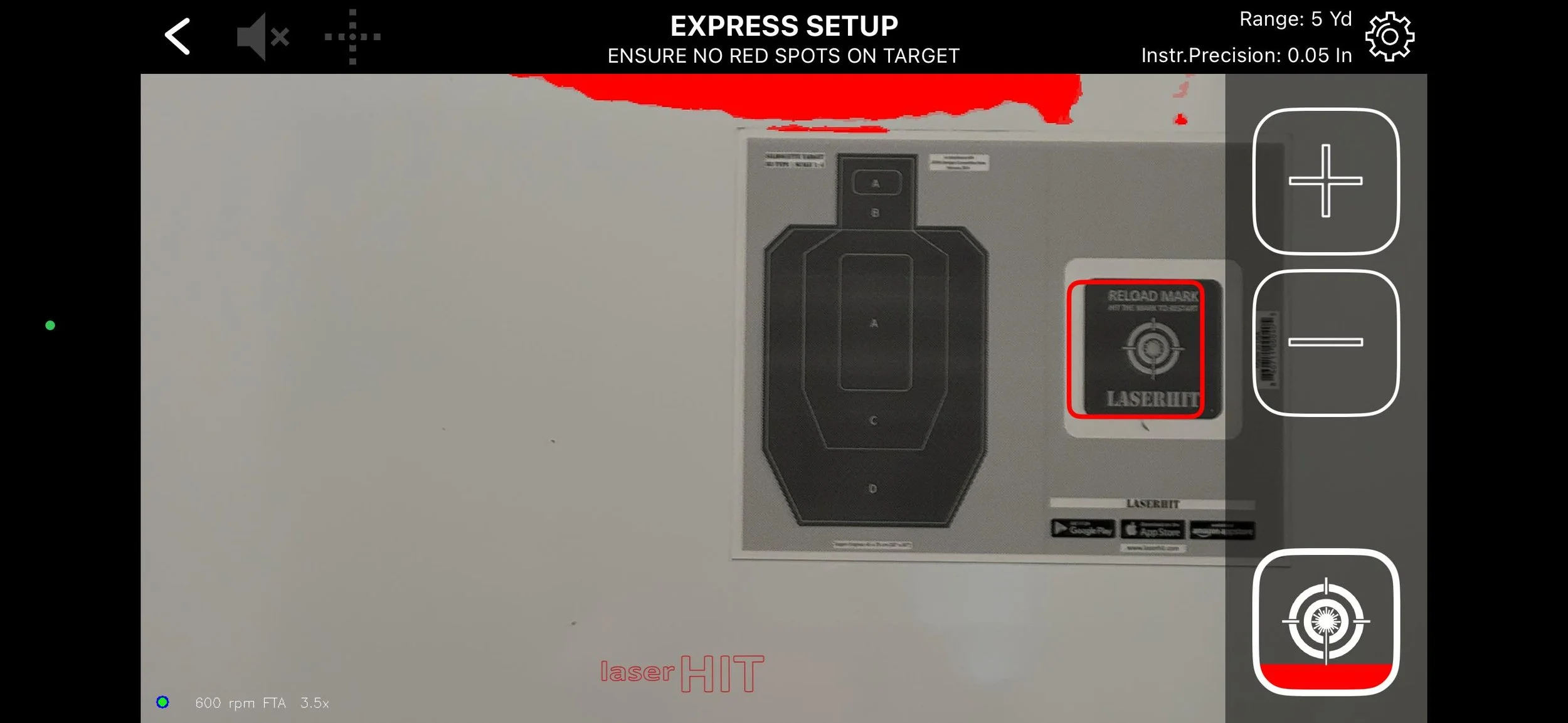
This is closely related to size, but slightly different.
The system works best when the target and the Reset Mark fill the screen edge to edge. Not partially, and not surrounded by empty space.
The more detail the phone camera can see, the better the system performs. This directly affects instrumental precision, which is the app’s ability to measure and calculate your results.
You can see this in real time. Check the top navigation panel where Instrumental Precision is displayed. As you zoom in or move the phone closer, that value improves.
If there is too much background visible, the system processes unnecessary information, which reduces measurement precision.
Bring the phone closer or use zoom until the frame is filled properly.
Lighting Conditions Are Not Stable
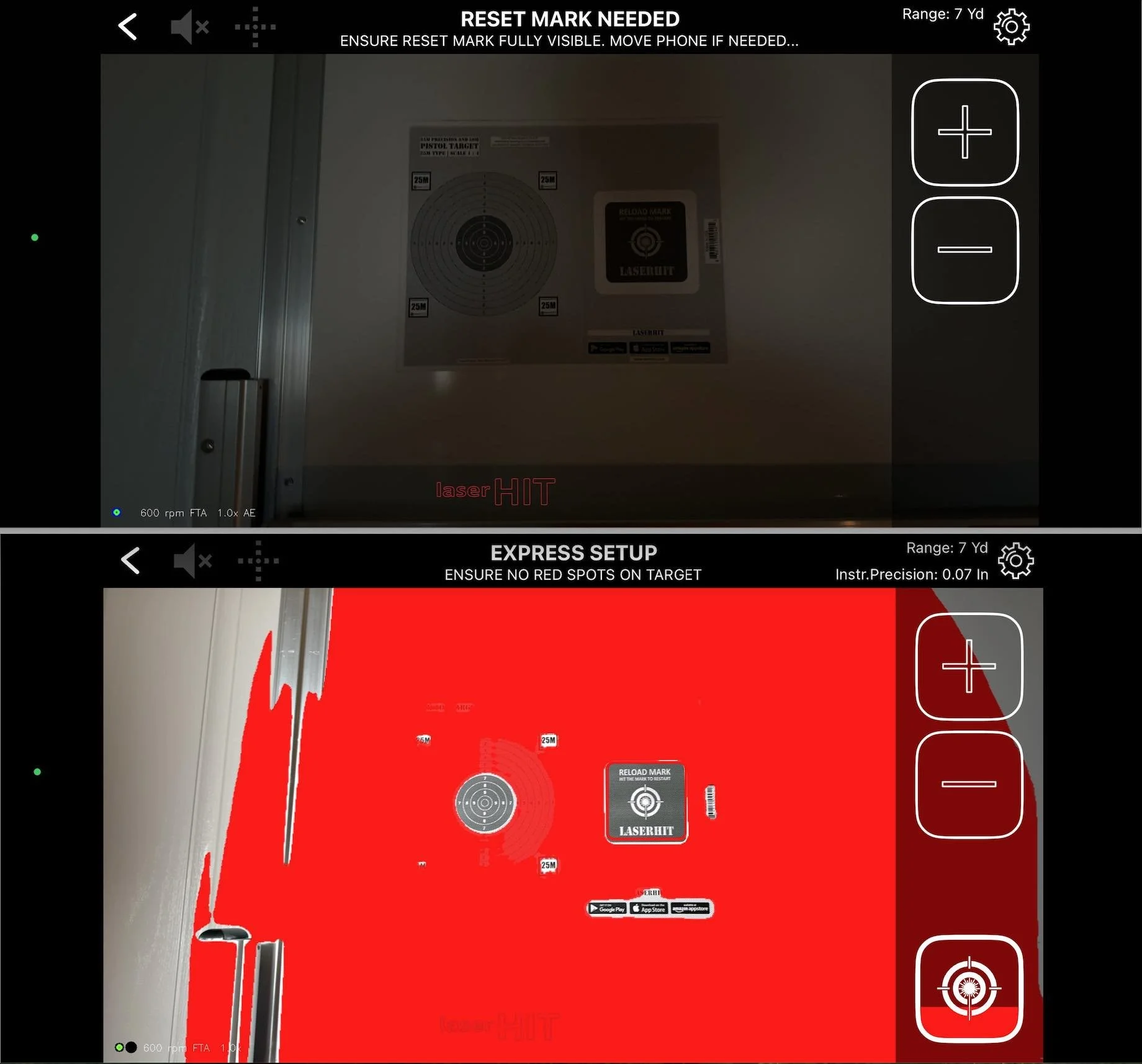
Lighting is one of the most underestimated factors.
Too dark and the system cannot see enough detail.
Too bright and contrast is lost.
Uneven lighting creates inconsistent detection.
During setup, look at the red highlighted areas on the screen. That overlay shows what the system will ignore during active practice.
Red spots around the target or Reset Mark are normal and can be ignored, as long as the active areas remain clearly visible.
If you are practicing drills with ballistics, think about the bullet flight path and drop. The expected impact point should not fall into red-highlighted zones, since those areas are ignored by the system.
Keep the important areas visible.
The Phone Is Too Far from the Target
Distance between the phone and the target directly affects detection quality.
If the phone is placed too far away, especially without zoom, the Reset Mark becomes too small and less reliable. The camera does not have enough detail to perform precise measurement on the target or reliably detect the Reset Mark.
A good working distance is about two to three feet from the target.
Remember, the phone should stay with the target.
If needed, adjust the phone position for a better view. A good starting point is slightly below and to the right of the target center. Tilt the phone upward to keep the full target area clearly visible.
If you want to enhance visibility, connect the system to a larger display. A TV or home projector allows you to see results clearly at distance without affecting detection quality. For certain long-range drills, Apple Watch can provide quick feedback.
You can also connect headphones or an external soundbar to amplify Virtual Spotter announcements.
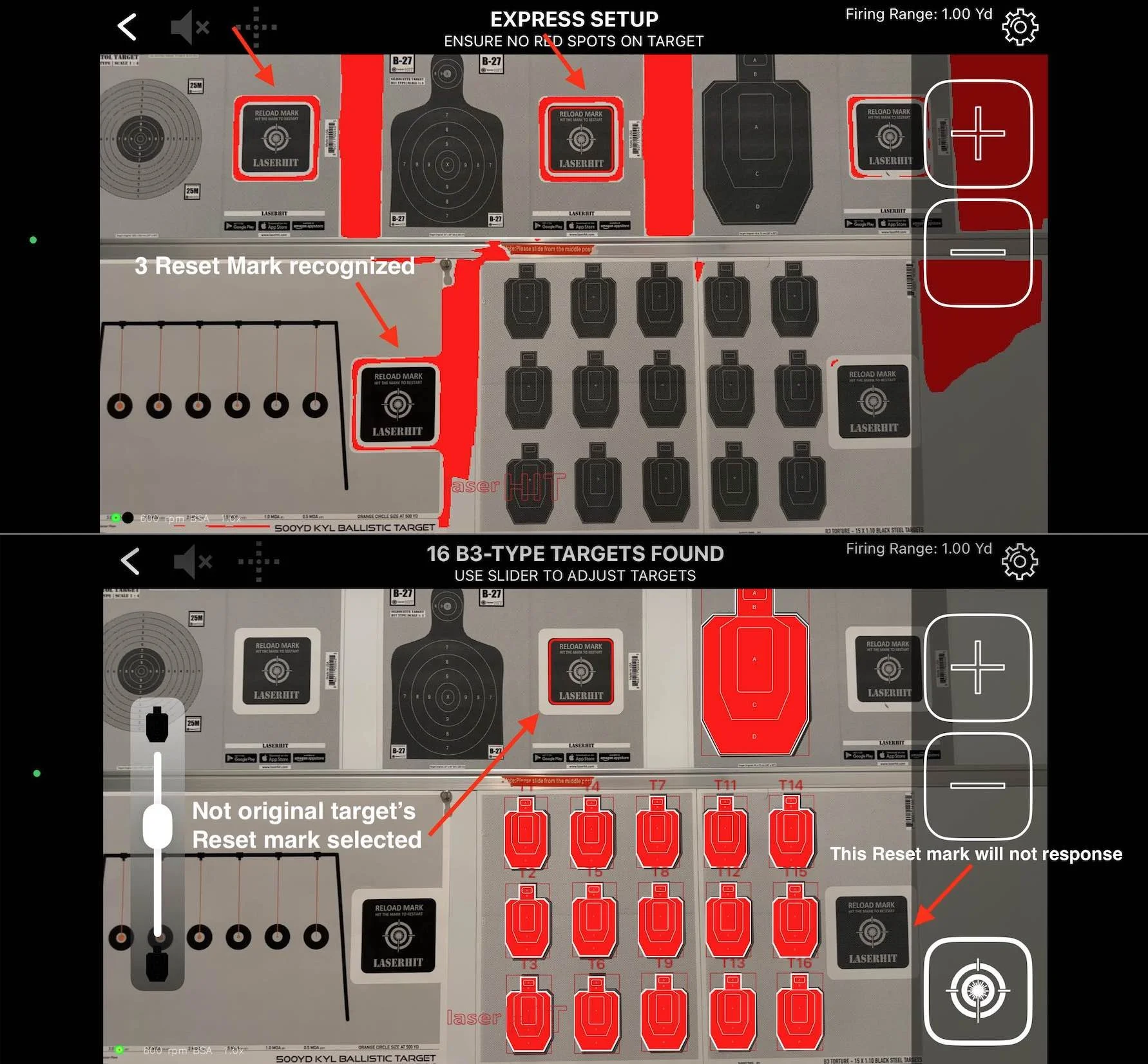
Multiple Reset Marks Are Visible
This one is easy to overlook.
If the camera sees more than one Reset Mark, the app cannot reliably determine which one to use.
This can happen if:
you have multiple targets in view
you printed extra marks
there is another similar shape in the background
Make sure only one Reset Mark is visible inside the camera frame.
One mark. One reference. No ambiguity.
Before You Go
If the Reset Mark is not recognized, the issue is almost always visual.
The system needs a clear, stable, and properly framed reference. Once it has that, everything works consistently.
If something feels off, do not change your shooting first.
Check what the camera sees.
That is where the answer usually is.
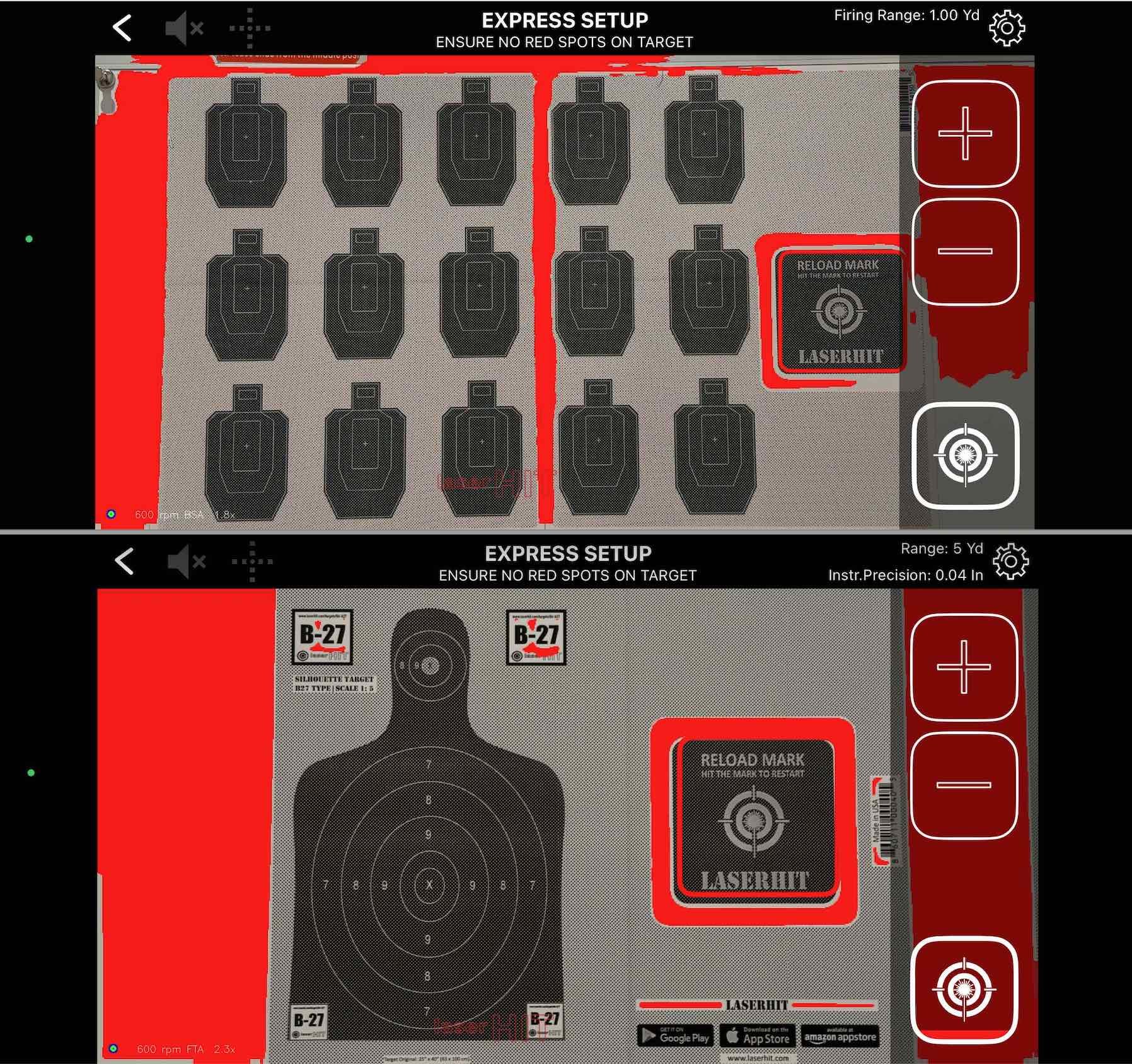
LaserHIT proper setup with clear target and reset mark at correct zoom, red ignored