iOS Custom Accuracy Drill: Control Where Every Shot Lands
Accuracy is not about group shape. It is about intent.
The Custom Accuracy Drill is for you if you want to measure exactly how close each shot lands to where you meant it to go. Precision drills look at group tightness. Accuracy drills look at deviation from a fixed point of aim.
This drill answers a very direct question:
How precisely can you place each shot on the exact point you choose?
Practice on Your Own Terms
Custom Accuracy lets you train with any LASERHIT target or your own custom target, as long as detection and scaling requirements are met.
You define everything:
• the target
• the indoor distance
• the measurement units
• the acceptable offset from point of aim
• the number of shots per stage
• the time allowed
LaserHIT does not judge how you shoot. It measures where each shot lands relative to the point you selected.
Objective and Goal
The objective is simple. Execute a defined number of dry-fire shots to the exact center of the crosshair.
Range, shot count, and time limits are fully defined by you.
The goal is uncompromising:
Control shot placement relative to the point of aim.
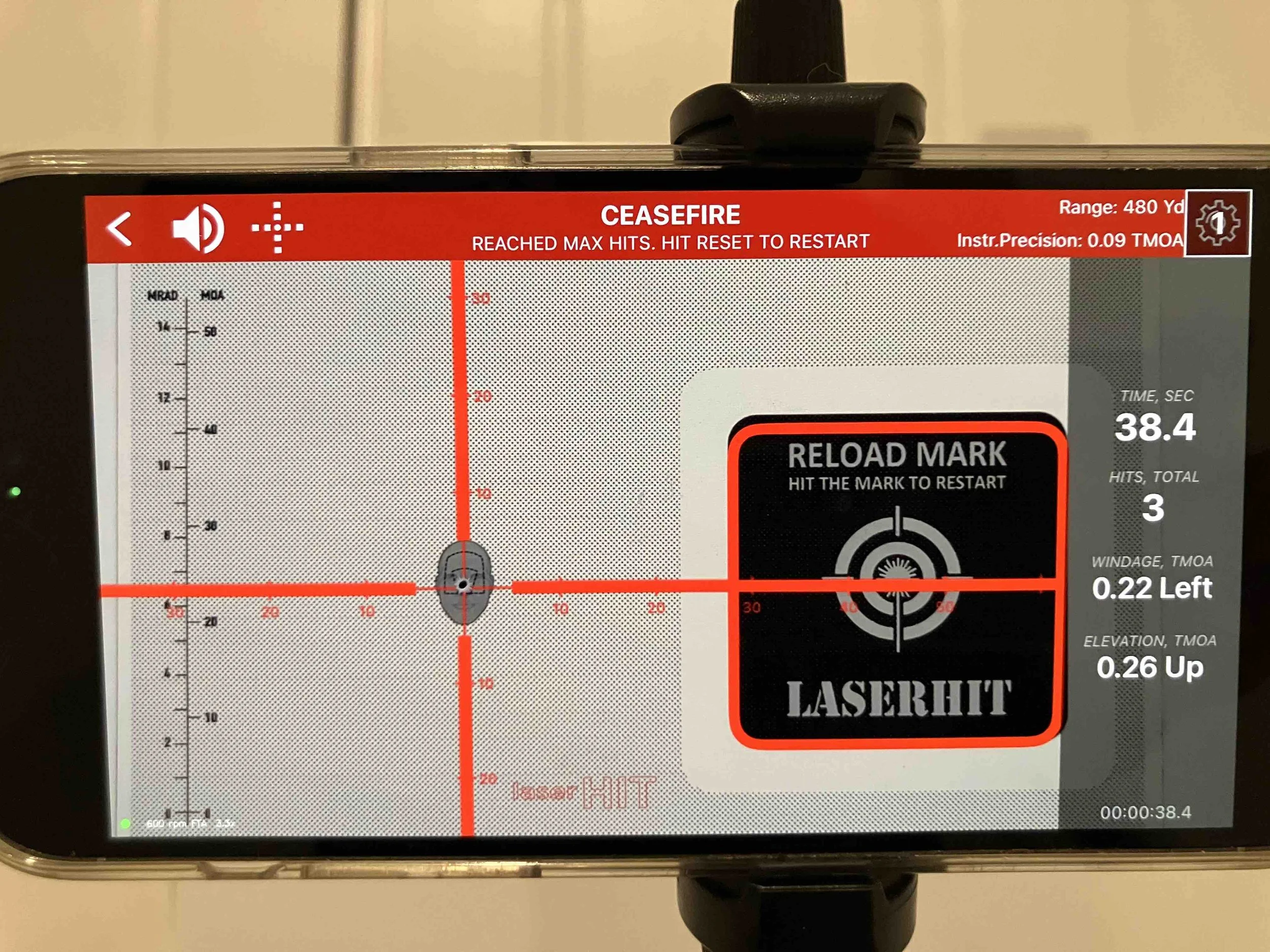
Each shot is evaluated individually by its offset from the crosshair center (maximum acuracy). Group shape does not matter. Speed does not add points. Deviation is what counts.
What You Need
To run the Custom Accuracy Drill, you need:
• any LASERHIT target or your own custom target
• a LASERHIT Reload Mark
• a LASERHIT Training Kit or compatible laser device
• a smartphone mounted on a stable tripod
If you use your own target, it must have a solid dark surface for reliable detection. White or light-colored targets are not accepted.
The LASERHIT Reload Mark is required and can be downloaded free from the LaserHIT website.
Target scale must be set correctly during Firing Range Setup before starting the drill.
As always, follow all standard dry-fire safety rules.
How the Drill Works
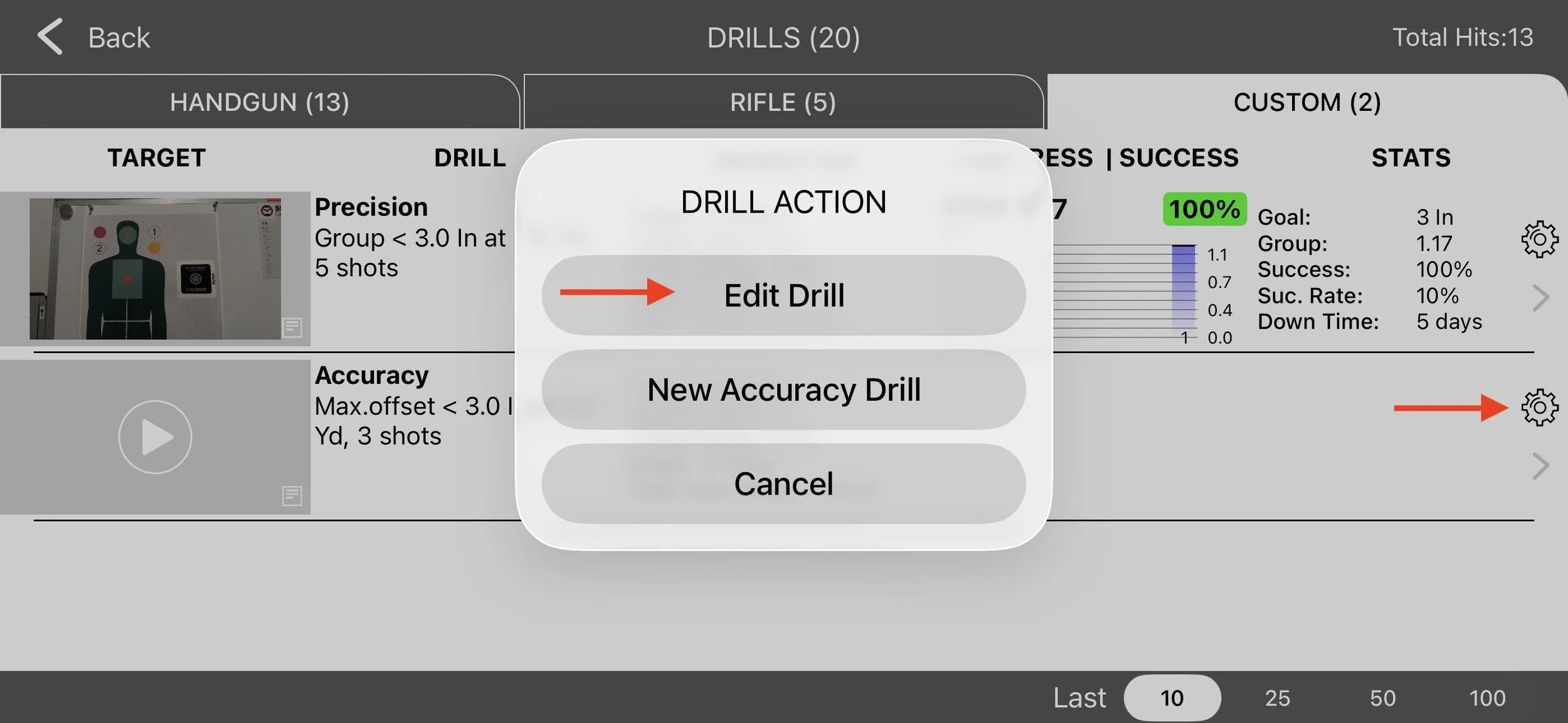
The Custom Accuracy Drill always starts from a single default drill that is available to every user, even without PRO Access. It is always visible at the top of the Custom Drills list and cannot be deleted.
Here is the important part.
Do not start the drill immediately.
Come to Custom Drills with your configuration already in mind. Tap the Settings icon inside the drill panel first. Edit the drill before you complete the first stage.
This gives you full control over Firing Range Setup and drill parameters.
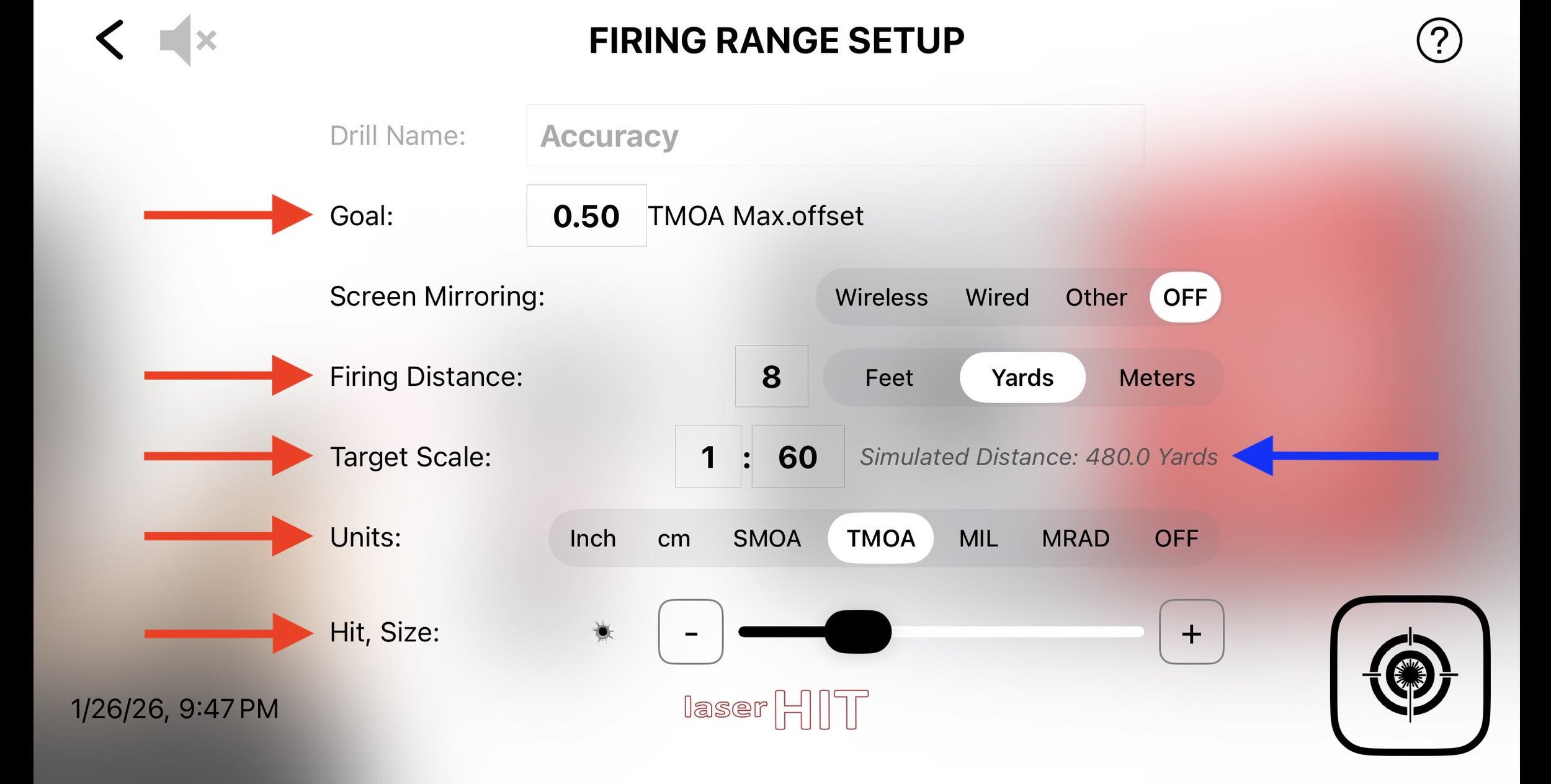
Define your standards:
• maximum accuracy goal
• indoor firing distance
• target scale
• measurement units such as inches, centimeters, MOA, or MIL
• hit hole size
• shots per stage
• stage timeout from 10 seconds to 5 minutes
Credit to: https://www.maxordinate.com/targets
Once you complete the first stage, the configuration locks.
At that moment, the target image used for the drill is captured and saved on the Custom Drills screen. This allows you to see exactly which target was paired with which configuration. It creates a visual reference for your setup and prevents confusion later.
From that point forward, the only parameter you can change is the goal value. Distance, scale, units, shot count, and timeout remain fixed.
If you need to change any of those variables, you must Reset the drill. Resetting permanently deletes all recorded statistics. In some cases, fully closing and reopening the app may also be required to clear the active state.
This behavior is intentional.
Accuracy only has meaning when the reference conditions remain stable. Changing variables mid-stream would invalidate your data and make comparisons meaningless.
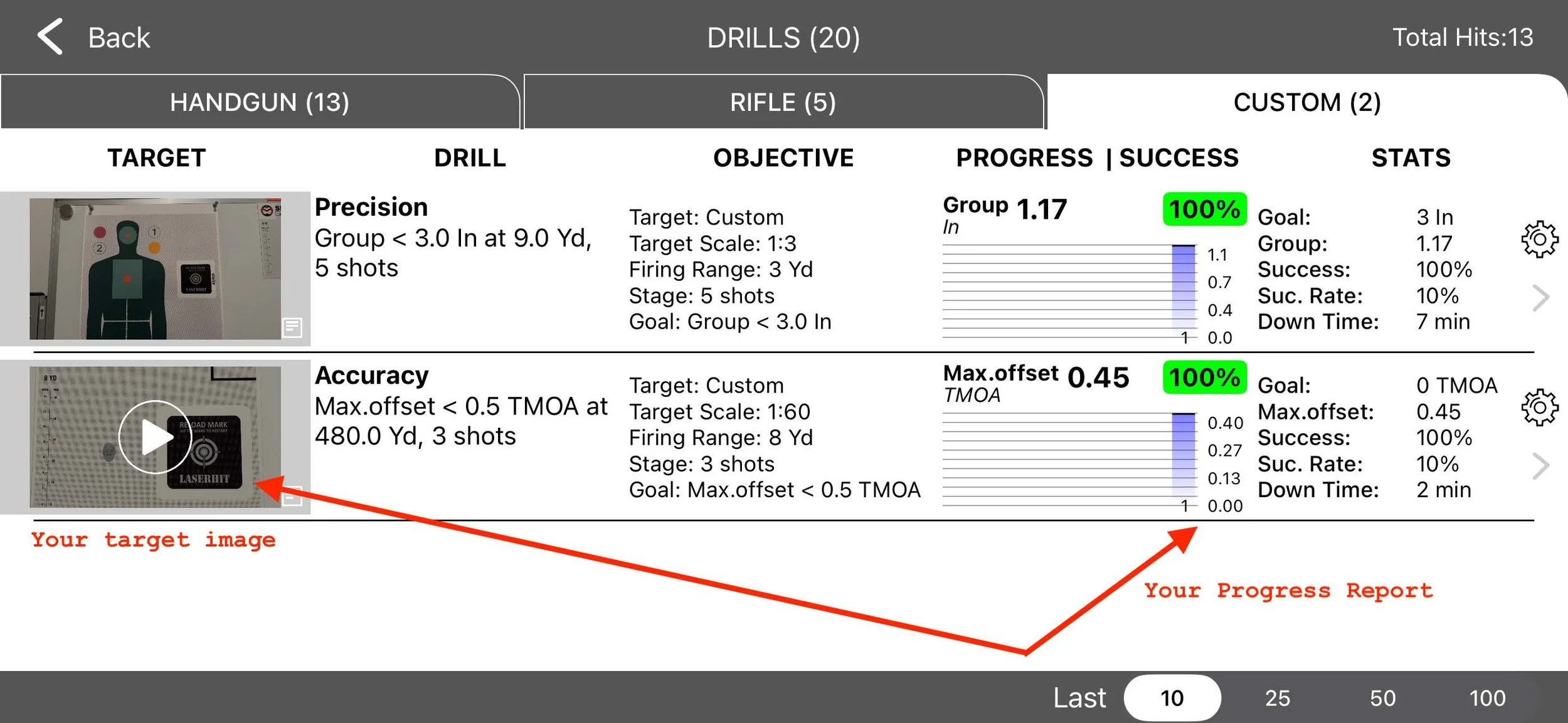
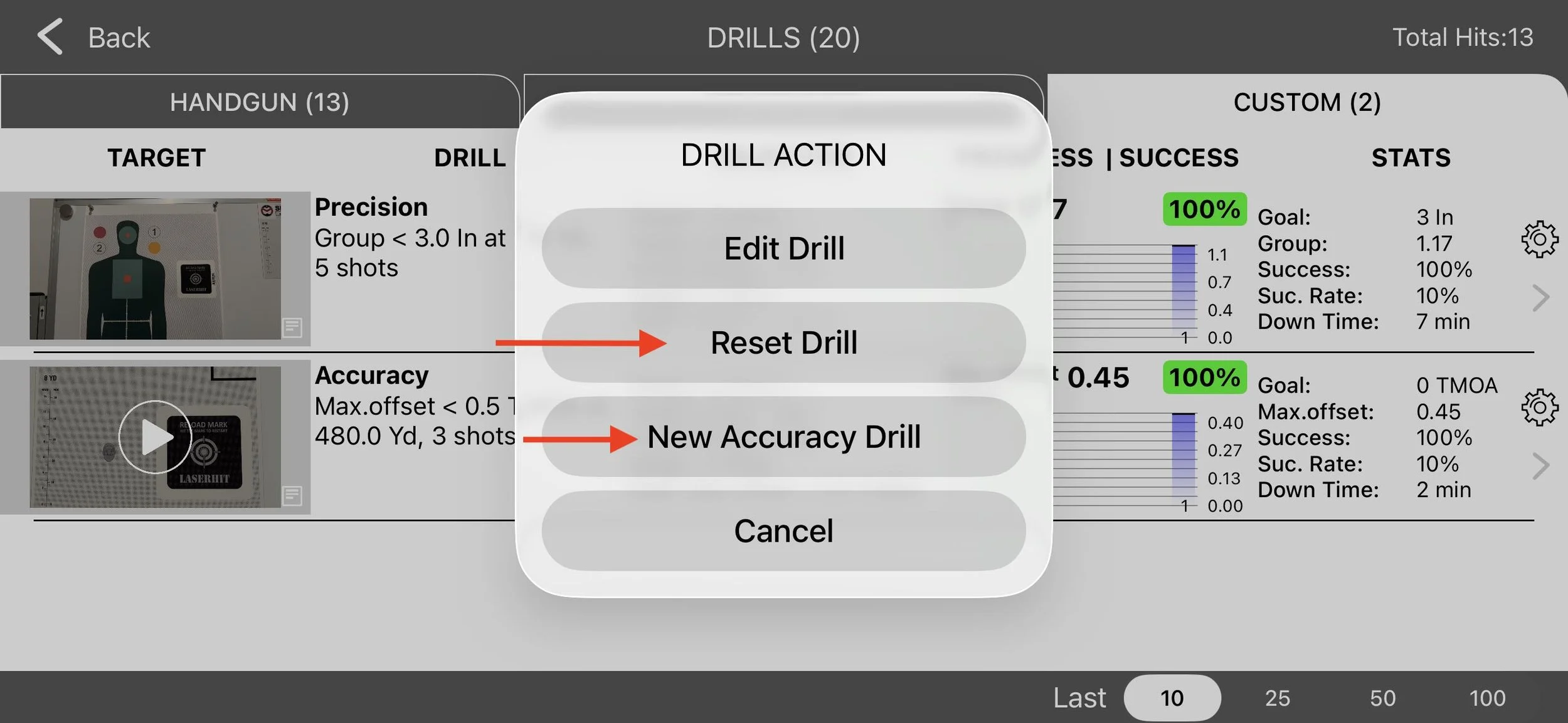
With PRO Access, you can create additional Custom Accuracy drills as independent copies. Each one can be renamed, edited, or deleted. This allows you to maintain different standards for different targets, distances, or training phases without overwriting prior results.
Performance Tracking Without Interpretation
Every completed stage is stored as part of a continuous progress record.
LaserHIT displays windage and elevation for each shot and calculates maximum accuracy in the real-world units you selected, referenced to a true 1:1 scale target.
Over time, you see:
• the most recent maximum offset
• change from the previous stage
• whether your goal was met
• overall success rate
• improvement or regression trends
• time since your last completed session
Nothing is averaged. Nothing is smoothed.
The worst deviation defines the result.
If PRO Access expires, your recorded statistics remain on your device. Full tracking resumes once PRO is renewed.
Before You Go
Custom Accuracy is not designed to reward proximity.
It is designed to reveal control.
It gives you a way to confirm that your sights, trigger press, and visual discipline are producing shots exactly where you intend them to land.
Once that is verified, you can introduce time pressure or complexity with confidence.
You choose the point of aim.
LaserHIT shows how close you actually get.
Special acknowledgment to www.maxordinate.com for expertise in precision measurement systems and technical guidance.