
V4.4 / Ballistic Preset
EDIT PRESET NAME AND DESCRIPTION
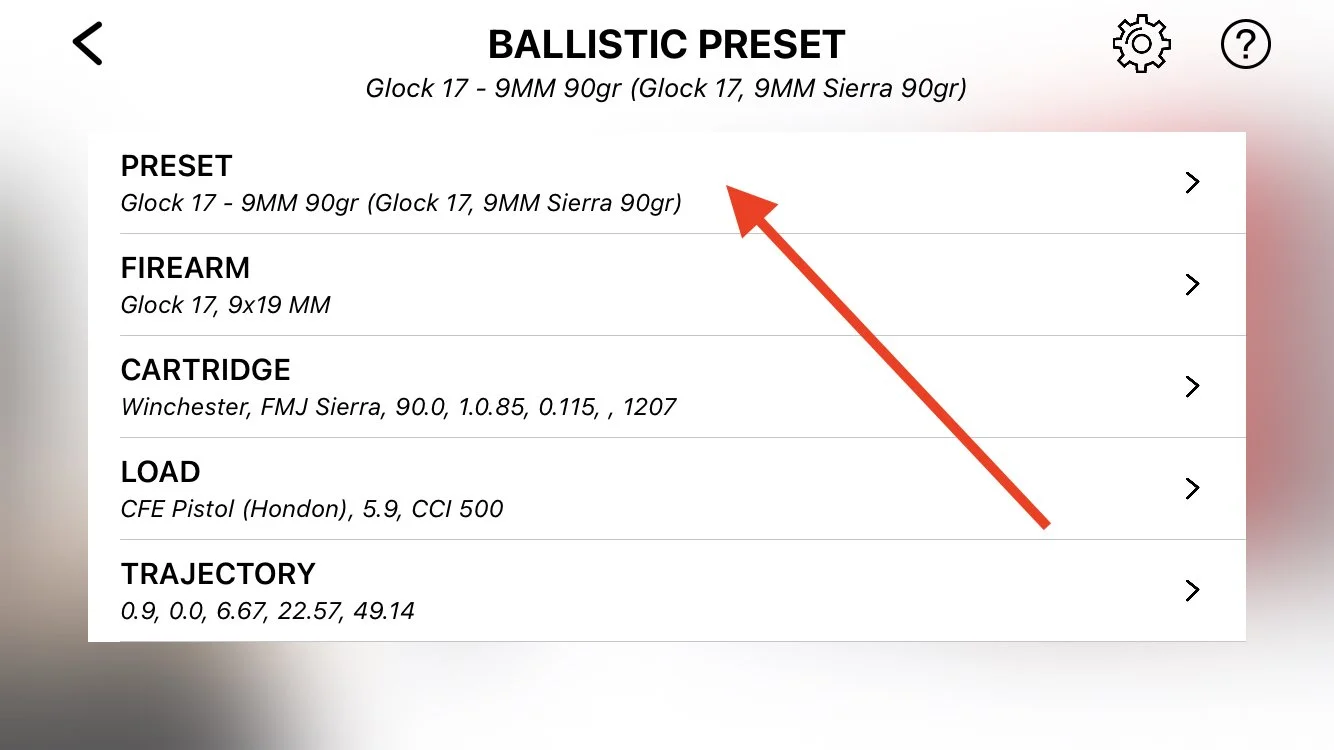
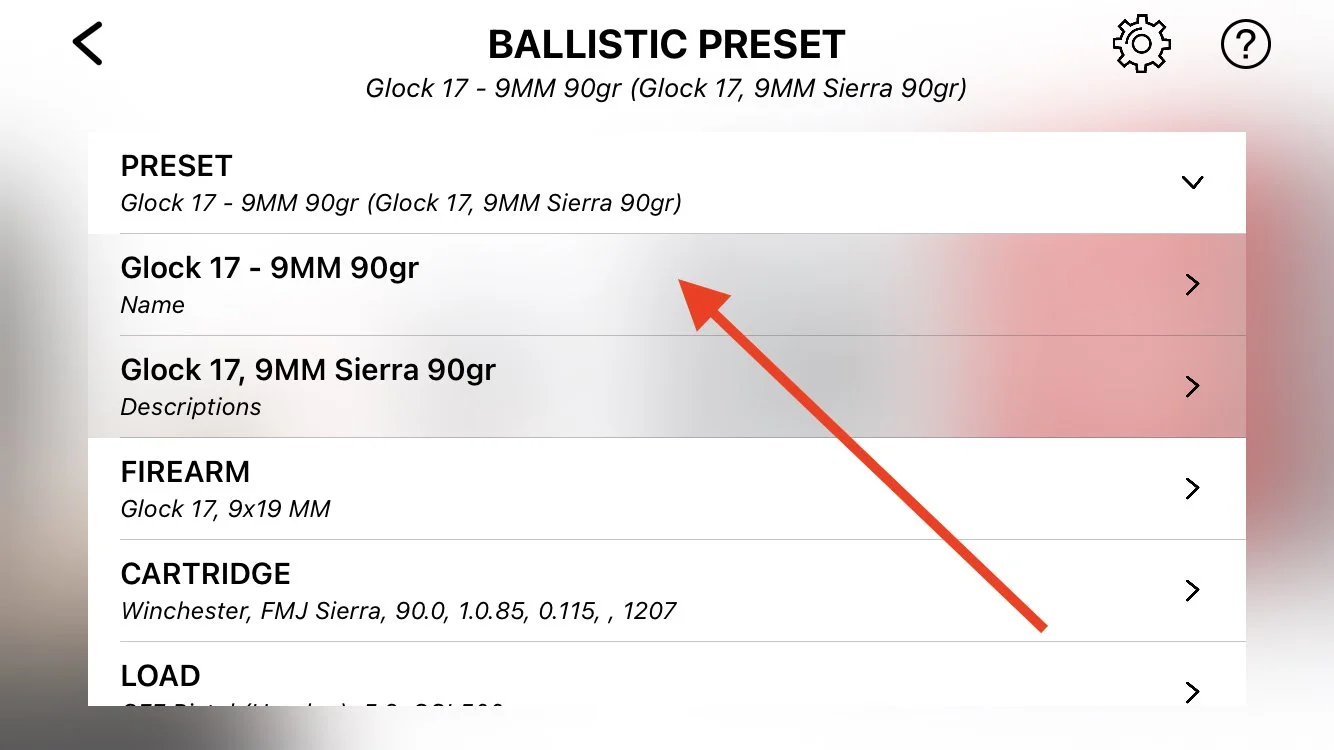
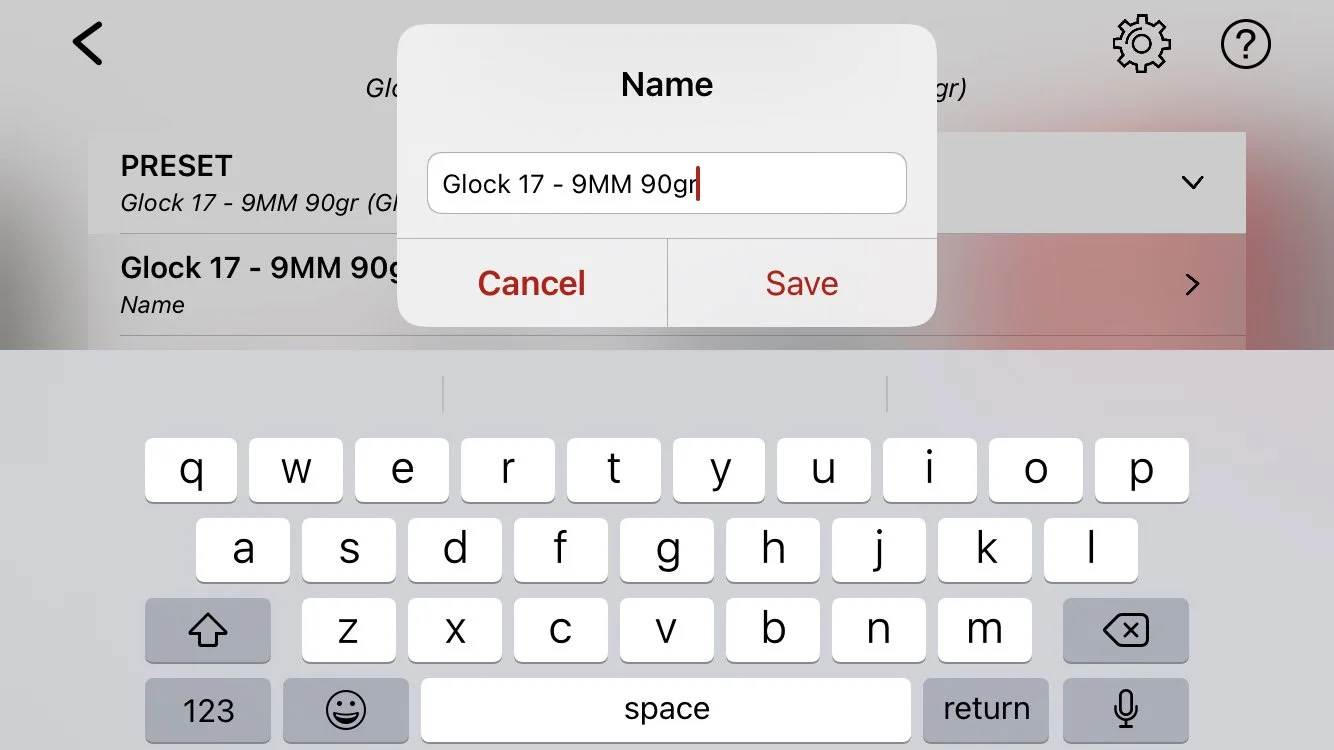
Repeat the same steps for the PRESET description, all fields of FIREARM, CARTRIDGE, and LOAD. Edit as you need it, or leave it as it is. All fields for your convenience only and will not affect your shooting results.
BALLISTIC TRAJECTORY
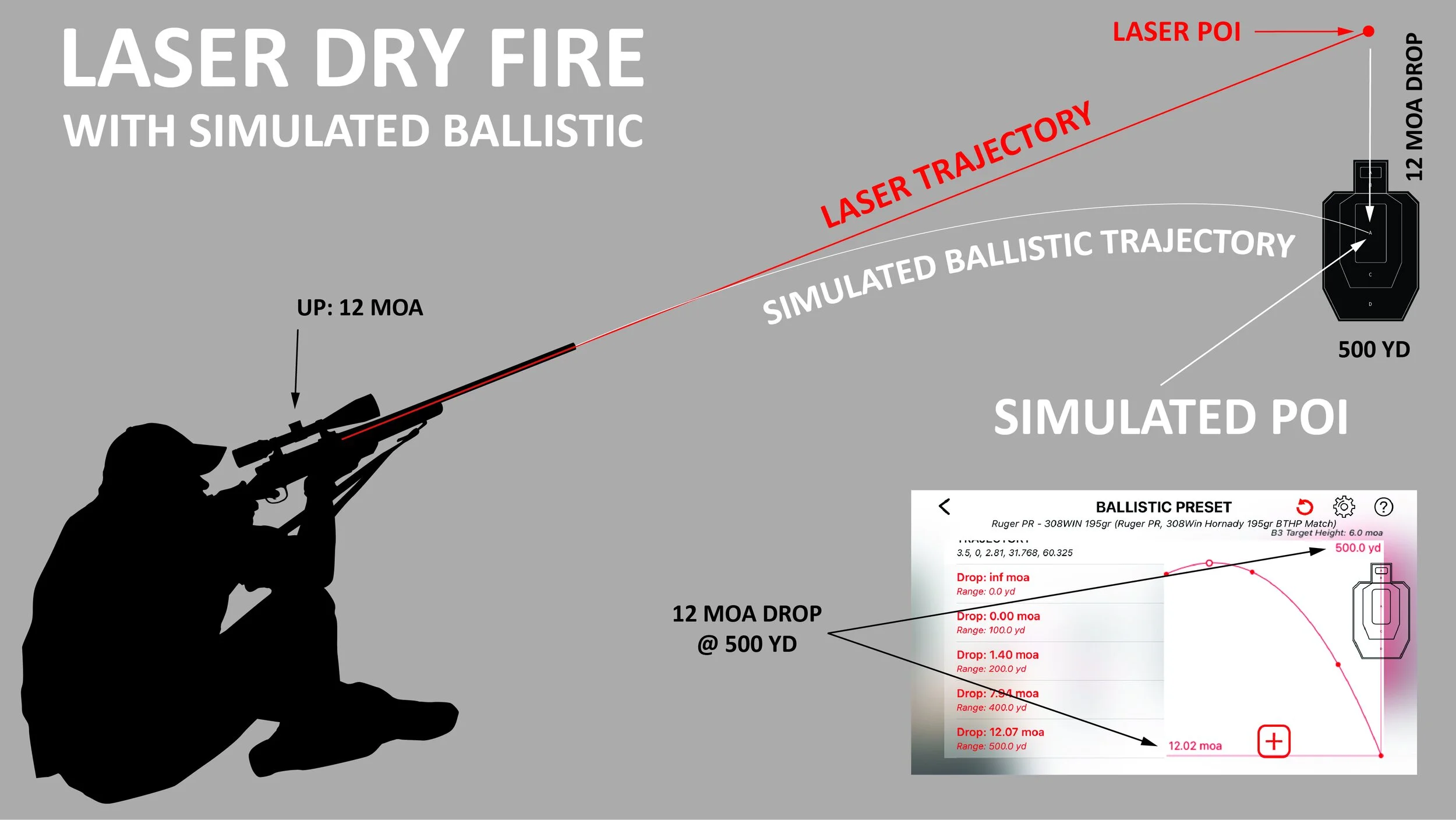
The trajectory is the most important setting that directly affects your shooting results. This ballistic trajectory simulates actual projectile drop calculated in real-time. The app calculates ballistic drop based on the laser point-of-impact, simulated distance, and the trajectory, and adjusts the point of impact accordingly.
The preset trajectory is not a ballistic calculator but a set of range/drop value pairs used to calculate ballistic drop at any distance within the simulated range. You can edit the default trajectory to match your firearm, cartridge, and load ballistic.
TRAJECTORY DESCRIPTION

The trajectory should contain at least six range/drop points:
Drop at muzzle (1). The drop is the sight height of your firearm;
0-drop at zeroing range (2). The range is your firearm’s actual zeroing distance;
Drop at max range (3);
Three middle drops (4). Middle drops distribution options:
equally between zeroing range (2) and max range (3);
as shown in the picture above (preferable).
The trajectory chart shows projectile drop (5) at selected range (6) in ballistic units. You can change the range and the drop units as shown below.
The B3-style target (7) scaled down in respect to drop at max range (3).
EDIT BALLISTIC UNITS (Drop and Range)
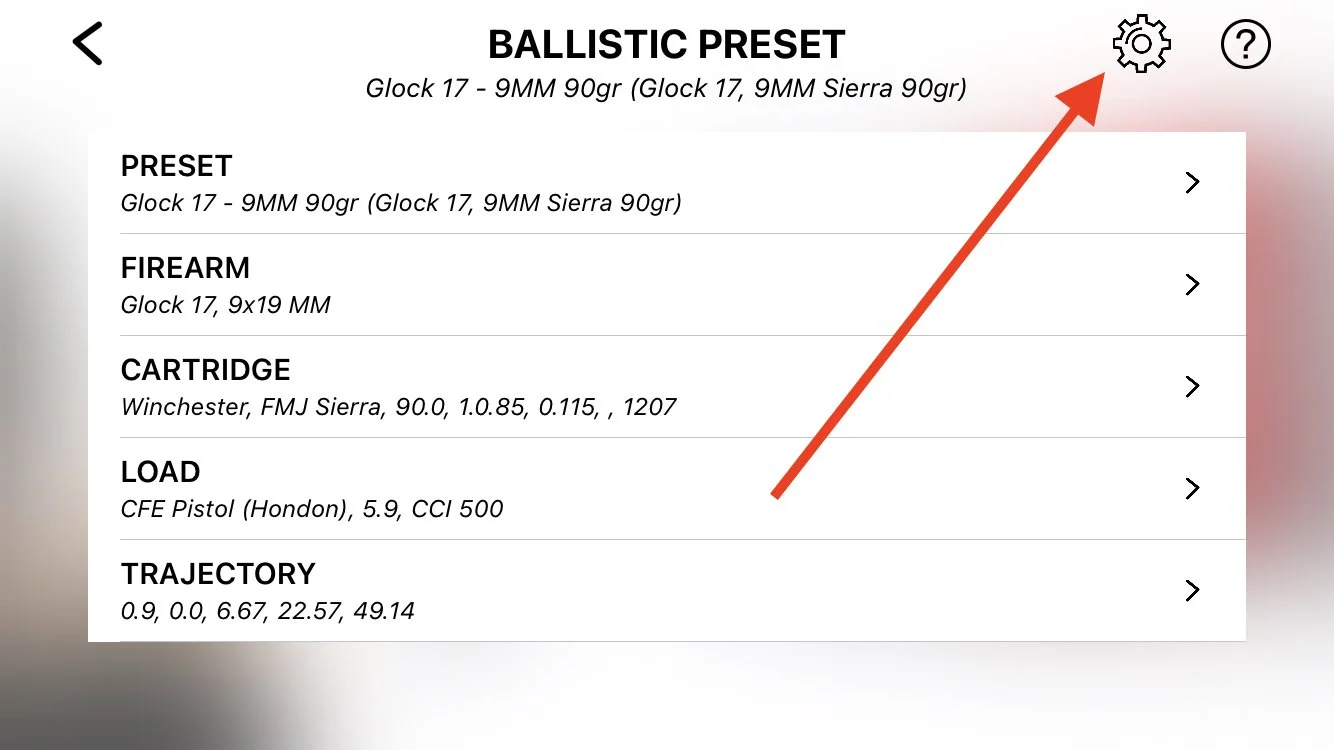
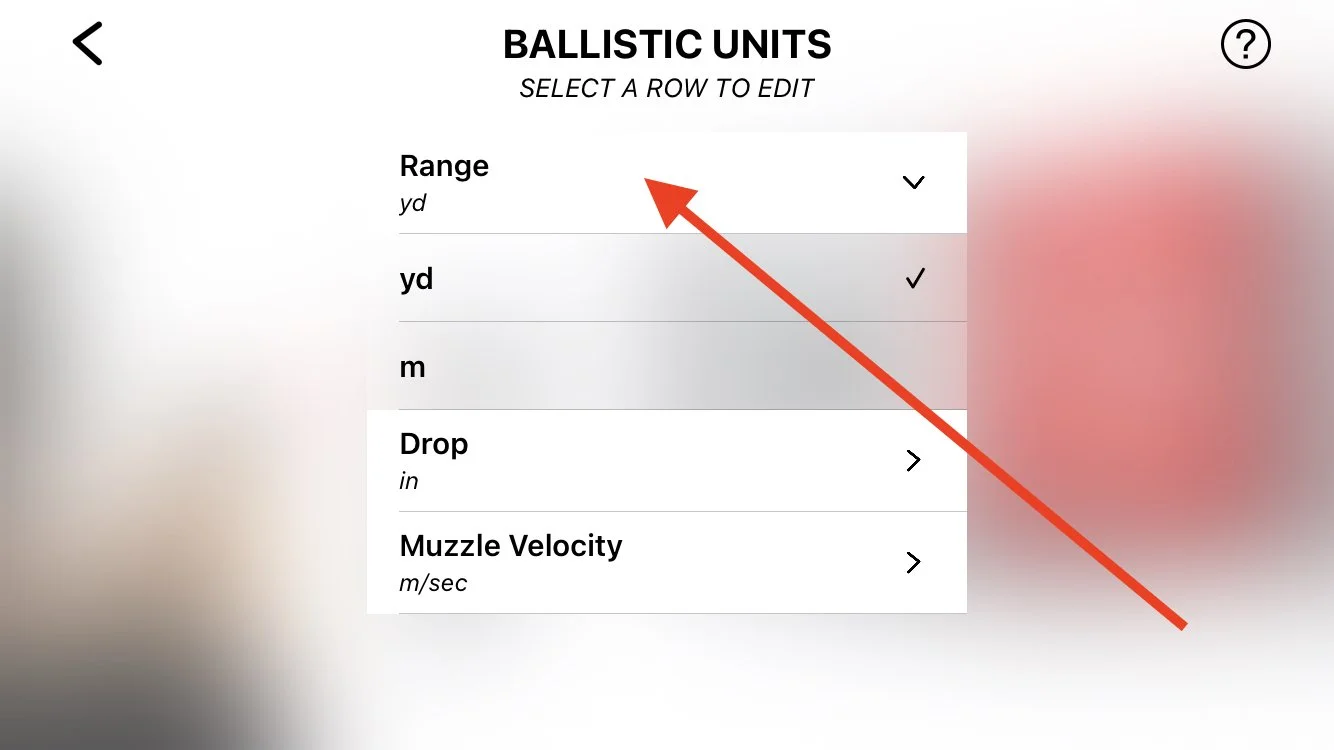
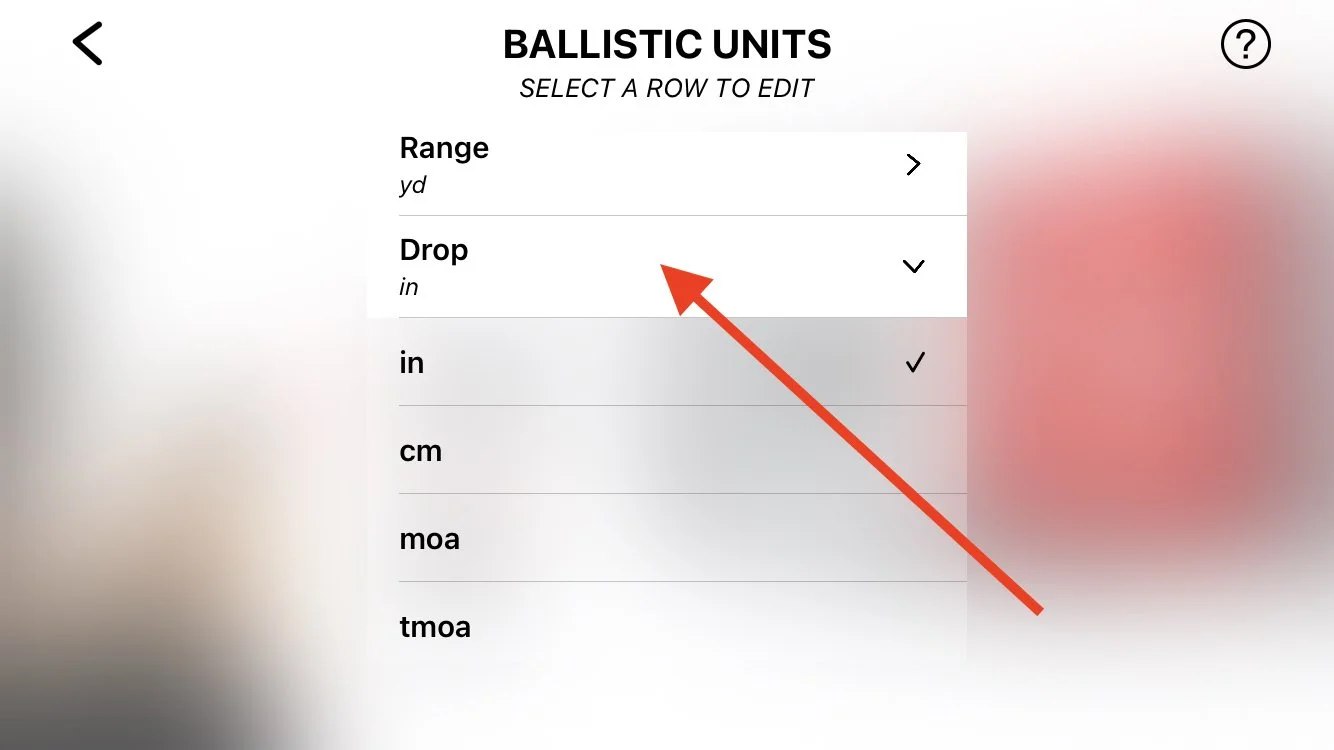
TRAJECTORY EDITING
The app provides generic presets with a trajectory for common firearms. However, the projectile trajectory depends on multiple factors, such as the projectile type, weight, ballistic coefficient, and muzzle velocity. Therefore, it's recommended to edit the default trajectory to match the actual ballistic of your setup.
You can edit the trajectory in two ways:
Edit the existing point drop;
Add new range/drop points, then remove current points.
HOW TO EDIT TRAJECTORY
CREATE TRAJECTORY TABLE
Before editing the current trajectory, you should have a set of ranges/drops for the new one. Use your favorite ballistic calculator to create it. For simplicity, use the same interval as in the preset's trajectory (100 yds).
EDIT THE TRAJECTORY POINTS
Start with a drop at 0-range. It's not an actual drop but your firearm's sight height (height over bore). Pan the target (7) over 0-range (1), or tap on the first line in the table (Drop 3.5 in, Range 0.0 yd). Tap on the line again and enter the sight height. You may need to change the ballistic units to IN or CM before doing so (see EDIT BALLISTIC UNITS above);
Pan the target (7) over the second mark (2), or tap on the second line in the table (Drop 0 in, Range 100.0 yd). It should be a white dot at range matching the actual distance your firearm zeroed at;
Pan the target (7) over the next point, and edit the drop accordingly;
Repeat step 3 for the rest of the points.
Note: The trajectory line may look unrealistic during the trajectory editing. It's normal. However, the line should look normal and pass through all points after you are done editing.
DELETE TRAJECTORY POINTS
Double-tap on the point in the trajectory table and select Delete.
ADD TRAJECTORY POINT
Pan the target (7) between any points;
Tap on [+] button;
Enter the range and the drop for the new point.
Note: You can add as many points as you wish. However, there is no practical reason to have more than 6 points.